
Supplier Training for the Technologist Before Launching the First NC Program
Supplier training for the technologist helps close questions in advance about zero, tooling, the postprocessor, and the first-part setup after start-up.
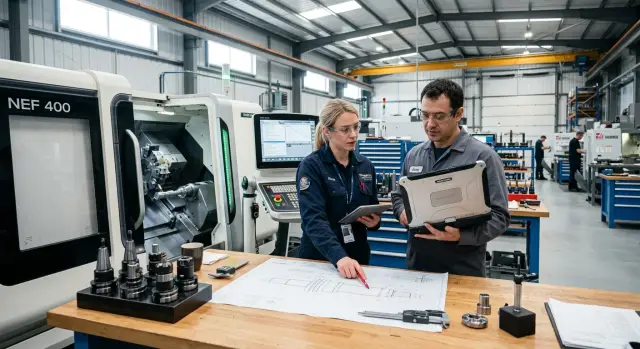
Why time is lost after start-up
After CNC machine commissioning, the shop often expects a quick start. In reality, the first shifts are not spent cutting, but dealing with small interruptions. The technologist checks the part datum, the setter argues with the operator about zero, and the programmer urgently edits the postprocessor right at the machine. Each issue takes 5-10 minutes on its own. Over a shift, that adds up to several hours.
Most questions appear in the most basic places. How do you set the part coordinate system? Where should tool offsets be stored and how should they be checked? From which line is it safe to restart the program after a stop? What stock allowance should be left for the finishing pass on this machine? If these answers are not agreed in advance, the first NC program on a CNC machine turns into a series of trial runs and extra movements.
A standard demonstration is almost never enough. The supplier's engineer shows that the machine is working, performs a few operations, and gets a clear result on a test blank. But that is still not supplier training for the technologist. In real work, the team is launching its own part, with its own tooling, chuck, cutting conditions, tolerances, and measurement requirements. That is where the pauses begin.
Before the first part, you need to close specific questions:
- who sets the part zero and when;
- how tools are measured and where offsets are recorded;
- which program lines are considered safe for start and restart;
- how to check the first toolpath dry and at low feed;
- what to do in common alarms and faults without calling service.
If the supplier handles not only delivery but also start-up, as EAST CNC usually does, the training should revolve around your first part number, not an abstract example. Otherwise, the team may have "seen everything" but still cannot confidently launch the first-part setup on its own shift.
What counts as a good training result
A good result is obvious right away. The technologist can explain the logic of the first operation. The setter can clamp the tool and check the start without prompting. The operator understands where to stop the cycle, how to measure the part, and how to continue safely. The team has not just general notes, but a short working procedure for the first NC program.
If people still look for answers in chats and phone calls after training, then the training missed the point. A proper result looks different: the first part comes out within tolerance, the reasons for adjustments are clear, and restarting on the next shift does not cause a rush.
What to prepare before the training visit
Supplier training for the technologist goes much more smoothly when the team already has the full set of input data for the first part. If you arrive with only a general plan, time gets spent searching for dimensions, clarifying material, and checking files instead of doing real work at the machine.
First, choose the first part to launch and gather everything that affects machining. You need an up-to-date drawing, dimensions with tolerances, surface finish requirements, and clear datums. It is better to pick not the most complex part in the range, but one that lets you work through the logic of the first NC program on a CNC machine without unnecessary risk.
Also prepare the material and blank data separately. Material grade, hardness, supply condition, allowance, and blank shape - all of these affect the cutting conditions, tooling, and the machining route itself. If the blanks have not arrived yet, that is already a problem: the training turns into discussion instead of real first-part setup.
Before the visit, send the supplier these five things in advance:
- the drawing of the first part in its working version
- material and blank size information
- the exact machine model and list of installed options
- the list of fixtures and tools already available in the shop
- a sample file from CAM and the method used to transfer programs to the machine
People often get the machine model wrong. They mention only the general equipment type, but in practice the travel of the axes, turret type, chuck, driven tooling, CNC control, probe, bar feeder, chip conveyor, and other options matter. For a supplier that handles CNC machine commissioning, these are not minor details, but the basis for a real launch scenario. With EAST CNC, it is better to agree on this list in advance so the training runs on your configuration, not on a hypothetical example.
Check the CAM system before the specialist arrives. The technologist should be able to open the model, generate the toolpath, output the code through the correct postprocessor, and transfer the file to the machine in the way that actually works in the shop. If the postprocessor produces strange commands or the connection to the machine keeps dropping, that needs to be fixed before training, not on the day when a blank is already in the chuck.
Do not forget measurement. For the first part, you need not only the machine, but also a basic inspection kit: calipers, micrometers in the required range, an indicator, a stand, a bore gauge, and gauges if the size requires them. Without this, it is impossible to quickly understand where the error is - in the NC program, in the tool offset, or in the setup itself.
One practical approach is this: the day before training, gather everything on one table or in one folder. The drawing, the model, the blank, the tooling list, the setup sheet, the measuring tools, and the laptop with CAM. Then the first day starts with work, not with the phrase "let's find the file."
Who should take part in the training
Do not send only the technologist to the training. Before the first NC program on a CNC machine, questions almost always come up from different areas: machining path, part setup, panel operation, and the machine's own behavior. If only one person is in the room, the answers later have to be collected across shifts and phone calls.
It is better when at least four roles are represented in the training. Not four "for show," but four people who will later be responsible for their own part of the work on the floor.
The technologist should handle the process logic. They decide how the part will move through the operations, which tools are needed, where the datum is taken from, what cutting conditions to use, and what areas to check after the first cut. If the technologist stays silent during training, the first program is often technically correct but awkward for real launch.
The setter looks at the same part differently. Their area is setup, clamping, offsets, tool lengths, safe approach moves, and collision risk. The technologist may build a good route, but it is the setter who will first notice that the jaws block the cutter path or that the part shifts after reclamping.
The operator also needs to be involved from day one. The phrase "it is all simple" is not enough for them. They need to understand the cycle, the controls, dry run, block stop, restart after a pause, and what to do in an alarm. When the operator has seen these steps during supplier training, they handle the first shift more calmly and lose less time on small things.
The service engineer handles the machine itself. They explain how the machine returns to reference, how the axes behave, how the spindle, turret, or tool magazine behaves, what checks to do before start-up, and which signals must not be ignored. This is especially important during CNC machine commissioning, because some errors look like a program problem when the cause is actually in the machine setup.
If the shop is small, one person may combine two roles. But even then, it is better to divide responsibility on paper in advance.
A good simple rule is this: the technologist is responsible for "what to cut and how," the setter for "how to set it up and not crash it," the operator for "how to run the cycle confidently," and the service engineer for "how the machine should work without surprises." This setup makes first-part setup much easier and removes unnecessary arguments after start-up.
How to run the training over three days
Supplier training for the technologist is better built not around general theory, but around one goal: after start-up, the person should calmly bring the first NC program on the CNC machine to a working part. Three days is usually enough if each day ends with a clear list of decisions and open questions.
Do not rush the program on the first day. First, the technologist should feel comfortable with the machine screen, understand the menu logic, and not get confused by basic commands. Then move on to reference position, machine and part zeros, manual axis movements, and safe approaches to the blank. If the person is uncertain at this stage, mistakes only pile up on day two.
By the end of the day, it is useful to check one simple thing: can the technologist switch on the machine, return it to its initial state, call up the required coordinate system, and safely move the tool in manual mode? If not, it is worth repeating part of the day rather than moving on just to keep the schedule.
On the second day, move on to the tools. The technologist should enter the tools themselves, understand where the offsets are stored, how to check the projection, how to set length or radius, and where values are most often confused. After that, run a dry test. First without a blank, then with a blank and an increased safety margin.
The usual order is:
- install and check the tool;
- enter offsets carefully;
- run the program block by block;
- stop at transitions where there is a risk of collision;
- note which lines and values raised questions.
The third day is needed for real work. Take the first program, run the first part, take measurements, and immediately correct anything that is off in size or machining logic. At this point, the technologist needs more than just watching the screen. They should understand why the size drifted, and what to change - the offset, feed, datum, or the NC program segment itself.
A good end to the third day looks simple:
- there is a first part with measurements;
- it is clear which corrections have already been made;
- there is a list of parameters that must not be changed without approval;
- open questions are collected in one file or log.
This approach is also often used when commissioning machines with full-service suppliers, including EAST CNC: first, confident machine operation, then tooling and a safe dry run, and only after that - first-part setup. Otherwise, the training breaks into separate answers that later have to be searched for in the shop.
Which questions to close for the first NC program
Most of the time at the start is not spent on the toolpath itself, but on little things that nobody agreed on in advance. The technologist wrote the first NC program on the CNC machine, the operator loaded the file, and then the pauses begin: where is part zero, which tool number is which, and which commands the control actually accepts.
During supplier training for the technologist, these questions need to be closed right on your machine, with your control, and on a simple part. Theory helps little here. You need a live check: enter the data, start the cycle, see the result.
First, agree on part zero. For a turned part, this usually comes down to two things: where Z zero comes from and how you confirm it after setting the blank. If the technologist and setter understand this differently, the first trial part almost always ends up with extra stock or undercut dimensions. The zero should not just be chosen; it should be checked once in a clear way and recorded as the working rule.
Next, review the tooling. Each turning tool and drill should have its own number, without "temporary" schemes that only two people in the shop remember. Decide right away where geometric and wear offsets are stored, who changes them, and how the tool is labeled in the setup sheet. If this is missing, in a week nobody will understand why the part drifted by 0.2 mm.
Go through the codes separately. Not every control reads G- and M-codes the same way, and it is better to catch that before launch. The supplier should show which cycles, offset cancels, stops, tool calls, and service commands the machine uses without surprises. One short test file usually saves hours of troubleshooting.
Another practical point is program loading. Check both methods you will use at work: from removable media and over the network, if your network is set up. During training, open the file, load it into the machine memory, find where the program name is displayed, how to call up the required version, and how not to confuse the old and new file.
By the end of training, you should have not just discussion, but ready actions:
- check part zero after the blank is set;
- call up the correct tool and find its offsets;
- understand which commands the control does not accept;
- load the program using the same method that will be used in the shop;
- make a backup of the parameters and programs.
Many people put off backups while the machine is running. That is a bad habit. Right after CNC machine commissioning, save the parameters, offsets, and working programs in a separate place. If the control resets or someone deletes a file, you will not have to start over.
Example with a simple part
A very simple part is enough for a training launch: a shaft with two diameters and one groove. This example quickly shows how the technologist thinks about the datum, clamping, tooling, and the first measurement, instead of spending half a day on a long program.
Let's take a blank from 45 mm bar stock. The part needs a Ø40 section 35 mm long, then a Ø30 section 25 mm long, and a 3 mm wide groove between them. It is a standard turning job, but it clearly reveals almost all the mistakes of the first start-up.
First, choose the datum and clamping method. If the part is short, it makes sense to clamp the blank in the chuck with minimal projection and take the faced end as Z zero after facing. X zero is taken from the spindle axis, as usual. If the technologist gets confused about the datum at this stage, extra corrections will start later and the dimension will drift already on the first pass.
Then build not the whole cycle, but a short roughing operation. It is enough to face the end, turn the outside diameter down to allowance, and machine the groove section without a finishing size. This makes it easier to check the NC logic, approaches, retractions, and tool safety. During supplier training, this approach is more useful than trying to get the finished part immediately.
After the first measurement, do not rewrite the entire first NC program on the CNC machine. If the diameter came out a few tenths over or under, the technologist adjusts the tool offset. If the end face drifted in length, adjust the Z shift. Only touch the cycle itself when the error is in the toolpath or the chosen datum.
It is best to put these five items into the setup sheet right away:
- part zero in X and Z
- the number and purpose of each tool
- actual offsets after the first measurement
- control dimensions for the two diameters and the groove
- the procedure for checking the part after start-up
This simple shaft quickly builds the right habit: first lock down the datum and the logic of the first-part setup, then bring the size in with offsets. That saves time on the next part, when the machine is waiting and the technologist is not searching memory for answers.
Where technologists most often make mistakes
The first mistake appears before cutting even starts: the technologist confuses machine zero and part zero. Then the NC program looks correct, but the tool moves to the wrong place on the first approach. This happens when the datum on the drawing is chosen one way but recorded in the coordinate system another way. One agreed sheet with the setup and a photo of the fixture often saves half a shift.
The second common problem is too much trust in the postprocessor. If the code exported without errors, that does not mean the toolpath is safe. A dry run with the tool raised quickly shows an extra approach, an incorrect tool change, or dangerous movement near the chuck. For the first NC program on a CNC machine, this is a normal check, not overcaution.
Another mistake is tied to cutting conditions. The technologist takes the feed and spindle speed from a handbook or from the previous part, but does not look at the actual clamping and tool overhang. That is exactly where vibration, surface marks, and size drift begin. If the jaws do not hold the part very rigidly and the tool is extended too far, the cutting conditions need to be reduced immediately, not after scrap appears.
Where confusion most often appears
- No single person is assigned to keep the final version of the NC program.
- The program is edited from the machine panel, but the source file is not updated.
- The parameters for the first part are left only in the CNC memory.
After that, the restart takes longer than the first launch. The operator opens an old file, the technologist looks at a different version, and the setter is remembering edits from memory. A week later, it becomes hard to tell which program produced the good part.
Even if supplier training went well, documents quickly drift without a simple order. The final NC program, setup sheet, tooling list, overhangs, offsets, and parameters for the first good part are best kept in one place. It is useful to add a photo of the clamping and a couple of short notes: on which pass the size appeared and where the feed had to be reduced.
The check is simple: another employee should be able to repeat the first-part setup without calls or guesswork. If not, part of the knowledge stayed in one person's head instead of in the working process.
Quick checklist before launch
Before the first start, do not rush to press "Start." A short check takes 20-30 minutes and saves half a day. The first NC program on a CNC machine is more often derailed by small things that nobody checked out loud than by a difficult part.
First, check the blank setup. The technologist and operator should see the same thing: where the stop is, where zero is, how the part sits in the fixture, whether the clamping force is enough, and whether the blank shifts when tightened. If the datum is only correct "on paper," the first size will go off right away.
Then check the tool list. The numbers in the turret or magazine must match what is written in the NC program. Also check the length and radius offsets separately. An error by one number often seems minor, but it is exactly what breaks the first launch.
The next step is a dry run at a safe height. Let the machine run the full cycle without cutting, with the tool raised and feed reduced. That way you will see extra approaches, dangerous movements, and places where the tool gets too close to the chuck, jaws, or fixture.
Before cutting, prepare a measurement plan. Not a general list, but a specific order: which dimension to measure first, after which transition to stop the cycle, who takes the measuring tool, and where the inspection sheet is kept. Usually you check the datums first, then 2-3 dimensions that determine the rest of the part geometry.
Also assign who will edit the program during launch. One person makes changes to the NC program, a second confirms the measurements, and a third records exactly what was changed and why. If the supplier is involved in the launch, for example the EAST CNC team during CNC machine commissioning, this rule is best agreed before the spindle starts.
It helps to keep a short reminder nearby:
- the blank datum is checked on the machine, not only on the drawing
- tool numbers and offsets match the program
- the dry run passed without risky approaches
- the order of the first measurements is written down
- the person responsible for NC edits is assigned
This routine seems simple, and that is the point. Supplier training for the technologist is more useful if the team learns to check these things every time, not just on the first part.
What to do right after start-up
Right after launch, do not rely on memory. On the same day, put together a short note for the first part. Write down the material, blank, datum, part zero, tooling setup, cutting conditions, problem areas, and actual cycle time. A few days later, these notes are what save you from a full reset setup.
Proper supplier training gives the foundation, but after start-up small details appear that were not visible in the classroom. For example, on the first good part, people often adjust one tool offset, shift zero slightly, or reduce feed on the finishing pass. If this is not recorded right away, the next shift will start wondering why the first NC program on the CNC machine was stable before but the size is now drifting.
Save not only the final NC program. Keep the whole working package nearby so any technologist or setter can quickly understand the setup logic:
- the final NC program and the version before the last edits
- the offset and shift table
- the setup sheet with fixtures and tooling
- notes on the first good part and actual dimensions
- a list of unresolved machine and process questions
It is better if one person manages this package for the first week. Usually this is the technologist who launched the part, or the senior setter. They should not be responsible for everything alone. Their job is simpler: collect questions from the shifts, record changes, and keep edits from spreading through verbal agreements.
It is also useful to agree right away on a simple file and version naming system. Otherwise, in a month the server contains "final," "final2," and "definitely_last," and nobody can find the right program without calling around the shop.
If gaps remain after start-up, do not put them off until the first serious batch. With EAST CNC, you can separately review the first part and service topics: why those offsets were chosen, where it is safer to approach the tool, which machine assemblies should be checked at the start of the shift, and what the operator must not change without approval. One such review usually answers more questions than several short phone calls.
A good result after start-up is simple: the program is saved, the offsets are clear, the setup sheet is close at hand, and the team has one clear contact for questions during the first week.