
Stock Setup Zones When CAM Gets in the Way of Clamping
We explain how to add stock setup zones in advance so the jaws hold the part securely and the CAM model does not get in the way of clamping.
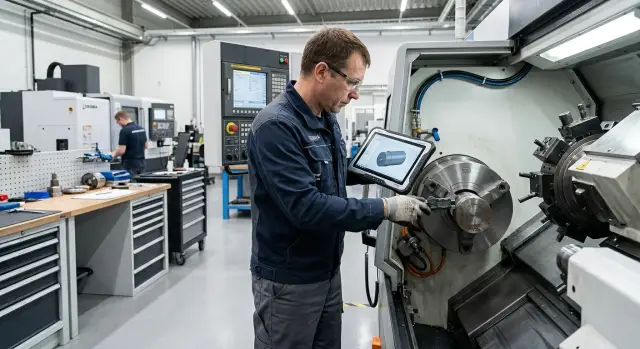
Where the model diverges from the real clamping
In CAM, you often work with the "clean" part only: just the surfaces that should remain after machining. That is convenient for toolpaths. For the machine, though, it is often not enough, because the jaws, stops, and soft pads hold not the finished part, but the area you can actually grab securely.
On the screen, everything looks calm: the tool passes, there are no collisions, and the dimensions match. In the real setup, the rules are different. If the part has only a short land, a narrow shoulder, or an interrupted surface left on it, the jaws do not have enough contact length or width. The part is held "on the edge," and even normal clamping force does not give enough rigidity.
This happens when the model is built only for machining, without extra stock for clamping. For example, a turning stock model ends exactly where the finished diameter ends. That looks logical in CAM. In the shop, it turns out that the jaws grab only a few millimeters, and there is also a chamfer nearby. That kind of contact is not reliable.
The problem often shows up after the first operation. At the start, the part has a clear base: an end face, an outside diameter, a center, or a piece of bar stock. Then that area gets cut away, and on the second setup there is nothing left to support the part. Formally, the model is correct, but the base disappears before the part makes it through all the steps.
With thin walls, the mistake becomes visible even faster. The wall is affected not only by the cutting tool. Sometimes it moves already during clamping. The operator checks the size while the part is clamped, gets one value, releases the part, and the geometry changes. CAM does not show this, because the model does not show deformation under the jaws.
There is a simple test: can you tell from the model right away what holds the part in each operation? If the answer is unclear, the setup zones were not planned properly. Then the program may be fine, but the setup itself is weak, inconvenient, or simply risky.
In practice, this quickly turns into losses. The first part takes longer, the fixture has to be adjusted on the spot, and the size starts to drift for no obvious reason. Usually the problem is not CAM. The issue is that the model does not leave room for proper clamping.
Which zones are added to the stock
Setup zones are not there to make the model look nicer. They give the machine clear places for clamping, stopping, and re-gripping while the tool removes metal from the surfaces where size and finish already matter.
Usually these are temporary areas. After the main machining, they are cut off, turned down, or removed in the second setup.
What is added most often
If the part is turned in a chuck, a cylindrical land is often left for the jaws. This is a separate area with a clear diameter and enough contact length. The jaws hold the stock evenly instead of crushing a finished surface or a thin wall.
For axial support, an end-face allowance is left. It is needed when the part is supported by the tailstock center, pushed by the quill, or held by a second support. If the end face is finished right away, it is easy to get a dent, runout, or a mark from the support.
Sometimes a small shoulder is needed as a stop. It sets the length reference and makes repeatability easier in production. The operator does not have to guess the position of the part each time.
When the part has to be picked up again after the first operation, a stub is left. This is especially useful for bushings, flanges, and parts where almost all outer surfaces are machined in the first setup. In the second setup, the stub is held in the jaws and then removed.
For long and flexible parts, room is planned for centering or a steady rest. That may be a short center land or a smooth neck that the steady rest can support without slipping. Otherwise the clamping seems fine, but the part moves away from size during cutting.
When the zone is really needed
Extra metal makes sense where clamping would otherwise happen on a finished surface, a thin wall, or a contact area that is too short. On the screen, everything looks neat, but in the shop that kind of clamping quickly reveals weak spots.
A simple example: for a flange with a thin wall, it is better to leave a short cylindrical land for the jaws and an end-face allowance for support. If you clamp directly on the finished wall, it can distort already on the roughing pass.
A clamping allowance is not added "just in case." It is chosen based on cutting force, overhang length, chuck type, and the number of re-clamps. If metal is added without understanding the task, it only makes the stock heavier and the process more complicated. If there is not enough of it, the problems begin on the very first run.
When a normal allowance is no longer enough
A normal allowance solves one task: it leaves metal for machining. But it does not help if the part is hard to hold in the machine.
The problem starts where the jaw contact area is larger than the rigid area of the part itself. If the wall is thin, the chuck pushes not into solid material but almost into the finished geometry. Even a small clamp can crush the edge, shift the size, or leave a mark on a surface that can no longer be touched.
Short parts also reach the limit of a normal allowance very quickly. The chuck holds only the very edge, and the gripping depth is not enough. On the model, everything looks fine: there is a part, there is a toolpath, and there are no collisions. On the machine, it is different: the part sits too shallow, can slip, and chatter appears during roughing.
If a finished surface falls under the jaws, an extra 2-3 mm does not help. You need a separate setup zone that will be removed later. Otherwise the shop has to choose a bad compromise: either damage the finished area or clamp too lightly.
The same applies to the second setup. On the first side, there is still something to hold onto. After flipping the part, the base is gone because all the support surfaces were cut to the finished size. In that case, a normal allowance does not work. You need a temporary base, a stub, or another area that survives the first operation.
Long overhang adds another problem: vibration. Even if the stock is clamped, a weak holding scheme starts to flex during cutting. You can hear it in the sound, see it in the waviness of the surface, and notice it in the unstable size. Extra metal on the contour does almost nothing here, because it does not add stiffness.
There are several signs that mean the stock should be revised before startup:
- a thin wall ends up in the clamping area;
- the chuck grips only the edge of a short part;
- the jaws touch a finished surface;
- there is no reliable base left after the first setup;
- a long overhang makes the part vibrate.
If even one of these signs is present, it is better to change the stock in advance. That is cheaper than later searching for the cause of runout, scrap, and jaw marks on the first batch.
How to choose the zones step by step
It is better to start not with the toolpath, but with how the part will actually sit in the machine. A simple sequence helps.
- First, find the place for the first setup. Which area will the chuck or fixture grab at the beginning, when there are no finished bases yet? If there is no such area, it is better to add it to the stock right away.
- Then separate the surfaces that must not be damaged. Seating diameters, thin walls, finished end faces, and sealing areas should be marked immediately as no-contact zones. If the jaws touch those areas, a dent or a size shift is almost unavoidable.
- After that, set the real contact width for the jaws. Do not draw it too tight. It is better to leave a small margin and remove the extra metal later than to fight runout because the land is too narrow.
- Next, check whether the length for re-gripping is enough. After the first operation, the part often has to be flipped or clamped again. If no metal was left for the second grip, the operator simply will not have a safe place to hold the part without risking the finished area.
- Finally, look at the base for the second setup. It should be clear and rigid: an end face, a diameter, or a specially left pad. If the second setup ends up relying on something accidental, the first scheme needs to be revisited.
It helps to mentally run through the part’s path twice. First as a designer: what must remain in the finished part. Then as a setter: what to hold, what to support, and what can be removed at the end. If this check creates a few extra lands, shoulders, or a longer stub in the model, that is normal. That kind of allowance is almost always cheaper than scrap and extra rework.
Example with a flange and a thin wall
A good example is a housing with a thin flange and a precise end face. In the CAM model, everything looks clean: finished outside diameter, finished end face, and very little extra metal. On the machine, that neatness often gets in the way. If the part is clamped directly on the finished diameter, the jaws press near the thin wall, and the flange distorts.
Usually, the problem is not visible right away. The stock seems to sit straight, the first pass goes smoothly, but after the clamping is released, the end face shifts by a few hundredths or a slight wave appears. Sometimes the end-face size stays within tolerance, but the round surface gets jaw marks. For a part with a fit or a sealing face, that is enough to create scrap.
In that situation, it is better to add two simple setup zones in advance. The first is a short land for the jaws. This is a temporary outer area that can be held without damaging the finished surface. The second is an end-face allowance so that the clamping and the first roughing pass do not affect the finished end face.
The scheme usually looks like this:
- the stock is held by the outer clamping land;
- a separate end-face allowance is left for the first setup;
- the first operation machines the base surfaces and internal dimensions;
- then the part is re-gripped on a stiffer base;
- at the end, the temporary land is removed and the finished end face is brought to size.
This moves the clamping force away from the finished diameter and onto a temporary zone. The thin flange flexes less, and any jaw marks stay where the metal will be removed anyway. In practice, this often gives a much flatter end face without trying to "fix" the problem with lighter clamping.
If the part is small, the land can be very short. A large margin is not needed. It is enough for the jaws to hold the stock confidently and not touch the finished geometry.
How to show these zones in the model and on the drawing
If the setup zone is not visible in the model and on the drawing, the shop will almost always read the part as finished geometry. Then the programmer builds the toolpath on the "clean" shape, and the setter on the machine has to figure out what to hold the stock with.
In a 3D model, it is best to separate these zones from the working part. The easiest way is to make them a separate body. If that is not possible, use a different color and a clear name, such as: "clamping zone, remove after machining." A short comment in the file is not enough. The geometry must be easy to read at a glance.
For the clamping zone, define specific dimensions. If it is a cylindrical section, you need the length and diameter. If it is a pad, shoulder, or temporary platform, you need the overall size and its position relative to the datums. Otherwise CAM will see a generic allowance, but it will not understand what exactly should remain for the jaws.
It is also worth marking areas where contact is forbidden. This is especially important if there is a thin wall, a finished surface, or a low-rigidity zone nearby. In the model, these areas can be marked with color, a layer, or a short note in the operation requirements.
On the drawing, do not hide the setup zones inside general notes. It is better to show them clearly in a separate view or detail section. Usually four things are enough:
- the outline of the zone itself;
- the length and diameter or thickness dimension;
- the note "remove after machining";
- a mark showing where the jaws must not be placed.
If the zone is removed not right away, but after a specific operation, that should also be written down. For example: "cut off after machining the hole and outer diameter." Then it will not be removed too early.
Before releasing the program, the CAM model and the drawing must match. A short joint review by the designer, technologist, and programmer works well here. It is enough to open the model, show the datums, name the clamping surfaces, and confirm which areas remain temporary.
What to check before the first batch
Before startup, it is often not CAM or the machine that fails, but the clamping logic. On the screen, the model looks neat: there is allowance, the toolpaths pass, and there are no collisions. In the shop, the result is different: the jaws have nothing to grip, there is no base after flipping, and the extra millimeters do not help anymore.
A common mistake is leaving only a general size allowance. It helps remove metal, but it does not answer a simple question: what will hold the part in each setup. Just as bad is hiding the clamping zone inside the finished contour. In the model, that looks convenient, but on the machine it leads to deformation, jaw marks, or a size shift at the finish.
Another typical mistake is forgetting about the second setup. The part is successfully machined on one side, and then it turns out that there is nowhere to base it after flipping. This happens especially often with thin-walled parts and flanges.
Before handing the model and drawing over to the shop, it is useful to quickly check a few things:
- Where the stock is held in the first setup.
- What remains for the second setup and re-grip.
- Whether the jaw land is wide enough.
- Whether centering, a steady rest, or room for cutoff is needed.
- Which areas will later turn into chips without harming the part.
If even one point raises doubt, it is better to adjust the stock right away. A few extra millimeters in the right place are almost always cheaper than a damaged finished surface or a new batch of stock.
A good quick test is this: imagine the part moving through the setups. First you clamp the stock, then you machine the base, then you re-grip, then you reach finished size. At every step, it should be clear where the clamping happens, which surface is already finished, and which one is still a support area. If these zones overlap, the model is still not ready.
It is also useful to reflect this in the documentation. The drawing, the 3D model, and the process sheet should all mark the removable zones, the first-setup bases, and the order in which they are removed in the same way. If the markings differ, the shop will almost always trust the file it opened first.
Sometimes it is enough to make a trial setup on one stock piece before starting the series. A full program run is not necessary. What matters is checking how the part sits in the chuck or fixture, whether the jaw travel is enough, whether the tool gets in the way, and whether rigidity remains in the thin area after the first passes. That kind of check often saves more time than long corrections after the program has already been released.
If the project is still in preparation, these questions are better discussed before ordering the fixture and starting production. At EAST CNC, these details are usually reviewed together with the clamping scheme, machine selection, and the first setup. For new parts, thin-walled housings, and complex turning operations, that is especially useful: it is easier to add the right setup zone in advance than to redo the stock later in the shop.