
Standardizing Customer Drawings Without Unnecessary Rework
Standardizing drawings from customers helps estimate lead time faster, reveal gaps in the data, and start a batch without unnecessary back-and-forth.
Why scattered drawings slow down a launch
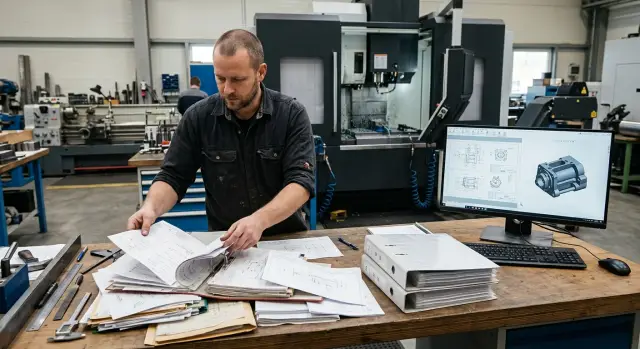
When documents arrive in pieces, work stalls at the very first step. A manager gets a PDF in one email, a 3D model in another, and photos of the part or corrections in a messenger two hours later. Instead of a single request you get a set of files that must be assembled and checked manually: do they all belong to the same part and which version is current?
Most often the problem starts with versions. The customer sends a new drawing but doesn’t say what changed. The file name stays the same, like final_2 or novaya_pravka, although dimensions or holes inside are already different. If the old version goes into the estimate, the process engineer will calculate one thing and the shop will receive another. That leads to extra messages, recalculations and a delayed start.
Incomplete data eats up just as much time. The drawing exists, but the material isn’t specified. The geometry is there, but the quantities aren’t. Dimensions may be clear, but tolerances, surface finish or machining requirements are not listed. For the customer this may seem minor. For production it’s the difference between a quick estimate and several rounds of clarifications.
In this situation the process engineer doesn’t estimate lead time; they hunt for missing info. They open files, compare versions, call the manager, ask about material and try to decide whether the batch can be launched at all. One request can easily take an extra 20–40 minutes. If you have five or ten such requests a day, the delay becomes noticeable across the whole shop.
The shop almost never starts work with an incomplete package, and that’s reasonable. One inaccuracy in a drawing can cause scrap across a whole batch. So the order is postponed until all data arrives. From the outside it looks like a slow supplier response. In reality the time is spent sorting incoming materials, not producing.
Usually scattered drawings lead to three clear consequences: the lead time is estimated longer, the price is revised later, and the batch launch is pushed by a day or more.
Standardization isn’t a formality. It removes unnecessary questions before estimating, not after. When a request has one complete set of files, a clear version and a full set of parameters, the manager forwards it quickly, the process engineer calmly calculates the route, and the shop doesn’t wait for missing data.
What to request along with the drawing
A single file with a picture almost never helps to name a lead time quickly. To avoid back-and-forth, it’s better to ask the customer right away not only for a PDF for viewing but also for the native file that the process engineer or designer can work with. This can be DWG, DXF, STEP, SolidWorks or another agreed format.
The PDF is needed so everyone sees the same drawing without distortions. The source file is needed for calculations, geometry checks and production preparation. If the customer sent only a scan or a photo, you’ll almost certainly have to come back with questions.
The part name should also be unambiguous. It’s better if it has a short name, the customer’s internal number and a revision number. Otherwise the old version can easily slip into production and disputes begin after launch.
Next come the part data. Material should be specified fully, without vague words like “steel” or “stainless.” For estimating you need the grade, hardness after treatment, coating and the type of blank: bar, forging, casting or customer-supplied blank.
Quantity is mistaken more often than you’d think. Price and lead time depend not only on the first batch size but on expected future volume. One thing is 20 pieces for a prototype; another is 2,000 pieces per month, which changes the approach to tooling, cycle and machine loading.
Ask separately for tolerance data. If the drawing includes tight tolerances, surface finish requirements or dimensions that affect assembly fit, the customer must mark them explicitly. Otherwise the shop will either add extra time margin or give an overly optimistic lead time.
A minimal request package usually comes down to five items: a PDF drawing for viewing, the native file for working with, the part name with a revision number, material with coating, hardness and blank type, and the quantity for the first batch plus a plan for volume.
If the part is, for example, for turning, even one missing parameter significantly changes the estimate. Material grade affects cutting parameters, coating affects final operations, and a fit tolerance affects tool choice and inspection. So the rule is simple: no full data set — no estimate.
How to set a unified file and naming format
When each customer sends files their own way, the shop loses time on simple things: which file is latest, where is the 3D model, where are the technical requirements and what units the drawing uses. You can solve this once by fixing rules in advance and sending them to all customers before work begins.
A short email template or a simple request form usually works better than a long manual. The customer fills in the same fields: part name, material, quantity, revision, due date, unit of measure, file package. Then the manager and the process engineer immediately see what’s missing.
File names should also follow a single format. A convenient option is “part_revision_date.” With such a name you can instantly see what the file is, which version it is and when it was sent. For example: korpus_A3_2026-04-06.pdf or val_B1_2026-04-06.step.
If you get files named “new,” “latest,” “final 2” and “final,” mistakes are almost inevitable. One employee will take the old revision, another will open the new one, and the lead time estimate becomes inaccurate.
It’s useful to set a folder structure too. Don’t dump everything in one place. In practice three folders are enough:
2Dfor PDF or DWG drawings3Dfor STEP, STP or other agreed 3D formatstechfor technical requirements, specifications and clarifications
This order helps especially when an order contains several parts. In companies that work with CNC machines daily, it already saves time at the estimation stage.
Another common source of confusion is mixed units. One file is in millimeters, another in inches, and the email doesn’t say. It’s simpler to set one rule up front: all dimensions are submitted in millimeters unless agreed otherwise in advance.
And one more often underestimated point: don’t accept photos of the screen instead of normal files. A screenshot can’t be measured accurately, it’s inconvenient to extract dimensions from, and part of the data is often cut off. If the customer sent only a photo, return the request asking for the full package.
How to accept a request without confusion
If you send a request to estimation immediately after receiving files, errors are almost unavoidable. It’s faster to follow a short intake routine and only then forward the package. That removes extra messages, ambiguous points and repeated lead-time calculations.
It’s most convenient to collect all materials in one channel and immediately gather them into a single order folder. There should be all files for the part or batch: PDF, 3D model, specification, comments on material, quantity and due date. When some data remain in a messenger, some in email and some were agreed verbally, confusion starts on day one.
The working routine is usually simple. First, the person accepting the package checks it against an internal checklist. They don’t evaluate the manufacturing route or estimate lead time yet; they just check completeness. Then they compare the PDF, 3D model and specification: dimensions, material, threads, tolerances and quantity must match. If there are discrepancies, they collect the questions in a single message. One list of 5–7 points is almost always better than a chain of short messages. After the customer answers, the new revision is saved separately, the old one marked as obsolete, and only the latest full package goes to estimation.
This may look like a formality, but it’s where the shop loses time most often. For example, the PDF lists one material while the specification lists another. Or the 3D model has a chamfer that the drawing doesn’t. If such a request goes straight to the process engineer, they will either estimate incorrectly or return it. In both cases the lead time shifts.
It’s also better to agree in advance who is authorized to confirm changes. If the manager received a reply from the customer but the new version of the file didn’t arrive, it’s too early to estimate. Words in an email help clarify the task, but production must work from a document with a new revision, date and a clear file name.
For companies doing metalworking this routine is especially useful. A part may look simple, but one small detail in tolerance or material changes the price, lead time and method of machining. So the rule remains: no full package — no transfer to estimation.
Quick check before estimating lead time
You can’t estimate lead time from the outline of a part alone. If material, tolerances or mounting method are unclear in the drawing, managers and process engineers almost always add extra days. Later the lead time has to be recalculated, which frustrates both the shop and the customer.
A short check before estimating isn’t bureaucracy. It immediately separates clear orders from those missing source data. That’s the point of good incoming control: fewer clarifications, fewer pauses, fewer mistakes at the start.
What to check before estimating
Start with the simplest items — they’re the ones that break the plan most often.
- Material, blank type and quantity. Lead time differs for a part made from bar versus a batch from casting.
- Fits, tolerances and basic dimensions. If a size is given but its required accuracy is unclear, price and time are easily underestimated.
- Heat treatment, coating and surface roughness. These influence not just the finish but the whole manufacturing route.
- Fixtures for mounting and inspection. The engineer must know how the part will be set up in the machine and from which datums it will be measured.
- Tooling data. Sometimes the part is simple, but without chuck jaws, collets or special fixtures the launch is delayed.
If at least one item is unclear, it’s better not to promise a final lead time. It’s more honest to return a list of questions right away than to explain later why the batch didn’t ship on time.
A good example is a bushing or shaft with several bearing seats. The part looks simple, but without precise tolerances on the fits you can’t define machining modes or inspection volume. If hardness after heat treatment and required surface finish aren’t specified, estimating becomes guesswork.
In shops that use CNC lathes this check takes a few minutes if incoming data arrive in a single format. If the customer sent a PDF, an old scan and a photo in a messenger, time is spent assembling the puzzle instead of estimating.
When to put a request on hold
There are signs for which it’s better not to estimate at all. For example, the drawing has dimensions without tolerances but shows fits nearby. Or a coating is specified while the base material is not. Another common case is when quantity is given but the blank type is unclear: bar, forging or finished casting.
The rule is simple: if the process engineer cannot define the machining route without calling the customer, the request is not ready for estimation. One short intake filter saves hours of messages and helps launch a batch without extra rework.
A shop example
In the morning the shop received a request for a batch of turned parts. The customer attached a PDF with dimensions but didn’t specify material or quantity. At first the drawing looked clear, so the manager immediately sent it to the process engineer for estimation.
A few minutes later work stalled. The engineer couldn’t accurately calculate the cycle time or choose cutting parameters without knowing the material and the number of pieces. Estimating for a single prototype part is very different from estimating for a batch of 300.
The manager asked the customer for material. The answer didn’t come right away. When the material was finally confirmed, it turned out the quantity wasn’t specified either. Then a third question appeared: is only the dimension from the drawing required, or are there separate requirements for surface finish and fit tolerances? All three clarifications arrived at different times, and each pause extended the lead time.
While the correspondence continued, the engineer postponed the estimate. That’s normal shop logic, not someone’s mistake. Estimating from incomplete data makes it easy to give a lead time that must be changed later. Worse — launching a part with the wrong blank or planning the wrong tooling.
As a result, a request that could have been evaluated in an hour was only estimated the next day. The drawing itself wasn’t complex. The problem was the incoming data: they arrived in pieces, not as one package.
After several such cases the company introduced a simple template for customers. With drawings they started asking for the same set of data: part material, batch quantity, tolerances and surface requirements, file format — PDF and, if available, a 3D model — and the date by which a quote or launch is needed.
The next similar request arrived following that template. The manager didn’t waste half a day on messages, and the engineer received the full package immediately. The estimate was done the same day and approvals went noticeably smoother.
That’s how standardization works in practice. It doesn’t make the shop faster by itself. It removes empty pauses between messages and helps estimate lead time using real data, not guesses.
Errors that delay lead time
Lead time usually isn’t ruined by the machine or shop load. The problem starts earlier, when a request arrives in pieces: one file in email, another in a messenger, dimensions agreed verbally, and the “final” version that only “seems final.” Without a clear order even a simple estimate easily goes wrong.
The first common mistake is verbal corrections. The manager called the customer, the engineer jotted something in a notebook, the designer edited the model, but there’s no dated email. Two days later everyone has different versions. If a correction didn’t arrive in writing with a timestamp, you can’t treat it as the working version.
The second mistake is estimating from an old revision. This happens constantly when files are named like “part final,” “part final 2” or “new really accurate.” The shop estimates processing time, procurement looks at one dimension, and another file goes to production. A new revision appears later and the lead time must be re-estimated.
A separate problem is when a prototype and a series are mixed in a single request. For the first part you typically plan more manual checks, additional on-site finishing and adjustments. For a series you need a different approach: stable cycle, tooling and repeatability. Mixing the two modes almost always yields an inaccurate lead time.
Another error is the customer not marking critical dimensions. A drawing may contain dozens of dimensions, but not all affect the part equally. If it’s unclear which tolerances are critical, the engineer adds time margin. Sometimes the opposite happens: the lead time is overly optimistic, and later it turns out one tight dimension requires different tooling or an extra pass.
Personal chats quickly create confusion too. While the number of files is small, it seems convenient. Later one employee goes on vacation, another can’t find the latest model, and a third pulls a PDF from a month-old chat. The history is lost and the argument starts with a simple question: “Which file is approved?”
What to ban immediately
- Accepting changes without an email, a date and a file name.
- Estimating lead time if the revision is not explicitly stated.
- Combining prototype and series in one request.
- Launching an estimate without marking critical dimensions.
- Storing working files only in personal chats.
In everyday shop work this is simple. The client sent a drawing for a turned part, then in a messenger asked to “slightly change the fit,” and later sent a new PDF without a revision mark. The estimate allowed 5 days. When it came to launch it turned out the batch was not 20 pieces but 200, requiring a different approach to operations. One day was spent finding the current file, another day on recalculation.
Removing these errors brings the estimated lead time much closer to reality at the intake stage. This is especially noticeable where parts go into repeatable processing and you can’t manually verify every conversation each time.
What to do next
If you want to estimate lead time faster and avoid repeated clarifications, put the intake procedure on one page. Not a 20-page regulation, but a short working document that both the manager and the customer read. For most companies that’s enough to make incoming data noticeably cleaner.
Start with required fields. Usually part name, drawing number, material, quantity, tolerances, coating, file version and desired date are enough. If the customer sends only a PDF without material and without a revision, don’t guess. Return the request for completion according to the same rule.
Then gather drawing requirements on a single page, make a short template with an example, assign one person to accept files and control versions, and test the process on several recent requests. Within a week you’ll see where the form is inconvenient and what people fill incorrectly.
Keep the template simple. One page, without unnecessary fields or technical terms. If it takes a client five minutes to fill it out, they’ll do it. If the form looks like a half-day questionnaire, they’ll again send a mixed archive of files.
One person responsible for intake noticeably reduces confusion. When one manager takes a DXF, another estimates from an old PDF, and the engineer opens a third version from a messenger, mistakes are almost guaranteed. One intake person won’t solve everything, but they quickly remove chaos with names, versions and missing data.
The pre-launch check should be short too. Don’t try to verify everything at once. First check what affects lead time and batch start: material, quantity, dimensions, tolerances, heat treatment, coating, file format and the current version. That’s usually enough to avoid blocking the shop at the start.
Pilot the new procedure on several real requests rather than discussing it endlessly inside the department. Take 3–5 recent inquiries and see where people stumble. Often the problem isn’t the customer but that the form is written too bureaucratically or lacks an example.
If there are still questions about the machining route, equipment selection or production line composition at launch, involve outside specialists. For example, EAST CNC works with CNC equipment for metalworking and can assist at the consultation, machine selection and launch stages. The company also has a blog with equipment reviews and practical metalworking tips, so many typical questions can be resolved before the project starts.