
Spindle Noise After Warm-Up: What to Check Before Calling Service
Spindle noise after warm-up does not always mean a breakdown. Here’s what to check on the machine, what to record, and when it’s time to call service.
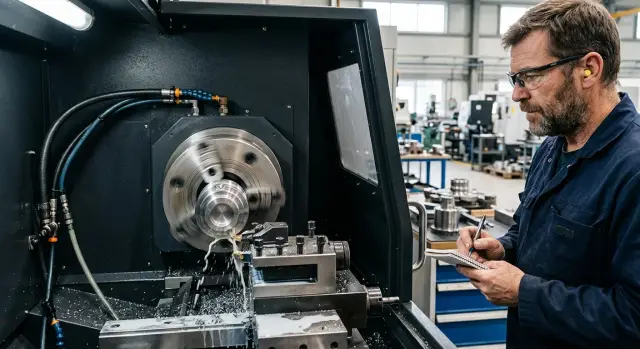
Why the noise gets worse after warm-up
After 10–20 minutes of operation, the spindle reaches working temperature, and the assembly starts behaving differently than when it is cold. The metal expands slightly, the lubricant changes viscosity, and the fits and clearances are no longer the same as in the first minutes after startup.
Because of that, the sound can get louder even without a sudden failure. When cold, thick grease sometimes masks a light hum, and after warm-up the same defect becomes easier to hear. The opposite also happens: a steady whine at startup disappears once the assembly warms up and settles into normal operation.
A normal machine background noise is usually predictable. It is steady, repeats at the same speeds, and barely changes from day to day. A new noise behaves differently: it appears only after heating up, gets stronger at a certain speed, sends vibration into the frame, or changes tone during acceleration and braking.
That is why spindle noise after warm-up often causes confusion. The operator listens to the machine when it is cold, hears nothing unusual, and assumes there is no problem. But the real load starts later, when the spindle, tool, and holder have already warmed up.
Not every noise after warm-up means bearing wear. Often the cause is simpler: the speed is too high for the tool, the frequency range is not ideal, the clamping is weak, the setup is unbalanced, or the cutting mode pushes the unit into resonance. At idle, this may be barely noticeable, but after warm-up and under load the sound becomes obvious.
If the noise only gets worse in one speed range and quickly disappears nearby, the first thing to check is the operating mode. If the hum gets stronger every day, lasts longer after stopping, and is accompanied by heating, then it is worth looking deeper into the unit.
What exactly are you hearing
The same noise can mean different things. The service team needs more than the phrase “the spindle is humming.” A much better description is: when the sound appears, at what speed it is heard, and whether it changes after warm-up.
A steady low hum at constant speed is often related to the rotating unit itself, the belt drive, or frame resonance. That kind of sound is usually stable. It does not jump from second to second and does not always depend on cutting.
A whine during acceleration sounds different. It appears while the spindle is speeding up and may fade once it reaches the set speed. If spindle noise after warm-up becomes higher and sharper, make a separate note of that for service.
A scraping sound is often not taken seriously at first. The machine may run almost quietly, and then after 10–20 minutes a dry sound appears, similar to rubbing or fine sand. For CNC spindle diagnostics, this is an important detail because this kind of noise often increases as the unit heats up.
A ringing sound and slight tremor are often not from the spindle itself, but from the tool, collet, chuck, or poor tool balance. At high speeds this is especially easy to hear: the sound turns metallic, and a wave or fine chatter may appear on the part.
If the noise only shows up while cutting, the cause may be the cutting conditions, workholding, or a dull tool. At idle everything may sound normal, but under load an unpleasant tone appears right away.
Before calling service, record these 4 things:
- what kind of sound it is: hum, whine, scraping, or ringing
- when it starts: immediately, during acceleration, or after warm-up
- whether it changes with speed, feed, and load
- whether it can be heard without a tool or without cutting
Step-by-step operating mode check
It is better to test without cutting. That makes it easier to tell whether the spindle itself is noisy or whether the sound comes from load, the tool, feed, or the material. Stop the cycle, remove unnecessary tooling, and wait for the machine to reach its usual operating temperature.
- Start the spindle at low speed without contacting the part. Listen for the first 30–60 seconds and note whether there is a steady hum, a whine, or a vibrating sound.
- Increase speed in steps, for example by 1000–2000 rpm. Hold each step for the same amount of time so you do not have to guess where the problem started.
- Compare low, medium, and working speeds. If the noise appears only in one range, the cause is often resonance, mounting, or tool balance.
- Time how long it takes from startup to a change in sound. For CNC spindle diagnostics, this is more useful than a general description like “it gets noisy after warm-up.”
- If the machine allows reverse rotation, repeat a short test in both directions. A difference in sound when changing direction often narrows down the cause.
Do not ramp the spindle straight to maximum speed. A sudden jump to the top range only makes the check harder and can sometimes increase wear. It is much more useful to move through the operating ranges calmly and record what you hear step by step.
If spindle noise after warm-up appears, for example, after 6 minutes at 4500 rpm, while at 3000 rpm the sound is steady, that is already a good lead for service. It is even better if you add whether the noise changes in reverse and whether it disappears after lowering the speed. This kind of note saves time and helps find the cause faster.
The tool and its balance
If spindle noise after warm-up changes when you change the tool, look first not at the spindle, but at the whole assembly in the holder. Often the problem is simpler than it seems: a small chip on the taper, a nick on the shank, or dirt in the chuck creates runout that becomes much more noticeable once the unit is warm.
Remove the tool and inspect three areas: the holder, the chuck, and the shank. Look for built-up dirt, impact marks, scratches, and dark spots from slipping. Even a tiny irregularity changes the fit and later adds hum or whine at speeds where the machine used to run quietly.
Also check tool overhang separately. During setup, it is sometimes extended by a few millimeters to reach the part, and then forgotten. That may be acceptable for cutting, but for noise and vibration the difference is already noticeable. The longer the overhang, the easier it is for the tool to shake the unit.
A useful check takes only a few minutes:
- install another tool of the same diameter;
- replace only the holder or chuck;
- return to the previous overhang if it is known;
- compare the sound at the same speed and feed.
If the noise disappears after one part is replaced, you have already narrowed the search. That makes it easier for service to tell whether the cause is in the spindle or in the tooling.
Balance is also often overlooked. If the tool has not been checked for a long time after regrinding, insert replacement, or holder repair, it may have gone out of balance. On a cold machine, this is sometimes barely audible, but after warm-up a steady hum appears and gets stronger with speed.
Another common case is poor seating. The tool looks clamped, but it did not seat fully or entered at an angle. Then the indicator will show runout, and the spindle will start to sound louder under load. It is better to spend ten minutes cleaning and reinstalling it and then recheck than to blame the spindle bearings right away.
What the bearings and temperature can tell you
If the noise grows together with the spindle housing temperature, the cause is often found in the bearings or lubrication. On a cold machine the sound may be weak, and after 15–30 minutes it becomes lower, rougher, or clearly louder. That combination of noise and temperature is rarely random.
A good clue is to test the spindle without a tool. If the hum remains, the problem may not be in the cutter, chuck, or holder imbalance, but closer to the spindle unit itself. A steady hum that does not disappear at different speeds and only changes tone is especially concerning.
The smell of grease also says a lot. If there is a sharp smell near the unit, darkening, signs of leakage, or the housing is hotter than usual, it is better not to keep running it for long. Overheating does not always mean the bearings are already destroyed, but it often shows that friction has increased and normal operation is gone.
Acceleration and coast-down give another simple clue. A healthy spindle speeds up smoothly. If you hear jerks, short drops, vibration, or scraping while slowing down, it may point to race wear, lubrication problems, or play in the unit.
It is better to stop the machine right away if at least one of these signs appears:
- the noise got much stronger within one shift
- the spindle housing is noticeably hot at a normal operating condition
- the hum does not go away even without a tool
- there is a smell of burnt grease or signs of overheating
- jerks, grinding, or knocking are heard during acceleration and coast-down
For CNC spindle diagnostics, it is helpful to record not only the sound itself, but also the moment it appears. For example: at what speed it starts, how many minutes after startup the temperature rises, whether the noise changes without a tool. This set of observations often helps determine more quickly whether the spindle bearings, lubrication, or a neighboring unit are to blame.
What else might be making noise nearby
After warm-up, the sound source is often not in the spindle itself, but in the units that work near it or switch on with it. That is why spindle noise after warm-up is better checked not only at the spindle, but across the whole drive area.
A frequent culprit is the belt and pulleys. While the machine is cold, the belt may run quietly, and after 20–30 minutes a whistle, rustle, or light hum appears. This can happen because of belt wear, pulley misalignment, or too much tension.
Just as often, the cabinet fan, coolant pump, or hydraulic unit is the real source. The operator hears the sound from above or from the spindle head and concludes that the bearings are the issue. In reality, the spindle may have already stopped, while the hum remains because a nearby pump is still running.
A loose cover can also be misleading. A thin sheet of metal starts to vibrate at certain speeds and creates a ringing resonance. A similar effect can happen with a long or thin workpiece: the unit itself is fine, but the part starts to “sing,” and the noise quickly grows.
Also check the chuck and clamping assembly separately. If the jaws are worn, the seating is dirty, or the part is clamped unevenly, a dull rumble or periodic knock appears. After warm-up, it often becomes more noticeable.
It helps to do a few short checks:
- run the spindle without a tool and without a workpiece
- then switch on the auxiliary units one by one
- listen to the machine at different speeds, especially in the narrow range where the noise rises sharply
- after stopping the spindle, leave the pumps and fans on for a minute
- lightly press on the outer cover by hand if it is safe, and check whether the sound changes
If the noise changes with the condition of the cover, belt, pump, or workpiece, it becomes easier for service to narrow down the search. That saves time and often avoids unnecessary spindle disassembly.
What to record before calling service
If spindle noise after warm-up appears, service needs more than a general complaint. The more precise the record, the faster the technician can tell whether the problem is in the operating mode, tool, bearings, or somewhere near the spindle unit.
Start by recording the machine model and operating hours. Even a rough figure for spindle hours already helps. For the same sound, the causes on a new machine and on a machine with many hours of use are often different.
Then note the conditions under which the noise appears. You do not need every setting from the shift, only the exact moment when the sound becomes stable:
- spindle speed
- which tool is installed in the spindle
- which material is being machined
- how many minutes after startup the noise appears
- whether the sound changes when speed increases or decreases
These five lines often save a lot of time. For example: the noise starts after 15 minutes, at 3200 rpm, with a collet chuck and a 12 mm end mill, while cutting steel.
It is also useful to record a short video on your phone. It is best to make two clips: one near the control panel so the speed and mode are visible, and one near the spindle area so the service team can hear the sound itself. If video is not possible, an audio recording is fine too, but add a spoken comment: when the spindle was switched on, at what speed the noise increased, and what was changed.
Another important point is what you have already checked. Write it in one line: tightened the tool, replaced the holder, tried another mode, let the machine cool down, checked the part clamping. That way, service will not suggest something that has already been done.
If EAST CNC services the machine, this kind of record will noticeably speed up diagnosis. It is easier for the technician to arrive with a clear idea of the cause instead of starting from zero.
Common mistakes during checks
The most common mistake is simple: the operator immediately decides the bearings are at fault. That can happen, but not as often as it seems in the first few minutes. First, it is worth ruling out simpler things: operating modes, tool clamping, the holder, idle running, and how the spindle behaves at different speeds.
The second mistake is listening to the machine only during cutting. Under load, the noise mixes with the sound of the cutter, feed, and part, so the cause is easy to miss. If spindle noise after warm-up can also be heard at idle, that is a very different conversation for service.
The third mistake is more dangerous: keeping the machine running when the spindle housing heats up quickly and the sound grows within a few minutes. The hope of “finishing the shift” often makes the repair more expensive. If the temperature rises noticeably and the noise becomes rougher or vibrations appear, it is better to stop the machine and check it carefully.
Another common confusion happens when everything is changed at once: speed, feed, tool, depth of cut, and even the workpiece. After that, no one can tell what actually affected the sound. For proper CNC spindle diagnostics, change one parameter at a time and see what changes with it.
People also often forget to write down what they observed. Memory is unreliable in these cases. An hour later it is already hard to remember at what speed the noise started and how long the machine had run before it warmed up.
It is better to record at least four things:
- how many minutes after startup the noise appears
- at what speed it gets louder
- whether there is noise at idle
- how quickly the spindle housing heats up
These simple notes save time for both the operator and the service engineer. For a company like EAST CNC, this is useful too: the more precise the initial data, the faster you can separate a mode or tooling issue from signs of unit wear.
A short workshop example
On one line, a lathe first ran quietly, but after about 20 minutes a steady hum appeared at medium speed. On a cold start it was barely noticeable. The operator saw that spindle noise after warm-up did not increase right away, but only once the machine had reached its normal working pace.
At first, the bearings were suspected. But a simple check pointed elsewhere. At idle, the spindle sounded noticeably smoother than during cutting. That often leads people in the wrong direction: it seems like the problem is inside the unit, although the source can be closer to the tool.
The machine had a tool with a long overhang. For this operation, it was chosen “with a margin” so the setup would not have to be changed between similar parts. In practice, that extra length created unnecessary vibration. Once the spindle warmed up, the oscillation became more audible, especially in the medium speed range where the unit was hitting an unfavorable operating point.
The operator recorded three simple things:
- how many minutes passed before the hum appeared;
- at what speed it is heard most strongly;
- how the sound changes at idle and under load.
After that, the holder and the tool itself were checked. It turned out the balance was poor, and the overhang was nearly one-third longer than needed. The holder was replaced with a more suitable one, the tool was seated shorter, and then the same cycle was repeated. The noise did not disappear completely, but it dropped enough for the machine to run smoothly and predictably again.
This kind of case is a good reminder: not every hum after warm-up means an urgent spindle repair. Sometimes service needs not a general complaint, but a short note on the operating mode, overhang, and tooling.
Quick check before calling service
Before calling service, separate spindle noise after warm-up from the sound of the tool, cutting, and nearby units. This usually takes 10–15 minutes, and it is well worth it: the technician immediately understands where to look first.
Do a short check in the same operating mode, without rushing and without unnecessary experiments.
- First, start the spindle without a tool. Then repeat the startup with the tool or holder where the noise is heard more strongly. If it is quiet without the tool but hum or vibration appears with the tool, check tool balance, seating, and the condition of the collet or holder.
- Increase speed in steps, for example 30%, 60%, 80%, 100%. Note whether the noise grows with speed or appears only under load during cutting. These are different scenarios, and service needs to know which one it is.
- Compare spindle housing temperature with normal operation. If the temperature rises above the usual level and the noise becomes sharper after warm-up, that no longer looks like random background noise. It is better to check with a sensor or pyrometer than by hand.
- Look at the machining itself. Vibration, chatter marks on the part surface, signs of runout, unstable dimensions, and alarm messages on the screen often go together with spindle problems.
- Record video and numbers: machine model, speed, tool, material, time from cold start to the first noise, and whether there is an error on the screen. One video at idle and one under load is usually enough.
If possible, save an additional close-up sound recording near the spindle and another near the cutting zone. For CNC spindle diagnostics, that may seem like a small detail, but it often saves half a day.
The more precise your notes are, the fewer guesses there will be. If you later contact EAST CNC service or your own maintenance team, you will not just say “the machine is noisy,” but provide a clear picture of the operating mode, heating, and machine behavior.
What to do next
If spindle noise after warm-up quickly gets louder and the unit heats up noticeably, it is better to stop the machine. Do not try to “finish the shift” if the sound has become sharp, strong vibration has appeared, or you smell heat. A few extra hours can sometimes turn a minor defect into an expensive repair.
Then gather everything you have already checked. The service team needs not a general story, but precise conditions: speed, feed, type of operation, which tool was installed, when the noise starts, whether it changes without cutting, and what happens after cooling down. If you have a short video, temperature notes, and comments on the operating mode, CNC spindle diagnostics will move faster.
Before calling, it is useful to put the data into a short list:
- machine model and spindle type
- speed, feed, material, and run time before the noise appears
- tool, holder, and any recent tooling changes
- how the sound changes: at idle, under load, after stopping
- temperature, vibration, and any messages on the screen, if there were any
It is better not to disassemble the spindle without a clear reason. Spindle bearings, fits, and preload do not like “guesswork checks.” If you take the unit apart without proper clearance and clean conditions, it will be harder to determine where the real cause was.
For EAST CNC CNC machines, it is useful to prepare the model, serial data, operating conditions, and all noticed symptoms right away. That makes it easier for the service team to rule out unnecessary theories and move to inspection faster. If the noise started after changing the tool or holder, mention that first. This small detail often saves a lot of time.