
How to report stops on the shop floor: tower, tablet, chat
How to report machine stops on the shop floor: signal tower, tablet and chat. Where each method works best, where signals get lost and how to choose.
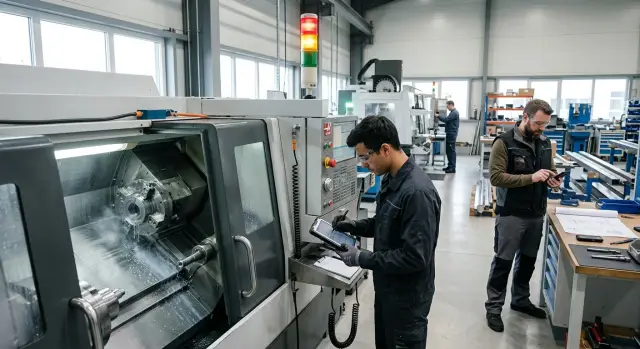
Where the signal about a problem gets lost
A problem signal usually isn't lost at the moment of failure but a few minutes earlier. The operator already sees the cutter worn out, the blank clamped crookedly, or the tool ran out, but to everyone else the machine is still "quiet."
The first loss happens when the operator walks off to find a supervisor or technician. While they walk around the area, nobody records the cause of the stop or the time. On a CNC machine such trips easily turn into 10–15 minutes of downtime, even though the actual help would have taken three.
The second loss happens in verbal handover. The shop is noisy, people are busy, and the shift runs at its own pace. "Go to the second machine, there's a problem" only makes sense to someone already nearby who knows the context. Others don't hear the machine number, don't know what happened, and don't sense the urgency.
Then reactions vary. For one setter, a missing tool is urgent; for another, it's "after the current setup." If the signal doesn’t show the reason and expected wait time, people act by habit. So the same fault during day and night shifts is often handled differently.
Some information also gets lost on the way. "The machine stopped" is too short. A supervisor needs to know which machine, what exactly happened and who is needed: a setter, an instrumentation technician, a process engineer or a quality inspector. Clarifying that takes extra phone calls and extra trips between machines. The person arrives late, and sometimes without the needed tool.
This is very visible on a cell with several CNC lathes. One operator waits for a collet, another asks to change the insert, a third calls for a re-setup. If all cases use one channel, urgency gets mixed and downtime grows.
Before choosing between a tower, a tablet and a chat, remove these losses. Otherwise even a convenient tool won't give good results.
What should be reported immediately
Not every hiccup needs an instant alert. Immediately report what stops the machine, keeps the operator waiting, or can lead to scrap. If a message comes late, the shop loses not only minutes but the next operation.
First and foremost is an emergency stop. If the machine has stopped and the operator can’t return the cycle, the message should include the machine number, an error code or sign and who is needed on site: a setter, electrician or mechanic.
Another common case is setup after a part change. On a CNC lathe this is routine: a different blank is installed, the tool is changed, the program adjusted, and the operator waits for confirmation. If that moment is not marked, a machine can stand idle for 15–20 minutes simply because the setter didn’t see the call in time.
A separate alert is needed when a tool is running out. It's better to send it ahead of failure rather than after. If an insert will last for 10 more parts, the supervisor or storeroom worker can deliver a replacement without stopping the machine. The same applies to measuring tools needed to accept the first part.
First-part inspection also must not be kept "in the head." After a re-setup, tool change or parameter tweak, the operator should quickly call quality or a supervisor. Otherwise the batch waits while it looks like the machine is running normally.
Another frequent case is missing blanks or fixtures. It seems minor until the machine stands for half an hour because one position wasn't delivered. Be specific: what is missing, on which machine and how many parts the current stock will cover.
Every signal has at least three parts: where the problem occurred, what happened and who is needed now. Without this, people will still ask for details verbally or in chat.
When a signal tower is enough
A signal tower fits where the problem needs to be noticed in seconds and the area is easily visible. In a noisy shop it's often the simplest solution: the light is seen from afar even if the operator can’t shout to the supervisor or doesn't want to leave the machine.
Towers are especially useful for short, clear signals. The color immediately shows urgency: yellow can mean help will be needed soon, red that the machine is already stopped. On a small or medium area with several lathes this is often enough if the supervisor or technician is nearby and responds quickly.
A tower works best where stop causes repeat, the shift interprets colors the same way, and each color has a designated responder. If red always calls the supervisor, yellow the setter, and blue the tooling person, the system requires no extra explanations.
A tower has a clear limit. It shows there is a problem but doesn't explain why. Red doesn't say whether it's an emergency, a missing tool, waiting for measurement, or a program error. If there are many causes, people come to the machine only to find out the details. That's unnecessary movement, not an effective response.
Confusion arises faster if shifts interpret colors differently. Then the same lamp may mean setup to the day team and a parts call to the night team. After a few days the system annoys everyone.
So a tower works well only with a simple rule: one color — one meaning — one first responder. If you only need a quick call to the machine, that's usually enough. If you need to see the reason immediately and later analyze statistics, one tower is not enough.
When it's better to install a tablet
A tablet is needed where light and sound are not enough. If the operator should not only call a technician but also indicate the reason, a screen at the machine is more precise than a tower. It removes extra questions: not just "stopped," but "setup in progress," "waiting for tooling," "no blank," or "need first-part inspection."
The normal scenario is very simple. The operator selects a reason in two taps, the system logs the start time and records the end when work resumes. The shift lead then sees not general complaints but an event history: how many times a machine stopped in a day, for what reasons and for how many minutes.
Put the tablet by the workstation, not in a passage. The operator shouldn't leave the machine, search for a screen or reach across a cart. A couple of extra steps seem minor, but over a shift they create gaps. If the screen is inconvenient, people quickly go back to verbal messages and records become patchy again.
Too long a list of reasons almost always gets in the way. When the screen offers 25 options, the operator starts to pick at random. Better to keep a short set of recurring reasons: setup, tooling shortage, waiting for blank, inspection, malfunction. That's usually enough to see the real picture on the floor.
A tablet is especially useful where an event history matters. On a CNC cell you quickly notice patterns: some machines stop more for tooling, others for lengthy setups, others for waiting on inspection. A tower won't show that, and a chat collects such messages inconsistently.
If the shop wants not only quick reaction but also to measure losses by shift afterwards, a tablet usually wins. It requires slightly more discipline at the start, but after a month it provides data for real decisions instead of memory-based arguments.
When chat is actually convenient
Chat works well where problems are infrequent but can't be waited on. The operator writes one message and the supervisor, setter and storeroom see it immediately. For rare, urgent cases this is often faster than calling in order or hunting someone down.
Chat is especially useful when it's easier to show the problem than explain it. A photo of a broken cutter, cracked insert, or empty tooling slot removes questions. The setter sees what to bring, and the storeroom knows exactly what’s out.
Chat's weak point is obvious. If everything is discussed in one stream, an urgent message quickly gets pushed up and lost. Ten minutes later the feed may contain shipping photos, everyday conversation and routine messages. The downtime hasn’t gone away.
Therefore a general chat is rarely suitable as the main channel for machine messages. It's much better used for exceptions: a broken tool, a request for a master, no item in stock, a machine stuck after setup where a photo or short clarification helps.
Without a template, chat breaks fast. "The machine stopped" is almost useless. The supervisor will still ask which machine, what happened, and who has already checked it. Fix a short format: machine number, what happened, who is needed now, and a photo if visible.
For example: "Lathe 3. Drill broke in the part. Need a setter and a new 12 mm drill. Photo attached." That reads in a couple of seconds. The person immediately knows whether to go and what to bring.
If the area is small, chat can cover some urgent tasks with low cost—but only if people post concisely and follow a single template. Otherwise it’s just regular chat where the downtime alert sounds too quiet.
How to choose for your area
Start with a simple question: how quickly must people see the problem and who should respond? If seconds matter, a tower is better than chat. If it’s important to indicate the cause immediately, a tablet is more convenient. If the case is rare and needs comment or a photo, chat is often more useful than both.
A practical split is two groups. Group one: things that can’t wait—emergency stop, prolonged setup, tooling shortage before a batch start, long idle time. Group two: things that can wait a couple of minutes—task questions, wear photos, quality notes, fixture clarifications.
In practice the scheme is often mixed. A tower is needed where the signal must be seen from a distance. A tablet where the operator should select the cause without calls or paperwork. Chat helps with rare cases and coordination between shift, supervisor and setter. One area can use two channels at once if roles don’t overlap.
Don’t list every possible situation. People won’t pick from 18 statuses. Keep 5–7 reasons that repeat daily: no tool, setup in progress, waiting for program, waiting for setter, breakdown, inspection, no blank. Everything else can be grouped into one general item and clarified separately.
Then assign one first responder for each signal type. If a tower calls a setter, the supervisor and storeroom shouldn’t react the same way. If the tablet reports a tool shortage, the message should go to a specific person, not to the whole shop chat.
Before launch check small things that later break the whole scheme: is the tower visible from the passage, does the machine get a signal, are buttons easy to press with gloves, does the screen glare. Spend one hour now rather than a month later arguing why the system didn’t stick.
Example for a small shop
A small shop rarely needs a complex set of systems. If there are three CNC lathes and one setter, it makes sense to split signals by meaning instead of sending everything to one channel. Otherwise the red light flashes too often, the chat fills with trivia, and the setter runs around randomly.
In that setup reserve red on the tower only for emergency stops. It’s a strict, clear signal: the machine stopped and someone is needed now. If you also use red for tool changes, setups or waiting for inspection, people will stop reacting to it as an urgent call.
Other causes are better handled via the tablet at the machine. The operator taps a couple of clear buttons: setup in progress, need new tool, waiting for first-part inspection. It takes a few seconds, and the shift lead later sees not only that the machine stopped but why.
Chat remains useful but only where one button isn’t enough. For example, the operator sends a photo of a part with a burr or reports that a fixture needs urgent attention. That reduces unnecessary calls. But chat should not replace logging. If everything goes there, after a day no one will find the important messages.
After two weeks this scheme usually yields a clear picture. Often it turns out that most time is lost not on emergencies but waiting for inspection after setup or delays in replacing tooling. Then the shop changes workflow, not message wording.
Typically three solutions are enough: speed up inspector response to first parts at set times, collect common tooling positions at machines, and keep chat for photos and nonstandard urgent questions. For a small area that is often sufficient.
Mistakes when launching
When a shop introduces a new communication scheme, it’s usually not the hardware but the procedures that fail. The tower lights, the tablet powers on and chat is created, but people interpret signals differently. Because of that the area loses time in the places it hoped to save.
The most common tower mistake is not agreeing on colors. If one operator uses red for breakdown and another for setup, the supervisor has to investigate from scratch every time. For a turning shop this is especially painful: downtime looks similar but actions differ.
Tablets have a different typical problem: too many reasons. A screen with 15–20 options makes the operator scroll, hesitate, pick the wrong item or send nothing. At the start keep a short set the shift uses daily: breakdown, setup, no tool, no blank, need inspection.
Chat fails even faster if people write anything. "Need a tool" doesn’t help because it’s unclear where the problem is, when it started and who already knows. One message template solves that better than reminders.
Another common mistake is not assigning a first responder. Then the supervisor, setter and buyer may all run, or no one comes because each thinks someone else will. A simple rule works: one main responder and one backup per signal type.
Many forget the final step. Events must be closed after resolution. If the shift doesn’t mark a problem fixed, old messages hang in chat, false downtimes accumulate on the tablet and the tower sometimes stays lit longer than needed. Within a week people stop trusting the system.
Worst of all, these mistakes often don’t show up on day one. They surface after a few shifts when the area has already adapted to working poorly. So try the rules on one shift or one area first, not the whole shop at once.
Short checklist before start
Before launching the new scheme check one thing: the operator should send a signal in a few seconds, without searching for a button or asking extra questions. If the person thinks longer than the action takes, the system is already slowing work.
Start with rules, not devices. Tower, tablet and chat work only when the cause is clear, the responsible person known, and the status won’t be lost after an hour.
A quick start requires a short check:
- reasons fit on one screen without scrolling;
- machine number is visible immediately;
- someone responds to each signal within a clear time;
- the shift knows who covers day and night;
- events are closed after resolution and statuses are reviewed at least weekly.
A good setup looks simple: a new worker understands it almost without explanation. They see their machine, quickly choose a reason and know the message won’t disappear.
A bad scheme is obvious too. The operator posts in chat one thing, the tower shows something else, and the supervisor still comes to ask. In that case don’t complicate the system. Simplify it to one clear action and one clear response.
What to do next
Don’t change the whole area in one day. Pick a place where three downtime reasons repeat most often—say waiting for a setter, tooling shortage and a quality or start-up question. It’s easier to test response time in one area than theory across the whole shop.
The point of the test is simple: what matters is not that the signal appeared, but that the right person reached the machine in 3 minutes instead of 20. So first look at response times, then decide which channel to keep.
A trial usually has three steps. First, fix three signals and assign a responsible person to each. Then give the shift 7–14 days to follow one rule. After that compare response minutes, missed signals and how often the operator had to repeat a call.
Don’t rush to buy equipment. A common mistake: the shop buys tablets for every machine, then finds out a signal tower and clear rules cover half the cases. Or the opposite: the tower shows a problem but not the cause, and the technician still has to clarify everything manually.
A good test looks like this: week one use a tower, week two add a tablet, week three use chat for some nonstandard cases. Then compare numbers, not impressions.
If you are updating machines or launching a new line, discuss signaling before start with the supplier. For EAST CNC customers this is logical at selection, delivery and commissioning: the company works with CNC lathes and production lines and supports launch, so the notification scheme can be planned in advance instead of assembled in an already running shop.
If after the trial one method saves at least 10–15 minutes per shift, make it a standard rule of work.
FAQ
Which is better for the shop: a tower, a tablet, or a chat?
If people need to see the problem at a distance right away, use a tower. If the operator should immediately indicate the cause of the stop and you want to measure losses by shifts, use a tablet. Keep chat for rare cases where a comment or photo is needed.
When is a single signal tower sufficient?
A tower is enough for a small or medium area where a supervisor or technician can quickly go to the machine, and stop causes can be separated by colors. It works well when each color means a single clear signal and one first responder is assigned.
Why install a tablet if you can call the technician verbally?
A tablet saves time on clarifications. The operator picks a reason like setup, waiting for tooling, or first-part inspection, and the system logs start and end times. Later you get a real event history for each machine instead of vague complaints.
Which causes of downtime should be reported immediately?
Report anything that stops the machine, keeps the operator waiting, or can cause defective parts. Typically: emergency stop, prolonged setup, lack of tooling, waiting for first-part inspection, missing blanks or fixtures.
What should be written in a problem report?
Include at least three things: machine number, what happened, and who is needed now. If visible, add an error code or a photo. Messages like "machine stopped" are almost useless because the technician still has to ask for details.
How many downtime reasons should be shown on the tablet?
Keep a short set of 5–7 recurring reasons. If there are too many options, operators choose randomly or don’t send anything. For a turning shop, items for breakdown, setup, tooling shortage, missing blank, inspection and waiting for a technician are usually enough.
Why is a general chat a poor primary channel?
An open group chat fills up with everyday conversation and urgent messages get lost. As a result, downtime continues because no one sees the alert in time. Chat is better as a backup for photos, nonstandard cases and brief clarifications.
How to set tower colors without confusion?
Assign one meaning and one first responder to each color. If red means emergency for some and setup for others, people will keep coming just to check. A simple scheme works longer and causes less frustration.
Who should react to a downtime signal?
Assign who responds first for each signal type. Otherwise several people may run to the same call or no one will come because everyone assumes someone else will. In practice, one main responder and one backup are enough.
How to know the new communication system actually works?
Run a 7–14 day test on one area or shift. Measure response time, missed signals and how often the operator had to repeat the call. If the scheme reduces even a few minutes of waiting per shift, it’s worth keeping.