
Problem Order Map: How to Keep Know-How for a Part
A problem order map helps keep errors, cutting settings, and photos for a difficult part so a repeat run does not have to start from scratch.
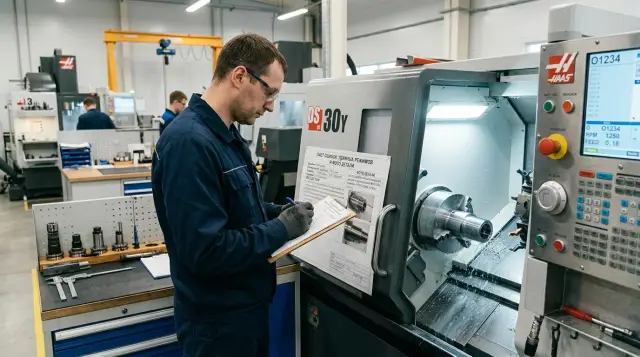
Why know-how for a difficult part is lost so quickly
With one difficult part, the team almost always makes dozens of small decisions. Where to clamp the blank tighter, how far to let the tool stick out, when to leave extra stock, where to reduce the feed, and where to add one more finishing pass. None of that is on the drawing. In the CNC program, you only see part of the picture.
The problem is that these decisions are rarely collected in one place. The foreman keeps some of it in his head, the setter writes some of it on a scrap of paper, some of it stays in chat, and the photos sit on the operator’s phone. While the order is still fresh, this is not a problem. When the part comes back months later, the experience falls apart.
Memory is a poor helper here. People usually remember the result, not the chain of corrections. They will say, "Yes, the part ran fine," but they will no longer remember that the clamp first pulled the size off, the long overhang of the boring bar caused chatter, and the final size only became stable after a change in the cutting parameters and a different datum point. Without notes and photos, those details are the first to disappear.
This becomes especially noticeable on a repeat run. The drawing is the same, the program is saved, and the tool looks similar. The team starts the batch and gets the old problem again: taper, jaw marks, size drift on a thin wall, burrs after the tool exits. Extra work begins. People check the machine again, argue about the cause of scrap, try different cutting parameters, search old messages, and try to remember what helped before.
It is not only time that is lost, but money too. One forgotten setting can ruin the first parts, burn a insert, or take half a shift for a re-setup. If the batch is expensive, the mistake shows up right away.
Usually the search looks the same: they open the old program and see that it does not say why changes were made, scroll through folders of photos with no clear names, call the person who ran the order before, and try the settings that were already rejected once.
That is why a problem order map is useful even for one part, not just for a series. It keeps the errors, successful settings, setup photos, and short notes on the causes of scrap together. When the order returns, the team does not start from zero. It continues from the point where the working solution was already found.
For metalworking, this is especially important on complex and finicky parts. General advice from a catalog does not always help. Your own exact notes from a specific run are much more useful.
What to include in the order map
The order map is not for reporting. It is for repeat runs without guesswork. The notes should make it clear what was put in the machine, where the risk was, and which setting gave the first stable result.
Start with the information that prevents one part from being confused with another: the order number, the part designation from the drawing, and the drawing revision if it changed. For similar parts with only one size difference, this matters a lot. One mistake in the designation can easily eat up an entire shift.
Next, write down the material and the blank without vague wording. Not just "steel," but the exact grade, bar or forging size, blank length, stock allowance, and any special features of the batch. Also note the dimensions where problems already appeared: diameter fit, groove depth, concentricity, runout. These are the places that most often break a repeat run.
In a separate block, note what the part was machined with and how. For a turning operation, that means the tool, insert, holder, overhang, and clamping method. If the part was held in soft jaws, a collet, or with a spacer, that should be recorded too. In practice, people most often forget not the tool itself, but small things like the overhang length or the support point. Then chatter appears where there was none before.
It is better to write the cutting parameters by operation, not in one line for the whole part. A short table or a few lines are enough: roughing pass, finishing pass, parting off, drilling, boring, coolant, and a note if the feed had to be reduced or an extra pass added.
The phrase "standard settings" tells you nothing. A much more useful note is something like: "On the finishing pass, the feed was reduced from 0.18 to 0.12 mm/rev, and after that the size stopped drifting."
A problem order map should always have a section for errors. But avoid vague wording like "there were difficulties." You need three things: what happened, at which operation it appeared, and what fixed it. For example: "Chatter appeared on the second diameter with a 42 mm overhang. Removed 10 mm of overhang and changed the clamping." One line like that saves more time than a long description of the whole process.
Photos also work better than general notes. Usually two or three shots are enough: the overall part, the setup in the machine, and a close-up of the problem area. If the photo has an arrow, a caption, or a circled area, it is even more useful. Months later, one setup photo makes it easier to remember the stop position and clamping method than an entire paragraph.
A good part processing card should not be long. One page with exact data is better than a pretty two-page template that nobody opens. If the card lets you confidently repeat a successful run, it is built right.
How to fill out the map after the first successful run
Open the template right after the first stable result, while the operator, setter, and technologist still remember the details. It is best to do this at the end of the same shift, when at least 3 to 5 good parts have come out in a row. If you leave the notes for a week, the card will end up with general words instead of what really worked.
Write only facts. Not "we selected the settings by trial and error," but the material, blank, tool, spindle speed, feed, depth of cut, finishing allowance, coolant, and tool offset. A short, dry note is more useful than a long explanation across half a page.
It is convenient to break the part processing card down by operations and transitions. Then, on a repeat run, the person can immediately see where the risk was and where everything went smoothly. For each transition, four lines are usually enough: what was done and on which setup, which tool was used, which settings gave a stable result, and which size or surface was checked after the operation.
It is better not to mix roughing and finishing in one note. If the problem appeared only on boring or only on grooving, pull that out separately. That way, the problem order map helps you not to remember the whole part at once, but to open the exact place you need.
Be sure to mark where the defect appeared and what removed it. The wording "we removed the vibration" is too vague. It is better to write: "On the finishing pass on the outer diameter, there was a ripple. Reduced feed from 0.22 to 0.16 mm/rev, shortened the tool overhang, and got a stable surface." Six months later, that note works better than memory.
Attach photos on the same day. Three or four shots are enough: part setup, problem area, first good part, and, if needed, tool wear or jaw position. Photos without captions lose meaning quickly, so name them the same way as the card, with the operation number.
Store the card in a shared folder where it can be found by more than just the person who wrote it. The file name should be understandable without opening it: order number, part name, material, revision. If the shop has several machines, add the machine model or area.
This approach is especially useful where similar parts return not every month, but once a season. When the order comes back, a card with facts and photos will save the first shift and cut out extra trial runs.
How to store photos and notes without confusion
After a few months, the same part often feels new again. People remember the final result, but forget where the burr appeared, on which pass the vibration started, and which setting finally worked. If photos and notes are stored in different places, the experience falls apart again.
The simplest way is to keep all order materials in one folder. Inside it: the part card, photos, short videos if needed, and one notes file. When the technologist, setter, or operator opens the order, they see the whole history right away instead of searching through messengers, the desktop, and the phone.
It is best to set the file naming scheme once and not change it later. A format with the date and order number works well. Then the files sort themselves by time and do not get lost among similar parts. For example: date, order number, and a short note like "overall view," "vibration area," "after parameter correction," or "working settings."
Do not photograph only the overall part. The general shot helps you quickly remember the stage, fixtures, and setup. A close-up is needed for the problem area: chip break marks, burn marks, a chipped edge, size drift, or surface roughness after finishing. Without such a photo, the note "there was a problem at the end face" is almost useless.
Do not mix revision notes into one long text. If the drawing changed, the material was replaced, or the tolerance was tightened, create a new revision inside the same folder. Otherwise, nobody will understand later why the old setting "does not work," when the reason is simple: it is already a different version of the part.
Mark separately what belongs to the trial and what became the working setting. This saves a lot of time. A simple note in the file name or the first line of the note is enough: "Trial," "Do not repeat," "For check only," "Working settings." Then nobody will run the part by a raw version that happened to give an acceptable result on one sample.
A simple rule works well: one photo, one short comment next to it. For example: "Area at the shoulder, vibration at 1800 rpm, feed 0.22. After dropping to 1600 and feed 0.18, the mark disappeared." That note takes half a minute, but it saves hours on a repeat run.
In shop-floor practice, the most useful thing is not long reports, but a neat folder without extra noise. When the photos are named the same way, revisions are separated, and trial settings are not mixed up with working ones, the part does not have to be learned all over again.
Example of a map for a difficult order
A problem order map only helps if it contains numbers, photos, and short conclusions. A note like "there was vibration, then we adjusted it" is useless after a few months.
For example, let us take a thin-walled bushing made of 40X steel: length 160 mm, outside diameter 96 mm, wall thickness 4.5 mm after boring. The problem appeared on the roughing pass along the outside diameter. At overhang, the part began to chatter, the surface developed a wave, and the size drifted by about 0.08 mm after cooling.
The part processing card included not only the final result, but the whole unsuccessful first day. The machine, chuck type, and actual jaw overhang were recorded. The tool was noted: a CNMG insert with a 0.8 mm nose radius. The first setting was fixed: 920 rpm, feed 0.28 mm/rev, depth of cut 2.5 mm. Next to it, the result was briefly described: after 70 mm of travel, vibration started, ripples remained on the surface, and the size went oversize.
They also wrote down what did not work. The spindle speed was raised to 1050 rpm and the pass was repeated, but the chatter became even stronger. That is an important note. Without it, the next setter can easily make the same mistake.
It is also useful to keep symptoms, not just the result. In this case, the noise appeared closer to the end of the pass, and the surface mark repeated. This makes it easier to see that the problem came from setup rigidity, not only from a worn insert.
On the second attempt, they did not change everything at once. They shortened the overhang to 92 mm, added a steady rest, switched to a 0.4 mm nose radius insert, and reduced the depth of cut to 1.2 mm. Spindle speed was lowered to 680 rpm, feed to 0.18 mm/rev.
After that, the roughing pass became calmer. On the finishing pass, they left 0.25 mm stock per side and ran at 820 rpm with a feed of 0.09 mm/rev. That setting gave a stable size of 95.000 +/- 0.015 mm on five parts in a row, with no waviness and no extra touch-up.
The card also kept a simple check of the result: the size was measured right after machining and again after the part cooled. That removed the old confusion, when the operator saw a normal diameter at the machine but got a different number on the inspection table.
Two order photos were added to the record. The first showed the setup: jaw position, actual overhang, steady rest, and the support point. The second was a close-up of the finished surface in the area where ripples appeared on the first day.
This kind of problem order map is more useful than a long report. The setter can immediately see which cutting settings already failed, what was changed on the second attempt, and which setup finally made the part run smoothly.
Mistakes that make the card useless
Most often, the card does not help for one reason: there are too few facts in it. Months later, nobody understands what "slightly reduced the feed" or "changed the insert" meant. The neatest note may look good, but on a repeat run it is useless.
Vague phrases should be turned into numbers right away. Not "reduced the feed," but "reduced the feed from 0.22 to 0.16 mm/rev on the finishing pass." Not "selected the settings," but "vibration appeared at 1800 rpm, and the size stabilized at 1450 rpm." When the note is tied to a specific step in the operation, it works. When it only says the result, it says nothing.
Another common mistake is saving only the successful version. That seems logical, but the unsuccessful attempts often save more time. If the first insert caused burrs on exit and the second one caused size drift after heating, that needs to stay in the card. Otherwise, the next setter will go through the same cycle again. The part processing card should remember not only "what worked," but also "what did not work."
The card also loses its value if it has no tool data. The same operation name does not mean the same result. The final outcome depends on insert grade, nose radius, overhang, holder, and even the condition of the edge. A new insert and an insert that has machined twenty parts can behave differently. If that is not recorded, it later looks like the cutting settings suddenly stopped working.
The same goes for photos. Shots on the foreman’s personal phone survive until the next phone change, vacation, or a simple gallery cleanup. Then the card still says "see photo," but the photos are gone. It is better to store images in a shared folder by order number and operation so anyone on shift can quickly find the defect, the setup, and the finished part.
There is also a very simple but expensive mistake: a card without the date and the person who filled it out. Then it is unclear when the note was made, for which material batch, and whom to ask for details. A short block at the bottom of the card is enough: recording date, setter or operator name, order or part number, material and batch if they affected the result, and the place where the photos and notes are stored.
If the card contains exact numbers, failed attempts, tool data, available photos, and the author’s name, it will survive a gap of several months. Then the repeat run starts from a proper working base, not from guesswork.
Check before a repeat run
A repeat run often fails not because of the machine, but because of a small difference between the last run and the current order. The drawing was updated, the blank came from a different batch, the tool was replaced with a similar one but different geometry, and the old setup no longer holds the size.
That is why a problem order map should work as a short check before the first cycle, not as an archive "just in case." If this check takes 5 to 10 minutes, it usually saves several hours of trial runs and rework.
First, do not open the old printout by the machine; open the latest revision of the drawing and the work order. Even one change in radius, chamfer, or tolerance can alter the sequence of operations. If the revision does not match, use the old notes only as a reference, not as a ready-made plan.
Then compare the blank. Look not only at the material grade, but also at the actual size, stock allowance, and hardness of the batch, if it is known. A part that once ran easily from 42 mm bar may behave differently from a 45 mm blank with heavier stock removal in the first passes.
Next, it helps to go through a short checklist: open the latest setup photos and compare the datum, overhang, and jaw position; check whether the same tool is installed now, including the holder, insert, nose radius, and actual overhang; mark the spot where the defect appeared before; compare the settings for each operation; and see whether the operation sequence changed after the successful batch.
Photos are especially helpful here. From a note, you may remember that it was "set up as usual," but the photo immediately shows that the jaws were reversed, the stop was in a different position, and the part was clamped 6 mm shorter. These little details are usually what make the difference.
If the defect used to appear in the same place, do not hope it will not repeat by itself. Mark that area directly in the card: on which operation the problem appeared, with which tool, and after which amount of stock removal. Then the operator does not have to search for the cause again and can look straight at the weak point of the process.
A good part processing card before a repeat run answers one simple question: can the previous result be repeated now without guesswork? If there is doubt about even one point, it is better to stop before the first cut and clarify the data than to remove a ruined part from the chuck afterward.
What to do with the cards next
One card helps you remember one difficult run. A card database helps you avoid repeating the same mistakes. If you store the notes one by one, after a year they turn into a pile of scattered files where it is hard to find the right setting, photo, or cause of scrap.
It is better to collect cards for similar parts in one shared database. It is more useful to sort them not by order number, but by type of work: thin-walled parts, long shafts, stainless steel, small holes, finishing after roughing. Then people find not "that one order," but a similar situation much faster.
How to make the database useful
A simple structure is enough: one folder or table for each part type or material, one file naming scheme, a separate mark for successful settings and mistakes, photos before and after the parameter change, and the name of the person who ran the part. That is already enough to keep the problem order map from becoming a dead archive.
Once a month, it helps to clean the database. Duplicates appear quickly: someone saved the card locally, someone renamed the file, someone left the old version next to the new one. Because of this, people use outdated data and lose time again. Usually a quick check is enough: delete duplicates, keep the latest version, and mark old versions as archive if they may still be useful.
Another good habit is to mark repeated problems. If parts of the same type keep drifting in size after warm-up, vibrating in one area, or breaking the same tool often, the cause may no longer be in one specific order. That makes it easier to see where the issue runs deeper: in the fixture, in the setup order, in the program, or in the machine itself.
These cards are also useful for training new operators and setters. Not with general explanations, but with real shop-floor cases. A new employee understands much faster why an old clamping method should not be repeated if they can see photos of vibration marks and read a short note with numbers.
If the bottleneck is constantly tied to the machine, do not close the card with a phrase like "we selected better settings." It is better to separate the cause: whether the rigidity is sufficient, whether the layout fits this part, whether a service check is needed, or whether a different type of equipment would be better. At that point, it helps to talk with a supplier who supports the project not only through delivery, but also through commissioning and service. For companies in Kazakhstan, such a partner can be EAST CNC - the official representative of Taizhou Eastern CNC Technology Co., Ltd. in Kazakhstan, which handles CNC lathes, selection, startup, and service support.
After a few months, this kind of database starts saving real hours. A well-prepared part processing card often helps with a repeat run better than the memory of even the most experienced setter.
FAQ
Do I need a card if the part was made only once?
Yes, it is worth it. With one difficult part, the team often makes many small decisions, and those are the first to get lost. If the order comes back months later, the card will save time on re-setup and reduce the risk of scrap on the first parts.
When is the best time to fill out the order card?
The best time is at the end of the same shift, when you already have several good parts in a row. At that moment, people still remember what actually worked. If you put off the notes for a week, the card usually ends up with vague wording instead of useful numbers and corrections.
What must be included in the card?
Write down anything that could easily be confused during a repeat run: the order number, part designation, drawing revision, material, blank, tool, overhang, clamping method, and the settings for each operation. Also note the problem dimensions, where the defect appeared, and what correction made the process stable.
Should failed attempts be recorded?
Yes, and it is often more useful than the successful version. Failed settings show what was already tried and what caused vibration, size drift, or burrs. Without those notes, the next setter can easily go through the same loop and waste time.
How many photos do I need for one card?
Usually three to four photos are enough. Take a shot of the setup in the machine, the problem area, the first good part, and, if needed, the tool condition. If each photo has a short caption, after six months the picture will say more than a long note.
How do I store photos and notes without confusion?
Keep everything for the order in one folder. It helps to name files by date, order number, and a short note so they sort themselves and do not get mixed up. Do not keep photos on personal phones or scatter notes across chats. Later, they are hard to gather.
What should I do if the drawing or material changes?
Do not mix the new version with the old one. Create a new revision in the same folder and immediately mark what changed. You can keep the old card as a reference, but running the part by it without checking is risky.
How should I use the card before a repeat run?
Before the first cycle, compare the drawing revision, blank, tool, overhang, setup, and the settings for each operation. Then open the old photos and check whether the setup matches. This check takes only a few minutes, but it often saves the first shift from extra trial runs.
Who should fill out the card: the operator, setter, or technologist?
It is better to fill out the card together. The operator remembers where the defect appeared, the setter knows the changes to the settings and clamping, and the technologist sees the overall logic of the operation. If one person writes everything from memory later, some details are almost always lost.
How do I know the card is useful?
Check one simple sign: can another person repeat the successful run without calls or guesswork? If yes, the card is in good shape. If it has phrases like “slightly reduced the feed” or “changed the insert,” it still needs numbers and facts added.