
Post-processor after machine installation: checks for the first week
A short checklist for the first week to prevent post-processor errors after machine installation related to axes, cycles and safe retracts.
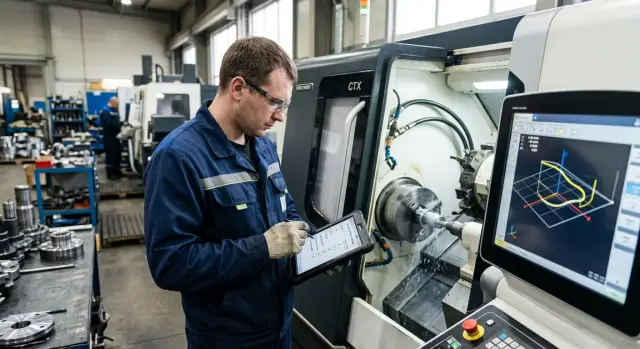
Why errors appear only on the machine
The toolpath can look perfect on the screen, but a real machine has its own rules. A post-processor generates code for a specific CNC controller, kinematics and command set — not for an abstract simulator. That’s why problems often surface not in CAM but on the first run.
Simulation shows geometry, tool engagement and possible collisions in the model well. But it doesn't always reproduce how a particular CNC interprets planes, cycles and auxiliary commands. Because of that the code can pass the on-screen check yet behave oddly on the machine from the first lines.
Most surprises are related to axes. In the model, rotation direction may look correct, while on the machine the sign of axis B or C is reversed. Sometimes it’s simpler: the post chooses the wrong cycle plane and drilling runs differently than the programmer expected. The mistake is small, but on the hardware it becomes obvious immediately.
Tool change also often only fails on the machine. In CAM it looks like a normal transition to the next operation. For a real machine the command order matters: where axes retract, when the spindle stops, when the change is triggered and from where the return starts. If one step is swapped in the code, the simulator can miss it — the machine will not.
This usually doesn't show on a dry run but on the first real job. The programmer checks a simple part, sees a normal roughing path and assumes the post is fine. Then an urgent batch arrives with two tools, drilling and a rotary axis. On the second operation the machine goes to the wrong safe position and the drilling cycle uses the wrong plane. The bug was in the post from the start — the first test simply didn't touch it.
Therefore after installation the post-processor is checked not with one pretty simulation but with a short series of real tests. The first week is for catching discrepancies before they turn into scrap, broken tools or a stopped machine.
What to gather before the first tests
Before the first run, prepare one machine data set and one folder with test files. When everything stays in someone's head, issues tend to appear at the worst moment.
Have the machine manual and the list of G- and M-codes that the controller supports at hand. Keep a table of axes with their names and directions in CAM and on the machine. You also need 2–3 short test programs without cutting and a list of precise safe points for retract, tool change and return to home.
Open the machine manual right away, not after the first alarm on the screen. Even if the model is familiar, controllers and factory settings can differ. The same code on two similar machines can behave differently: on one the cycle runs normally, on the other the controller expects another line format.
Axis confusion happens more often than it seems. In CAM a rotary axis may be called C while the controller's sign or referencing logic is different. The same applies to X and Z directions, the part zero and behavior during indexing. It’s quicker to spend 15 minutes checking this now than to hunt down why a tool goes the wrong way later.
Make test programs short. No metal removal, no complex geometry, no long tool lists. One program should check linear moves and returns, the second the tool change and safe retract, the third a simple cycle you will actually use. This set quickly shows where CAM expectations and controller behavior diverge.
Record safe points separately and agree them with the operator. They must be exact positions: where the spindle and tool will not hit the chuck, the part, the tailstock or the fixture. If EAST CNC performed commissioning, it’s convenient to add these points and basic test scenarios to the start-up checklist.
When everything is in one place, the first test goes calmer. Here speed is less important than predictable, repeatable movement.
Step-by-step post-processor checks
Start tests slowly. At this stage the part is secondary — you need to observe machine motion. See how the system reads the code, where each axis goes and where the risk begins.
Even if the post is loaded and looks correct, that guarantees nothing. The bug often hides in details: axis sign, an extra Z lift, a wrong cycle call or an unsafe return before a tool change.
- First run the program without stock and without tools. Watch the start point, the active coordinate system and the first rapid moves
G0. If the machine immediately tries to go the wrong way, you’ll see it before contact with metal. - Then use single-step/frame mode and reduce feed significantly. Step through near the approach, tool change and operation exits. This reveals errors that are easy to miss at normal speed.
- After that give the machine the simplest trajectory: straight moves in X, Y and Z, then a rectangle or step at one depth. This quickly shows if the post swaps axis directions, adds extra commands or mismanages heights.
- Finally check a cycle, tool change and return to zero. Pay special attention to safe positions before turret rotation, collet changes or moving to the next operation. If the toolpath is correct but service commands are wrong, the issue will show here.
A very simple example is useful. A training program that should cut a 50 x 50 mm square at 20 mm above the table — if before the first cut the machine moves below the expected level or reverses the side of traversal, the cause is usually the post, not the model.
After each run note the frame number and what the machine did. A couple of short notes is enough to tell if this is a random glitch or a repeatable error that must be fixed before an urgent batch.
How to quickly catch axis errors
It's easier to catch an axis error with a short 5–6 move program than on the first expensive part. You don't need a complex test — just dry runs, safe heights and an operator who watches the actual machine movement, not the CAM screen.
Start with simple X, Y and Z commands. A 10–20 mm offset in each direction already shows if the post swapped direction or plane. If the program should move up but Z goes down, stop immediately. This error appears more often than you'd like, especially if the post was adapted to a specific controller.
Keep one small test file handy: move to a safe point, X+ move, Y+ move, Z up and down, then return to the start. This usually reveals the basic motion logic.
After linear axes check rotary ones. For C, A or B give a short program rotating +10 then -10 degrees. Watch not only the numbers on the screen but the actual direction. On a 5-axis machine a wrong sign quickly leads to collision; on a lathe with C-axis it breaks hole referencing and milling transitions.
Compare work and machine zeros separately. The post may output a safe retract in machine coordinates while the operator expects movement in the work system. If you mix up G53 and the work zero, the machine will travel a different path: too long, or moving sideways for no clear reason.
Another common failure is tool handling. Check how the post outputs length and radius compensation and whether tool orientation is preserved after operation changes. A good sign is predictable commands in sequence: tool call, compensation, approach, cut, safe retract. If compensation appears late or the head orientation stays from the previous operation, fix it before cutting.
A small test on day one often saves hours by week’s end. Sometimes it even saves an expensive holder.
Where cycles break
Cycles can look safe in CAM yet fail on the machine because the post may output the cycle in a different form than the controller expects. The on-screen path may be fine, but the retract, depth or exit from the cycle can go elsewhere.
Start with the simplest drilling test. Use a training plate and a couple of holes. Watch not only depth but where the tool returns after each hole: to the start plane or to an intermediate plane. On paper the difference is small, in practice it can hit the clamp or add idle moves.
In such a test check five things: final hole depth, pecking step, dwell time on the bottom, return plane and coordinate format. The bug often sits in parameter combinations. For example the depth may be correct, but the post changes the pecking step. Or the controller interprets dwell time differently, causing longer delays. On a training piece that's wasted time; in a series it's surface marks and extra wear.
Thread cycles are best tested separately. Use a simple workpiece where you can stop after the first pass. Check the start position, entry, thread pitch and exit. On a lathe a sign error in Z or a wrong retract after threading is usually obvious immediately. If a fix is needed after the first test, stop and debug the post output.
Roughing cycles also like surprises. The danger is not the cut itself but the exit. The post can leave too little allowance, send the tool to an inconvenient point or retract on a different axis. So after the first rough pass check the end of each pass and the final safe retract. If the path looks "almost normal," assume there's already a bug.
How to check safe positions
Safe position errors rarely show in CAM. They appear when the turret moves for a tool change, the spindle returns home or the program is started not from the first line. One such mistake can hit the chuck, a clamp or a door.
Run the program in dry mode first. Use single-step and reduce rapid moves. The tool change point must be simple and predictable: no extra arcs, no passing close to the part, no sudden sideways move the operator does not expect.
Check the whole retract path: from the end of cut to the safe point, from the safe point to the tool change and back to the start of the next approach. On a lathe people often forget the chuck and jaws; on a mill they forget vises, clamps and an open door during service.
Answer four questions: where does the tool go immediately after the operation? Is there clearance to the chuck, clamp and housing? How does the machine return home, and does that path go through a danger zone? What happens if the program is stopped and restarted?
Check the return-to-home separately. Some posts output the correct final point but use a short unsafe route to get there. On-screen this looks calm, while on the machine an axis can pass right above the jaws or through an area where a part still stands. If you see such a path, fix not only the home coordinates but the order of axis moves.
Another common failure appears after a stop. The operator changes a insert, presses start, and the tool approaches the part from an unexpected position. Do a short test: stop mid-cycle, retract the tool manually, resume program control and check how the post outputs the safe approach. The approach should be stepped and understandable, not a "diagonal" move toward the part.
Repeat this test on two or three simple programs during the first week. Five extra minutes in dry run are almost always cheaper than one collision during an urgent batch.
Simple training scenario
You don't need a complex drawing to test the post after installation. Use a simple part that shows path logic, tool changes and safe behavior.
A bushing or flange without tricky features works well: a cylindrical blank with one face, an outer diameter and one central hole. Such a part doesn't hide errors behind complex shape: if the post writes an extra retract, swaps an axis or sets the wrong cycle plane, it shows up quickly.
A good training run consists of a few simple ops. First face the part. Then one outer pass. After that drill or bore one hole with a cycle. This reveals whether the post outputs approach, retract, depth and return after a cycle correctly.
Include two tool changes on purpose. For example, tool one faces and turns the OD; tool two drills the hole. Between operations set an intermediate retract to a safe point. If the post is wrong, the issue often appears here: the tool goes to the wrong point, starts feed too early or returns too low.
The scenario can be very short: facing from a safe point with a clear approach, one outer pass to a fixed length, tool change with an upward and sideways retract, then one hole by cycle and return to the same safe point.
After the first run don't rush to edit the program. Run the same file a second time under the same conditions and compare machine behavior. Watch not only dimensions but repeatability: does the machine approach the same points, retract to the same places after cycles and keep the same tool-change logic?
If the first and second runs differ, the problem is usually not the training part. The cause is most often offsets, return modes after cycles, a misdescribed axis or a conflict between the controller setting and the post logic. This short test catches many nasty bugs before the first urgent batch.
First-week mistakes
Most scrap during the first week comes not from complex geometry but from confusion over basics. The program can look fine in CAM and on the controller screen, while the machine reads it by its own rules. Don't call the post verified until the operator has observed axis motion, M-codes and transitions in real movement.
The most frequent mistake is mixing work zero and machine zero. The on-screen path seems clean, but on the machine the tool goes wrong on the first approach. Usually this shows as a strange safe retract, extra Z lift or an X/Y offset before cutting. If a technician once accepts machine zero as the part base, the program can run several operations without an obvious crash and then fail at tool change or return.
A second trap is old arc formats. After porting a post many leave the previous arc output (arcs) and don't check how the controller reads I, J, K or R. An arc can then become a full turn, a short jerk or move the tool to the other side of the contour. Simulation doesn't always show this. On the machine the error is obvious if you run a slow dry pass above the part and watch how the tool behaves at arc entry and exit.
The third problem is simpler but more dangerous. People check feeds and coordinates but skip M-codes. As a result the chuck clamps at the wrong time, coolant switches on late, the spindle doesn't stop before a tool change or doesn't get the correct rotation direction. In G-code lines this looks harmless but in operation it hits first.
There is a bad habit of watching only the monitor. The screen shows program logic but not real delays, inertia and machine reaction. So checks must include slow runs, larger retracts, single-step mode and manual verification of safe points.
If you need to catch the maximum number of problems in the first week, follow one rule: every new cycle must be tested in the air first, then on a simple blank and only then allowed to run in normal mode. This saves not five minutes but a whole shift.
Short checklist before the first series
When the post is already producing the first working code, don't rush the urgent batch. In 20–30 minutes you can eliminate the most common risks that later cost more than a tool, a blank or the technician's nerves.
Prefer a short test program with simple moves, one tool change and one cycle rather than a complex part. It's easier to find whether the error is in the post logic, the machine setup or operator practice.
Do five things before the first series. Give simple single-axis moves and confirm the table, spindle or turret goes where expected. Run a drilling or other typical cycle in the air and check that the machine returns to the correct point and height. Separately check the tool change so it goes through a pre-defined safe position without unnecessary arcs or passing near the chuck. Then review all retracts and transitions between operations — problems often hide in short moves after cutting. Finally run the same file a second time without edits. If the second run behaves differently, some dependency on offsets, compensation, cycle state or axis position remains.
A good sign is when the operator can explain each program move aloud before starting. A bad sign is phrases like "it's usually fine here." In the first week after commissioning guesses are not acceptable.
If the check is clean and repeatable twice on the training part or in dry run, that's enough for a small controlled start — not a full shift load but a short production run.
What to do after the test week
If the test week passed without surprises, don't leave the result in the technician's head. Document the working state so that in a month you can quickly see what you tested and which settings were used.
Save the post version, test date, machine model, controller, active options and parameters that affect code output. Also include zero points, compensation formats, safe retract logic and how cycles are called. One such file saves hours when someone later says, "This program used to run fine."
What to put in the reference set
For each "machine model + controller" pair assemble a small archive. It's not for reporting but for rechecking after any change. Store reference NC programs with short tests for axes, cycles and safe positions, notes on expected machine behavior, a list of post settings that must not be changed without rerunning tests, and a log of found issues with fixes.
Don't mix tests for different machines in one folder, even if they look similar. Two close models often differ in details: axis direction, return code, cycle format, reaction to M-codes. Those small differences are what break an urgent run later.
After any post, CAM template or machine parameter change repeat the quick tests before the first series. Even one-line changes — it takes 10–15 minutes and the cost of missing an issue is usually much higher.
If the machine is newly commissioned, it’s useful to compare notes with EAST CNC service. The company supplies CNC lathes and machining centers, and such a conversation often helps clarify tricky points for a specific model and controller. Update your reference set afterwards and keep only the tests that reliably catch issues on your machine.
FAQ
Why are simulations not enough to verify the post-processor?
Because a simulator usually shows geometry, while the machine interprets G-code according to its controller logic and kinematics. Axis, cycle or M-code errors therefore often appear only on the first live run.
What should be prepared before the first tests?
Collect in one folder the machine manual, the list of supported G- and M-codes, the axis scheme with directions and 2–3 short test programs without cutting. Also record precise safe points for retracts, tool change and return.
How to start the first run after machine installation?
Start with a run without stock and without a tool. Watch the start point, the active coordinate system and the first rapid movements `G0`.
How to quickly catch an axis error?
Provide a short file with movements on X, Y and Z of 10–20 mm and watch the actual machine movement, not just the CAM screen. If an axis moves in the opposite direction or Z goes down instead of up, stop the test immediately.
Why check machine and work zero separately?
Because the post can output a retract using machine coordinates while you expect movement in the work coordinate system. If you mix up `G53` and the work zero, the machine will go to a different point even if the toolpath looks correct.
How to check drilling and threading cycles?
First run the simplest drilling cycle on a training piece or in the air. Check not only depth but the retract plane, pecking step, dwell time at the bottom and the coordinate format.
Where do tool changes usually fail?
Most often the issue is the command order: when the spindle stops, where the axes move and from which position the return starts. In CAM the transition can look fine, but a single wrong step on the machine gives an unsafe move.
How to check safe positions without risk?
Check the whole path: from the end of cutting to the safe point, then to the tool change and back to the next approach. It helps to stop the program in the middle, retract the tool manually and see how the machine comes back to the part.
Which training part is best for the first week?
Use a simple bushing or flange with a facing operation, one outer pass and one hole by cycle. This part clearly shows wrong approaches, retracts, tool changes and returns after cycles.
What to do after the test week to preserve results?
Save the post version, test date, machine model, controller, active settings and reference NC files for axes, cycles and safe positions. If you change the post or machine settings later, rerun these tests; for tricky issues it's useful to consult EAST CNC.