
Photographic documentation of setups: which photos save time during shift changes
Photographic documentation of setups helps quickly transfer jaw sets, fixtures and tooling between shifts without extra searching or reassembly.
Why shifts rebuild setups from scratch
A shift rarely has the full picture of the previous setup. The log usually contains dimensions, a program number and a short note like 'soft jaws, clamp carefully.' From that note you can’t tell what stick-out the blank had, how the jaws were machined or where the stop was.
Because of this, people rely on memory. One setter remembers the part was protruding 18 mm from the chuck, another is sure it was less. After a week it’s hard to reconstruct how everything was arranged in the previous run. Arguments start, and meanwhile the machine stands idle.
The same goes for tooling. The setup sheet often lists only the pocket number, but that’s not enough. The next shift needs to know which insert or drill was actually used, the stick-out, which inserts were installed and whether the holder was changed during the batch. While the operator searches for the tool, checks markings and compares tooling, minutes pass. Across a shift those minutes can add up to an hour.
On CNC lathes this is especially noticeable when the part was run before and it seems like repeating the setup should be easy. In practice people often assemble nearly from scratch because they can’t see the previous arrangement. A textual note doesn’t replace seeing the chuck, jaws, fixture and tooling in their working positions.
The cost of that uncertainty is visible immediately. The shift makes extra trial parts, re-establishes the datum, rechecks stick-out and offsets. Sometimes the first part goes to scrap simply because it was clamped differently than last time, even though the program was correct.
That is why photos are useful not by themselves but as a complement to the setup sheet. They remove guesswork. When the next shift has both records and clear photos of the previous assembly, the restart is calmer and faster.
When photos really save time
Photos do not always help. They are most effective where the setup was done correctly once and then needs to be returned to quickly without guesses or extra calls.
The first common case is a repeat run of the same part. The operator does not need to remember jaw orientation, stop height or where the cutter faced. One precise shot can save 15–20 minutes, and with complex tooling even more.
The second case is when tooling is removed and stored between orders. After a week or a month memory fails even for an experienced setter. Photos act as a visual cue: the person immediately sees what to pull from the shelf and how it was arranged on the machine.
The third case is handover from day to night shift. If the day shift leaves not only the setup sheet but also a few clear photos, the night crew spends less time checking. This is especially helpful when the part is familiar but the setup is not entirely standard.
Usually a short series is enough: an overall view of the workspace, a close-up of the jaws, the fixture setup, the tooling in the turret or magazine and the datum point or stop. More is not always better. Extra images often just distract from finding the right shot.
Photos do not replace the setup sheet. From a photo you can’t reliably recover dimensions, tool stick-out, offsets, cutting parameters or the full tooling list. Photos supplement the record rather than contradict it.
A simple example: a batch of bushings ran a month ago, then the machine was reconfigured for another order. When the part returned, the shift opened the setup sheet, the tooling list and the photos. They didn’t reassemble by memory; they quickly repeated the known arrangement and moved on to checking the first part.
If you frequently run similar orders, photos pay off almost immediately. If every part is new and tooling is different each time, they help less. In that situation prioritise a clear setup sheet and consistent labeling.
Which shots to keep for jaws
If photos are to actually save time, start with the jaws. Shifts most often lose 15–30 minutes on them: people remember there was a set, but don’t see how it sat in the chuck or which step was used.
The first photo should be an overall shot. Photograph the chuck straight on so one image shows the position of all jaws. Such a shot immediately reveals which set was installed, how the jaws were rotated and whether there’s an obvious mistake when reassembling.
Then take close-ups of each jaw number. Don’t rely on memory or a marker label if it has already faded. The number in the photo must be readable without zoom. Otherwise the next shift will start rotating jaws around and rechecking runout.
Also photograph jaw stick-out and the clamping step from a slight side angle so you can see how far the jaw projects from the chuck and where the part rests. One such picture is often more useful than a long comment in the setup sheet.
Take another shot with the part clamped. It lets you check seating depth, which surface was used for support and whether the jaw would interfere with the tool on the first pass.
For soft jaws the rule is simple: after machining, photograph the markings and the working surface. If a jaw set has a mark for a specific diameter or part number, include it in the frame. Otherwise someone will pick a similar set instead of the required one on the next run.
Usually five photos suffice: front view of the chuck, close-ups of jaw numbers, side view showing stick-out and clamping step, part in the chuck, and marks on soft jaws after machining. On a CNC lathe that’s enough for the next shift to avoid rebuilding from scratch. They see the installation order, pick the right set and spend time checking rather than guessing.
Which shots to keep for fixtures and tooling
One overall photo rarely saves the day. For a reliable restart you need images that let someone immediately understand what is mounted, how the blank is supported and which tool occupies each pocket.
For fixtures make two kinds of shots. First — in the machine, showing the fixture in working position so orientation, seating, tool approach and free zones are clear. Second — the fixture separately on a table or cart, cleaned of chips and hoses. That second shot makes details visible that are lost on the machine.
Photograph not only the whole assembly but also the elements that define datum: supports, stops, clamps, locating pins and reference points. If the fixture has removable parts, take close-ups of them. The next shift should see both the shape and the assembly order.
The same principle applies to tooling. You need an overall view of the turret or magazine to show the full tooling composition. Then take closer shots of each working tool: pocket number, holder orientation, stick-out, insert direction and any spacer or adapter.
A practical set that works well: fixture in the machine (overall), fixture separately from above and from the side, close-ups of datums and clamps, the turret or magazine as a whole and one photo per important tool showing pocket number and stick-out.
Keep separate photos of holders, inserts and spacers after removal. The phrase 'standard holder' means different things to different people. A photo shows exactly which insert was used, whether a shim was present and why the tool reached that particular height.
If you want photos to truly help, include a simple scale in the frame: a ruler, caliper or a labeled tag. Then the photos complement the setup sheet instead of duplicating it. When the part returns after a week, the next shift won’t guess why the cutter stuck out more than usual — they open the folder and see the exact assembly.
How to photograph a setup step by step
The most common mistake is taking pictures too early. While the operator is dialing sizes and adjusting feed, photos are almost useless: the setup will change again before the next shift. Shoot only after the first good part, when jaws, stops and tools are stable.
Spend two minutes on tidiness before shooting. Remove chips, coolant drips and dirt from jaws, datum surfaces, clamps and holders. Otherwise small details disappear in the photo: a score mark on a jaw, a pocket number, a tool stick-out or a stop position.
Then follow the same order for consistency. First take an overall shot showing the machine, chuck, fixture and the clamped part. Then move closer for close-ups of jaws, clamps, stops and datums. Finally photograph the tooling in the turret or magazine so pocket numbers and stick-outs are legible.
Check each photo immediately. If a jaw number or tool edge is blurred, retake it on the spot. Later nobody can fix that.
While the series is fresh in memory, label it: part number, machine, date, shift and what the photo shows. For a complex setup one overall shot is not enough. Take extra pictures from two sides at consistent angles so the next shift quickly understands stop positions, jaw orientation and part height.
Keep labels short and consistent. For example: 'Part 412, Machine 2, Jaws' or 'Part 412, Machine 2, Tools T03–T06'. Such series are easy to find before a repeat run and people don’t waste half an hour in the wrong folders.
Usually 6–10 shots are enough. If someone can assemble the tooling from those photos without calling the previous shift, the series worked.
How to label and store photos
If photos live in a phone gallery, they’re of little use. The shift wastes time searching among old pictures, screenshots and duplicates instead of on the setup.
The working rule is simple: any person should be able to understand within a minute which part a series belongs to and whether the images allow rebuilding the setup. That requires clear names and a single storage place.
Name each series consistently. Five fields in a folder name or the first note are usually enough: part or drawing number, machine number, order or batch, date and the setter’s surname.
Example: 'Part 45127, Machine TK-36, Order 184, 12.04.2026, Ibraev'. Without such data the photos quickly lose meaning. After a week it’s hard to remember where soft jaws were used and where a different batch had a similar blank.
Store series by orders or by parts, not in one general 'Setups' folder. A common dump almost always breaks search. It’s much easier to open the order folder and immediately see the full kit: jaws, fixture, tooling, first setup and the control dimension.
Photos should sit where the shift expects to find them daily. If the setup sheet is in one system, the program in another and the photos on the operator’s phone, the process fails. Keep the series next to the setup sheet and the CNC program so the operator opens everything from one place.
Delete duplicates right after shooting. Five identical images only get in the way. Usually one overall view, one close-up and one shot of a critical spot are enough.
If the area has several machines and many similar parts, add a short note to the folder name about the tooling, e.g. 'hard jaws' or 'angled fixture'. That often saves 15–20 minutes on a repeat run.
When a photo is easy to find and easy to interpret, the next shift won’t rebuild the setup. They take the ready series, verify the setup and start production faster.
Example of a quick restart without long searches
On Friday evening a setter finished a batch of bushings and freed the lathe for an urgent order. He removed the chuck, the jaw set and part of the tooling from the turret but first made a routine photo record — not for a report, but so that on Monday nobody would reconstruct everything by memory.
The folder contained clear shots: overall workspace, jaw positions on the chuck, close-ups of jaw numbers, fixture seating, the turret with visible pockets and tool stick-outs. The setup sheet was nearby, but the photos removed the extra questions. People didn’t have to guess which set belonged to the part or where the required cutter was located.
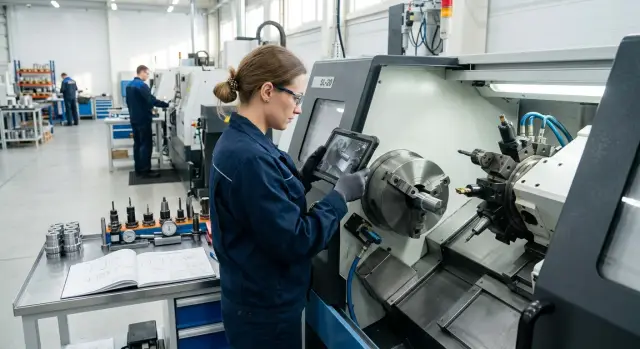
On Monday another shift opened the same folder and assembled the tooling with almost no discussion. One person looked at the photos on a tablet while the other installed jaws and tools. They didn’t argue about details because they saw them: how the soft jaw was rotated, how the fixture sat and which tool was in the adjacent turret pocket.
Normally that restart would take longer. First they’d look for old records, then check numbers, then move tooling a couple of times because someone 'remembers' it differently. Here the first check took about 15 minutes instead of the usual 40–50. From the first part it was clear the datum was assembled correctly.
Some fine tuning was still needed. The shift slightly adjusted the stick-out of one cutter and corrected a dimension after the control pass. That’s normal. But the run started almost immediately, without long searches for jaws, without rebuilding and without unnecessary trial parts.
This is how photos work better than memory. For CNC shift handovers this is often enough: people see not only the entry in the setup sheet but the actual setup when the part was already running stably.
Mistakes that make photos useless
Photos don’t help by themselves. They only work when the image lets someone immediately understand how the tooling sits, where the stop is and what the tool stick-out is. If the shot is dark or smeared, those details vanish. On the screen the chuck and cutter may seem visible, but in practice such a photo is useless: the next shift measures again at the machine.
A common mistake is leaving one wide shot and considering the task done. A wide shot is only an orientation. It doesn’t replace close-ups of jaws, part seating, stop position, tool number and actual stick-out. If you cannot zoom into the photo and clearly see small details, it won’t save time.
Another problem is unlabeled photos. Similar parts are easy to mix up on the shop floor, especially when two versions of tooling or close sizes are nearby. After a week nobody remembers which operation a specific image referenced. A minimal label is always needed: part number, operation, machine, date and who shot it.
Storing old series next to a new version without marking also confuses. The setter opens the archive, sees familiar jaws, assembles by memory, and then it turns out the new batch had different stick-out, a different stop or changed tooling. The small mistake costs both time and blanks on restart.
Taking photos too early also causes problems. People shoot immediately after assembly, before a trial part. Then they change tool positions, adjust stops and seating, and the archive ends up with an old version. Shoot after the trial part and final adjustments, when the setup produces the required result.
A simple rule: if the next shift cannot repeat the setup from the photos without calling a colleague, retake the series. For CNC shift handovers, five clear shots are better than twenty random ones.
Quick checklist before handing over the shift
One compact set of images at shift end often saves more time than long verbal explanations. If the operator leaves and the next shift sees only the finished part without photos, they will search for jaws, check tool stick-out and guess where the stop was.
For a proper handover check five things:
- One photo clearly shows the chuck, jaws and part seating.
- Another shows tool numbers and pocket numbers in the turret or magazine.
- Stops, spacers, clamps, soft clamping elements and any small details that are easy to forget are photographed separately.
- The label includes the part number, date and a short note about the operation when multiple setups exist.
- Photos are stored in a clear place the next shift can open without calls or searching.
If time is short, don’t try to photograph everything. Better take 4–5 crisp shots than twenty blurred ones. Hold the camera steady, use normal lighting and get close enough so the tool number, jaw position and small spacers read immediately without zoom.
Sometimes add one verification photo showing the control sheet or the setup note next to the tooling. Then the next shift quickly checks the part number and won’t mix similar kits. This is especially useful when several nearby positions have different stops or stick-outs.
A simple habit: finish the batch, take photos, label them and put them in the right folder. On a repeat run this often saves 15–20 minutes of fuss at the machine.
Where to begin on the shop floor
Start not with the whole shop but with one part you’ve run several times in a month. It’s easier to see which photos truly speed a repeat run and which just clutter the folder.
For the first set you don’t need a complex system. Usually 8–10 shots are enough if they’re taken in a consistent order and from consistent distances. Then a CNC shift handover is calmer: the operator opens the series and immediately sees what was on the machine and how it was assembled.
A starter set can be very simple: overall workspace before the run, the chuck and jaws from the front, jaws close-up with number or mark, the fixture showing stops and bases, tooling in the turret or magazine and the part in the chuck. Add a few shots if needed: a tool stick-out view, the part seating, the first good dimension with calipers or micrometer, and sometimes the screen showing the relevant offset if that avoids confusion.
After that it’s a matter of discipline. Choose one place to store all series, for example by 'machine-part-date'. If photos are scattered across phones, messengers and personal folders, the system quickly stops working.
After a month, review results without formalities. Take two or three recent restarts and ask the shift which shots they opened most and which were useless. Remove the extras and add what’s missing. The set will naturally become shorter and more useful.
Usually after the first part you already see where time is lost: jaws, the stop, tool stick-out or searching for old tooling. For shops doing serial metalworking such details matter when choosing a CNC lathe and tooling. EAST CNC, the official representative of Taizhou Eastern CNC Technology Co., Ltd. in Kazakhstan, works with these tasks — from selecting and supplying machines to commissioning and service. But start small: one part, one machine, one clear photo set.
FAQ
Why take photos if the setup sheet already exists?
Because the setup sheet rarely shows how the tooling looked in reality. A photo lets the next shift see the chuck, jaws, stop and tool in working position instead of relying on memory. Best practice — keep photos next to the setup sheet. The sheet gives dimensions and offsets, and the photos remove guesswork about assembly.
When do photos actually save time?
Photos save the most time on repeat runs, during shift handovers, and when tooling is stored between orders. In these cases people waste time searching and checking rather than actually setting up. If the part is new and tooling changes every time, photos help less. In that case focus first on a clear setup sheet and consistent labeling.
What photos are needed for jaws?
For a typical repeat run, a few clear shots are enough. Photograph the chuck from the front, close-ups of the jaw numbers, a side view showing jaw throw and clamping step, and the part clamped in place. This is usually enough for the next shift to pick the correct jaw set and avoid blind reassembly.
What to photograph specifically for soft jaws?
With soft jaws, photograph the working surface after machining as well as the general view. If the set is marked for a specific diameter or part number, the mark must be legible without zooming. Otherwise someone may pick a similar set and waste time or ruin the first part.
How to photograph tooling so the pictures are useful?
Start with an overall view of the turret or magazine to show the tooling composition. Then photograph each important tool: pocket number, holder orientation, stick-out, insert direction and any spacer. These shots let the next shift see what was actually mounted instead of hunting for the right cutter by memory.
When is the best moment to photograph a setup?
Don’t shoot too early. Take the series after the first good part, when stops, stick-outs and everything have been adjusted. Before photographing, remove chips and coolant from key areas. Dirt on the photo often hides a position number or a thin spacer.
How many photos should be kept per part?
Usually 6–10 photos per setup are enough. If someone can rebuild the tooling without calling the previous shift, that’s sufficient. Don’t chase quantity. Five clear photos are almost always better than twenty random duplicates.
How to label and store such photos best?
Name each series consistently: part number, machine, order or batch, date and the setup operator’s name. That way the right folder is found quickly even when similar parts exist. Store the photos where the setup sheet and CNC program live. If photos stay on the operator’s phone, the system stops working.
Why do photos sometimes fail to help?
Most often the problem is dark or blurry shots, a single wide photo instead of a series, or missing labels. Another common mistake is photographing before the trial part and then changing the setup. If the next shift can’t repeat the setup without calling, the archive needs redoing.
Where to start photo documentation on the shop floor?
Start with one part that the shop has run several times and one machine. For the first set, a simple series is enough: overall work area, front chuck and jaws, jaws with numbers, the fixture with stops and bases, tooling in the turret, and part in the chuck. After a couple of repeats, ask the shift which shots they opened most often and keep only what truly speeds work.