
Manual CNC Programming: When It's Faster Than CAM
Manual CNC programming speeds up the first cut on simple parts. We explain when G-code beats CAM, which operations are quicker to write by hand, and what to check before the first run.
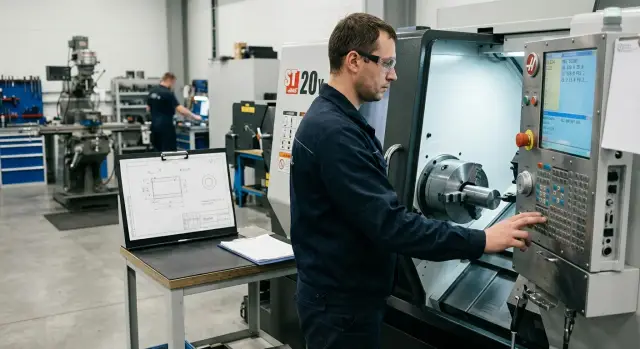
Why a simple part often waits too long
A simple part often spends more time in the queue than it does under the cutter. A typical example is a bushing or a short shaft with two diameters, a chamfer and a hole. The turning itself takes 6–10 minutes, but getting to the first cut can take half an hour or more.
The problem is not the metal, but the preparation. Even for simple geometry you need to confirm dimensions, set blank allowances, choose tools, set the part zero, assemble the program, transfer it to the machine and do a dry run. For a complex part that’s normal. For a single groove or a couple of passes that path is often too long.
The delay usually adds up from small steps. First someone clarifies the drawing. Then they open CAM, set up the operation, check the postprocessor and the output format for the control. After that the program is moved to the machine and small edits are made at the control. Each step is small on its own, but together they easily eat more time than the whole machining cycle.
There’s a second reason. Simple parts often get postponed. They look easy, so they yield to more urgent or higher-value jobs. As a result, work an operator could do in 10 minutes at the control waits for a free programmer, a ready model, or the right CAM template.
Manual code wins when the part can be read off the drawing. If the operator sees a single setup, clear transitions and a usual set of tools, it’s simpler to type a short program at the machine. This is especially true for simple turning operations: facing, external turning, boring, axial drilling, chamfers, shallow grooves.
In practice the difference looks like this: through CAM a simple part reaches the machine in 25–40 minutes; manually — in 5–15 minutes, if dimensions are clear and the trajectory is short. So a simple part waits too long not because machining is hard, but because the path to the first cut is long.
When CAM slows down the first run
CAM isn’t always slower. For complex parts it often saves time and nerves. But on a day when you need one sample and you need it today, CAM can add extra steps. You build a model, set a datum, choose tools, check transitions, postprocess, and then still open the G-code and hand-edit things.
This happens with simple parts. If the contour has straight segments, a few diameters, chamfers and ordinary arcs, the control often manages by itself. On a lathe this is clear: roughing cycle, finish pass, drilling, threading and parting are already in the controller. The operator only needs to set sizes, allowance and safe points.
CAM most often delays the first run in four cases:
- you need a single trial piece, not a series;
- geometry is readable from the drawing without a complex 3D model;
- the control already has a suitable cycle;
- after postprocessing the code still needs cleaning and additions.
The most common time loss is hidden not in trajectory calculation but in edits afterward. The postprocessor may produce safe but inconvenient code: extra approaches, unusual M-codes, wrong retracts, or extra lines with corrections. If an operator knows the machine and control well, it’s often easier to write 20–30 lines themselves than to untangle someone else’s logic across 200 lines.
A good example is a simple bushing or pin. There’s facing, external turning across two diameters, a groove and parting. For such a part manual code often saves from half an hour to an hour. Not because CAM is bad, but because the task is too small for the long chain “model — trajectory — postprocessor — edit.”
There’s another advantage. When the operator writes the program at the control they immediately account for the machine’s real limits: where it’s easier to approach, what retract to leave, where to reduce feed. For a first run that’s more important than a perfect digital trajectory.
Which operations are faster to write by hand
Manual code pays off where the trajectory is obvious from the drawing. If the operator sees a few straight transitions, one drilling cycle and a standard thread, typing the program at the control is often faster than opening CAM and configuring the full route.
On the lathe
Facing and necking take only a few lines. Call the tool, set feed, face the end, retract to a safe point. For the first part that’s usually enough.
External turning of straight diameters is also convenient to do manually. If the profile is made of steps without complex arcs and blends, the operator quickly writes passes with G00 and G01 or uses a standard roughing cycle. On parts with two or three diameters this saves time right away.
Axial drilling with a canned drill cycle rarely needs CAM either. The coordinate is one, depth is known, and the tool is standard. For a through or shallow hole the cycle at the control is simpler than building a full route through postprocessing.
Grooving and parting suit manual programming if the width and position are clear. There are few moves and errors are usually obvious before cutting.
Threading with a canned cycle is another common case. If pitch, length and diameter are known, the thread cycle on the control is set faster than defining a separate CAM trajectory.
On the machining center
On a machining center a simple pattern of holes is often quicker to code by hand. If they form a rectangular grid or lie on a circle without complex angles, coordinates plus a drill cycle and a couple of repeats are enough.
A simple rule of thumb: manual code wins when you can understand the geometry from the drawing in a minute. If you face straight diameters, one axial hole, a groove and a thread, CAM often only lengthens the path to the first run.
When it's better to go to CAM right away
Manual code has its limits. Once the part moves into complex geometry, time is spent not on typing lines but on checks, edits and the risk of mistakes.
If the part has 3D surfaces, smooth blends, tangency radii or several zones requiring different cutting strategies, CAM is usually faster from the start. Writing such trajectories by hand is slow and verifying them is even slower. One missed transition can easily cause a gouge, unnecessary air moves or a crash with the fixture.
Choose CAM when the program quickly grows. If you have many tools, multiple setups, frequent offset changes and a long sequence of operations, manual code becomes hard to keep in your head. Even an experienced setter wastes time hunting a simple error.
CAM is usually needed if:
- the part requires 3D machining rather than a few clear contours;
- the program has many tools and hundreds of transition lines;
- the part goes into series production and the code must be repeatable;
- the trajectory must be checked on screen with the cuts and retracts;
- you use 5-axis machining or a machine with complex kinematics.
For a series CAM is also convenient because the process logic is built once, saved as a project and then parameters like sizes, allowances or feeds are changed quickly. At the control that robustness is lower. Any edit forces new manual checks and the benefit disappears fast.
How to decide in five minutes
If the part can be described in a dozen clear lines, don’t spend half an hour on a model, trajectory and postprocessor. For the first run that’s enough: you’ll get a sample quickly and immediately see what needs correcting.
First count the mechanics of the job. If you have 2–3 transitions and one or two tool changes, manual code is almost always faster. A typical lathe case: facing, external diameter, a groove, parting.
Then look at the shape. One chamfer and a couple of simple arcs don’t prevent writing G-code at the control or in a simple editor. But if the part has many fillets, an unusual contour, repeating elements or areas where sign mistakes on radii are likely, time will be spent on verification rather than typing.
Separately assess how many dimensions you will likely tweak at the machine. If the technologist or setter knows the first run will require adjusting two or three diameters and a length, manual programming is handier. You change a few numbers and run the cycle again. In CAM, such small edits often mean going back to the model, recalculating trajectories and re-exporting the file.
A quick filter:
- few transitions and few tools — program manually;
- the contour reads directly from the drawing — program manually;
- sizes will likely be adjusted at the machine — manual code is more convenient;
- you need the first sample now — don’t wait for CAM.
A small example: a bushing in one setup, two inserts, external turning and chamfers. Manual code takes 10–15 minutes plus a few minutes for a dry run. If the same part goes through CAM, time is often spent not on the trajectory but on preparing geometry and checking the postprocessor.
If you immediately see four tools, a complex profile and likely repeated contour edits, the manual approach stops being fast. Then it’s wiser to go to CAM right away.
How to assemble the first program at the control
Build the first run around geometry rather than cuts. First set the part zero and one safe retract point where the tool will go after each pass. On a lathe you usually need to know three things right away: where the face is in Z, where the diameter zero is in X, and which coordinates are safe so the tool won’t hit the blank, jaws or chuck.
Then choose the tool for the simplest operation. Don’t start with a groove, thread or a long cut with a fine tool. For the first piece it’s better to take a facing or turning tool, set calm spindle speed and moderate feed. If in doubt, start a bit slower and increase rather than risk a crash on the first lines.
A simple sequence works well:
- retract to a safe point and call the tool;
- approach the part and face the end;
- rough the simple external contour;
- do a finish pass only after sizes are checked;
- retract, stop and measure.
This order saves time. If there’s an error you catch it on a simple operation, not after a long chain of commands.
Write roughing passes from simple to complex. Remove the main allowance first, then add chamfers, grooves or thin sections. Don’t try to hit final dimensions in the first version. Leave a small allowance on diameter and length and remove it with a finish pass after measurement. For a first part this is usually faster and less stressful.
Before starting, run a graphical check on the control if available. It doesn’t replace a real dry run but quickly shows gross mistakes: wrong sign on Z, an extra zero in feed, or a wrong order of calls. Look not only at the contour but at transitions between lines.
Do the dry run slowly. Raise the tool above the part, use step mode or greatly reduce feed from the panel. Watch the approach to the chuck and the retract after cutting. If the path is clean, run the cut with allowance for measurement.
Example: a one-setup bushing
A small bushing from round stock is often started right at the control. The route is simple: face, turn the external diameter, drill the hole and part off. The blank is clamped once without re-chucking, which greatly reduces setup time.
The operator needs two turning tools and one drill. A general-purpose turning tool covers facing and external diameters, a parting tool separates the part, and a drill makes the center hole. Such work doesn’t require building a long route, choosing a strategy and checking a postprocessor.
The program is usually short: approach, face, one or two passes for diameter, a drilling cycle and parting. If the contour has no complex radii and grooves, such G-code is written in minutes and is easy to read. The operator sees immediately which line sets X size, where the Z datum is and at what line drilling starts.
After the first run you almost always need a small edit. For example, the external diameter might be 0.03 mm oversize. The operator measures, changes the tool offset in X and runs the cycle again. There’s no need to return to the model or recalculate the trajectory.
On such parts manual code wins on real shop time. As long as the job fits one setup and a few simple transitions, CAM gives little advantage.
Where manual code most often fails
Mistakes in manual programs are rarely complicated. Usually the operator is in a hurry, reuses old code and skips some checks, which makes the first run go off-plan.
The most common problem is confusion between program zero and machine zero. On the screen everything looks logical, but the tool goes to the wrong place because the program assumes one zero while the offset is set from another. On a lathe this quickly becomes an air cut, a face collision or an incorrect size on the first cut.
Copying an old program for a new part causes no less trouble. The code may still contain someone else’s offsets, tool corrections, spindle limits or even a different order of tool calls. On paper it’s “almost the same bushing,” but a 2–3 mm difference on the machine breaks the start.
Another common mistake is forgetting a safe retract before a tool change. After parting or a finish pass the tool may be close to the part, and the next command already calls the turret. If you don’t move the carriage to a safe point you can hit the jaws or blank.
Operators also rush finish passes. They leave the feed that was fine for roughing and get a rough surface instead of the required finish. The part seems ready but then needs reworking or is rejected.
A special trap is spindle speed. If constant surface speed is used, check the maximum RPM limit. Without it the spindle can overspeed on a small diameter.
Before the first run a short check is enough:
- does the program zero match the part offset;
- is there a retract to a safe point before tool change;
- is the finish feed not too high;
- were old offsets and edits removed from templates;
- is a spindle speed limit set.
Short pre-start checklist
An error in a manual program usually hides in small things: a wrong tool offset, too much blank overhang, or no spindle limit. This check takes a couple of minutes and saves much more.
Before the first run go through five points.
- Verify the tool against the offset table. The tool number in the program must match the turret position and the X and Z offsets must be current.
- Inspect the blank clamping. Excess overhang often causes vibration, size drift and poor surface.
- Check the modes. Feed, spindle speed and spindle limit should be set explicitly.
- Do a dry run. First let the program run at a safe distance, then bring the tool closer without cutting.
- Prepare measurement tools in advance. Calipers, a micrometer and the required gauge should be next to the machine.
In practice, including on EAST CNC machines, the first failure is often due not to G-code but to pre-start preparation. The program can be simple and clean, but rushing before start undoes it quickly.
If everything matches, the run goes smoothly. If at least one point raises doubt, stop and double-check. It’s faster than changing an insert, chasing runout or figuring out why the dimension went wrong on the first part.
What to do after the first successful run
If the program runs the first part without surprises, don’t rush to tweak it “by eye” for the next batch. First save the working version so that in a week you can understand why it produced the right size.
Best practice is to save the file with a clear name and short notes: material, blank, tool, offsets, actual sizes after the first part. Separately note where you reduced feed, changed allowance or adjusted an offset. Such notes save more time than you expect, especially if the run repeats after a month.
Keep a short reference nearby:
- program number and revision;
- sizes after the first inspection;
- which offsets gave the finish size;
- where feed had to be reduced;
- which tool ran without issues.
Then honestly decide whether the part stays in manual code or should be moved to CAM. Manual programs work well for simple turning operations: facing, external diameter, groove, threading, parting and a couple of clear transitions. But if tools increase quickly, a complex contour appears, lengths get multiple versions or edits become frequent, CAM usually wins. Writing manually once is fast. Maintaining such a program five times becomes tiring.
A useful habit after a successful run is to build a template for similar parts. Don’t copy an old program wholesale without review. Leave a safe start, typical tool calls, proven modes, rough and finish blocks, and places for dimensions and comments. Then for a new bushing or shaft you change only geometry and a couple of modes instead of rewriting everything.
If after the first run it’s clear you need a series, another machine, or proper service, then code is not the only issue. In those cases EAST CNC helps with equipment selection, commissioning and maintenance, and the blog east-cnc.kz has machine reviews and practical metalworking materials.
FAQ
When is manual programming really faster than CAM?
Manual code wins when the part can be read directly from the drawing and the route is very short. If you have one setup, 2–3 transitions and standard tools, the operator often writes the program at the control in 5–15 minutes, while the same start through CAM can easily stretch to half an hour.
Which operations are better to write manually at the control?
Most often: facing, external turning by steps, boring, axial drilling, a simple groove, threading with a canned cycle, and parting. If the profile consists of straight segments, a couple of chamfers and ordinary arcs, the control usually handles it without extra preparation.
When is CAM still better than manual code?
Use CAM when the part has a complex profile, 3D surfaces, many tools or multiple setups. CAM is also better for a series where you need to repeat code reliably and check the trajectory on screen beforehand.
How to know in five minutes if a part suits manual coding?
Look at the part without a computer. If you understand the geometry in a minute and can describe the route in a dozen lines, the manual option is usually faster. If you already see many fillets, adjustments and places prone to mistakes, don’t waste time—use CAM.
How much time does a manual program actually save on a simple part?
On a simple bushing or short shaft the difference often gives 20 to 60 minutes. The cutting itself takes 6–10 minutes, while the delay is eaten by modelling, trajectory, postprocessing and code fixes after export.
How to start the first program at the control?
Start with the part zero and a safe retract point. Then pick the most obvious tool, set conservative speeds and feeds, and assemble a short sequence: approach, facing, rough pass, finish pass, retract and measure. This order helps catch mistakes before complex operations.
What mistakes most often ruin the first run?
Most often small things break the first run: confusing program zero and machine offset, forgetting a retract before tool change, leaving old corrections from a template, or not limiting spindle speed. Another common mistake is rushing the finish pass and keeping a rough feed.
Do I need a dry run if the program is very short?
Yes. Even a short program can drive the tool into the chuck, jaws or the wrong Z point. A dry run at low feed takes a couple of minutes and usually saves much more time than fixing a mistake later.
What to do after the first successful run?
First save the working version with a clear name. Then note material, blank, tool, actual sizes after the first part and the corrections you applied. If this run repeats later, you won’t have to remember everything from scratch.
Is manual programming suitable for a series, or only for a sample?
Manual code is convenient for a single part or a prototype. For a series the benefit quickly drops: edits accumulate, the program grows, and repeatability depends on who changes it. At that point CAM usually gives a more consistent result.