
Machine Test Video from the Supplier: What to Watch Besides the Chips
A supplier’s machine test video should be judged not by the chips, but by geometry, tool changes, access to key components, and surface finish.
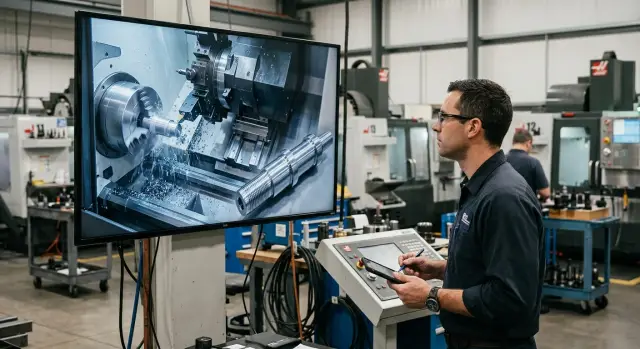
Why pretty chips are not enough
A video where a machine confidently cuts metal and throws out neat chips looks convincing. But chips say almost nothing about whether the part will stay within size after a batch, a tool change, or a long shift.
The most common mistake is simple: the viewer watches the cutting, not the result. Chips can look beautiful even when the machine has play, weak geometry, or a noticeable size drift as it heats up. That is not enough for a purchase.
A short supplier machine test video often shows only a lucky moment. The supplier may choose an easy material, a light cutting mode, and one short operation with no difficult transitions. In such a clip, you cannot see how the machine behaves after an hour of work, after the part is clamped again, or under a different program.
One good pass is not the same as stable operation. If the part came out right once, that does not mean the second, tenth, and fiftieth parts will be the same. Production needs repeatability, not a pretty 40-second shot.
Usually, the things that decide the outcome stay off camera:
- whether the machine holds size from part to part
- how quickly and smoothly the tool change happens
- whether the components are easy to reach for cleaning and inspection
- what surface finish you get on the finished part, not just in words
Without numbers, video can easily lead you astray. If the clip does not show measurements, tolerances, a close-up of the surface, or the full cycle, you are looking at a demonstration, not a test. That is useful as a first impression, but not as the basis for a decision.
A good video does not distract you with chips. It shows that the machine makes parts predictably, calmly, and with a clear result.
What to ask for before watching the video
If the supplier sends only a nice cutting clip, it is of little use. Ask for the source details before watching. Then the supplier machine test video becomes a fact check, not advertising.
First, clarify the exact machine model and its configuration. The same series name does not always mean the same setup. The chuck, spindle, turret head, tool magazine, coolant system, and even axis travel all matter.
Next, ask for the material and blank size. Steel 45, stainless steel, and aluminum behave differently. A 40 mm blank and a 140 mm blank also create different loads. If the video shows soft material with a short overhang, but you need heavy machining, the conclusions will be wrong.
Ask for cutting parameters and the tool setup. You need the spindle speed, feed, depth of cut, insert grade, toolholder type, and number of tools in the operation. Without that, you cannot tell whether the machine gives a good result or whether the clip was simply filmed in a very gentle mode.
You also need the part drawing in advance. Not a rough sketch, but a proper drawing with dimensions, fits, and tolerances. Then you can compare from the video where the machine holds size, where there is a risk of runout, and where machine geometry may cause problems.
Ask for two numbers separately: cycle time and the required surface roughness. Cycle time shows whether that setup makes sense for your workload. Surface roughness gives you a reference when you look at the part surface, rather than just shiny chips on camera.
It is convenient to request everything in one message:
- exact machine model and configuration;
- material, shape, and size of the blank;
- cutting parameters and tool list;
- part drawing with tolerances;
- cycle time and target roughness.
If the supplier is serious, they will give you this information without argument, before filming or together with the video. For example, when a machine is selected for your part rather than for an abstract test, the conversation becomes much more concrete. That saves a lot of time and helps you avoid buying a machine that only looks good in the video.
How to watch the clip step by step
One viewing almost always misleads you. At first the video seems convincing: chips are flowing, the spindle sounds steady, the part is turning. But that is not enough for a purchase.
Watch the video twice. The first time, do it without pausing to understand the overall pace. The second time, pause it to see what happens between the nice shots.
Start with a wide view of the machine. The camera should show not only the cutting zone, but also the door, the tool magazine, the operator’s position, coolant delivery, and chip removal. If there are too many cuts and close-ups, the supplier may be hiding inconvenient moments.
Then break down the cycle start frame by frame. It helps to watch not the cut itself, but the path to it: how the machine approaches the part, how it settles into position, whether there are unnecessary pauses or sharp movements. If the cycle starts clumsily, that often shows right away.
Next, use a stopwatch. I usually recommend timing separately:
- the time from cycle start to the first contact with the part
- the time for one tool change
- pauses before feed and after retract
- how many seconds go into opening and closing the necessary movements in the cycle
After that, look at the coolant and the chips. The fluid should reach the cutting zone immediately and accurately, not miss the target as a thin stream. Chips should go down or into the conveyor without clumping, wrapping, or frequent stops. If the operator often has to вмешиваться, that will quickly become a daily shop-floor problem.
At the end, ask for a close-up of the finished part. You need not a general shot in someone’s hand, but a view of the surface in good light. That makes it easier to spot marks, waviness, vibration marks, burrs on the edge, and differences after different passes.
If the supplier sent a supplier machine test video with music, cuts, and no continuous part of the cycle, ask for a reshoot. A single honest phone video is better than a polished edit that tells you nothing.
Example: breaking down one video
The supplier sent a clip: a lathe is turning a flange. The chips flow evenly, the sound is calm, and the feed looks confident. At first glance everything looks fine, but such a video is easy to overrate.
The camera watches almost only the cutting. That helps you see whether there is obvious vibration, axis jerks, or rough blank runout. But it is too early to judge machine geometry. If there is no post-process measurement in the video, you do not know whether the machine holds size, face flatness, or concentricity after the pass.
The tool change is fast. That is a plus, but only a partial one. The magazine is not fully visible, so it is unclear what exactly is included in that time: the whole change cycle or just a nice fragment without approach, locking, and return to work. Sometimes the video speeds up the part that, in a real batch change, takes an extra 3–5 seconds on every cycle.
The part itself shines, and that often distracts people. Shine does not equal part surface quality. If the supplier did not show the face in close-up, did not show the seating surfaces, and did not include a shot with a simple roughness measurement or at least a clean macro view without glare, that result cannot be taken as proven.
I would ask for a second take with a different shooting logic:
- a wide shot of the machine before the cycle starts
- a full tool change shot without cuts
- a close-up of the face and outer diameter after machining
- a measurement on camera
- a short look at the service area and access to the main components
That kind of video already gives you a basis for a decision. The first one shows that the machine can cut metal. The second one shows how it really works, how convenient it is in daily use, and what the part looks like after the cycle.
What you can tell from machine geometry
You can see geometry in the video not by the pretty chips, but by how the machine behaves during a finishing pass. At that point, feed and depth of cut are already small, so any misalignment stands out more clearly. If the tool moves smoothly, without visible shuddering or jerks, that is a good sign. If there is sound in the clip, listen closely: a steady tone often says more than an impressive image with coolant.
Ask to see the part right after machining, without a pause and without changing the angle. You need at least two measurements: on the face and on the diameter. The face helps reveal runout and perpendicularity errors, while the diameter shows whether the machine holds size along the length of the cut.
It is best when the operator does not measure in just one place. Let them take a reading near the chuck, in the middle, and closer to the edge of the part. If the numbers differ, you are already seeing not just the part tolerance, but possible taper. If the diameter in one section changes when the part is rotated, that points to ovality. In a good video, these things are not hidden by only showing one area in close-up.
It is useful to ask for four things in the frame:
- a full finishing pass, without cuts
- diameter measurements in several places
- a face measurement after machining
- a gauge or measurement report
A gauge in the frame is especially useful. It shows not the seller’s opinion, but the deviation via a pointer. If the supplier provides a measurement report, look not only at the final number, but also at where exactly the part was measured. One lucky size proves nothing.
A normal geometry-focused clip looks calm and even a bit boring. That is a good thing. When the video has many dramatic angles but no clear measurement after the finishing pass, the conclusion is simple: the geometry was not shown.
How to evaluate tool change time
The number in a catalog almost always looks better than real work on an actual part. In the video, do not count the whole change, but the section from the command to change tools until the new tool makes the first cut.
If the supplier shows a CNC lathe with a turret, the logic is the same. Command, rotation, locking, approach, contact with the material. Only that path gives honest time.
What to count in the video
Ask for a clip without cuts or acceleration. It is better if the screen, the machining area, and the change mechanism itself are all visible.
- Start: the operator gives the tool-change command
- Middle: the magazine or turret rotates and locks into the required position
- Finish: the new tool enters the material and steady cutting begins
- Repeat: not just one change, but at least 3–5 in a row
One fast cycle means nothing yet. Sometimes the machine makes the first change quickly, and then extra pauses appear. So compare the first and third change. If the difference is obvious even to the eye, the unit is unevenly tuned or the video was edited too selectively.
Watch whether the magazine makes unnecessary movements. A bad sign is when the unit first goes farther than needed, then returns, waits longer than usual for spindle stop, or “hunts” for position on the second try. On paper that may be only a couple of seconds, but in a batch they quickly turn into lost minutes.
Also check how the tool settles into the working position. After the change, there should be no long fine adjustment, noticeable shaking, or repeated clamping. If the tool seats cleanly, the machine almost immediately moves to feed and cutting.
A good request to the supplier is this: show several changes in a row on the same part, without stopping the recording, from the same angle. For a supplier machine test video, this is one of the most useful segments. It quickly shows whether the machine has a proper rhythm or whether the nice picture was assembled from lucky takes.
Access to components and daily maintenance
A good video shows more than cutting. It shows how people will work with the machine every day. If basic cleaning, a filter replacement, or a sensor check takes an extra 15–20 minutes, that adds up to a noticeable loss of time over a month.
In the supplier machine test video, ask them to open the areas the operator reaches most often: lubrication points, filters, chip collector, cabinets, and covers for daily inspection. Do not look only at the fact that they open; look at how accessible everything is. Can a person reach it by hand without long disassembly? Are the levels, marks, and fasteners visible?
It is also worth asking them to show two simple operations: tool change and jaw change. They quickly reveal how convenient the machine is. If the operator spends too long searching for access, removing extra covers, or working in an awkward posture, that will be annoying every day on the shop floor.
Check a few things:
- can you easily reach the spindle and chuck for cleaning and inspection;
- can you get to the sensors without extra movements;
- are the daily inspection points visible and is it clear what to check;
- can the filters be removed without long disassembly;
- is there enough room for hands and normal tools.
A simple question to ask the supplier is: how long does basic cleaning take after a shift? It is better if they show it on video instead of answering in general terms. For example, if the operator cleans the work area, checks lubrication, and replaces the filter in 7–10 minutes without pauses or extra actions, that is a good sign. If the same job takes half an hour, the machine will be idle more often than it seems at first glance.
A video will always show beautiful chips. Easy access to components is harder to hide.
How to check surface finish
A shiny part on camera does not mean the surface is actually clean. Light, oil, and a good angle can easily hide waviness, fine scratches, and vibration marks. In a supplier machine test video, this is one of the most common traps.
Ask for a close-up after machining under even light, without harsh reflections. If the operator moves the camera too quickly or shoots from far away, you will see almost nothing. A proper clip shows the same area calmly, with a pause so the tool marks can be examined.
Pay special attention to waviness and repeating wave patterns. They often point to vibration, play, weak part clamping, or the wrong cutting parameters. Deep circular marks on turning and visible stripes on milling should not be dismissed as “lighting effects.”
A good request to the supplier is simple:
- show one area in close-up under even lighting
- film the same area from two angles
- hold the camera still for 3–5 seconds
- show a roughness measurement, if a specific level is claimed
If the spec promises, for example, Ra 1.6 or Ra 0.8, compare the video with that claim. You cannot determine the exact value by eye, but you can check the logic: the finishing pass should be separate, the tool should be appropriate, and the result should be free of obvious waviness and rough marks. If the supplier talks about a high surface finish but does not show a measurement, that is a weak point in the test.
It is useful to ask for one small section of the part before and after the finishing pass. Then you can see whether the part surface quality really changes, rather than just the lighting. One honest close-up usually tells you more about the machine than a long video with pretty chips.
Mistakes people often make
People often start a supplier machine test video and immediately look for one sign: beautiful chips, a smooth sound, a fast pass. That is not enough. The clip can look convincing even when pauses, adjustments, and extra operations are hidden between shots.
The most common mistake is to watch the cutting as if it were a show. A quiet and “soft” sound does not mean the machine holds size under load. The supplier may choose a shallow pass, easy material, and a safe mode so the video looks calm.
Another mistake is watching without the part drawing. If you do not have dimensions, tolerances, roughness requirements, and a datum, you are evaluating not the result, but the picture. The same machine behaves differently on a simple bushing and on a part with thin walls, grooves, and tight fits.
People also often miss the editing. If the shot cuts off before a tool change, re-clamping, or measurement, that is already a reason to ask questions. A long uninterrupted 7-minute fragment is more useful than a cut-together selection of pretty seconds.
Comparing different tests with each other is also misleading. You cannot put two videos side by side if they use different materials, different tools, different blank masses, and even different part geometry. Such a comparison tells you almost nothing.
A test without post-process measurements is also worrying. If the supplier does not show the diameter, runout, length, roughness, or at least a check in several places, they are asking you to take it on trust. For buying a machine, that is a weak argument.
The right approach is simple:
- keep the drawing open next to the video
- watch continuous segments, not just the impressive shots
- compare the cutting parameters and blank material
- ask for measurements right after machining
- note what was left off camera
A good supplier machine test video does not have to be spectacular. It should answer your questions without guesswork.
Short checklist before you decide
One impressive tool pass proves nothing. Before discussing price, timing, and startup, check whether the supplier showed facts, not just pretty chips. A good supplier machine test video answers simple questions without guesswork.
If there are gaps in even two of the points below, it is better to request a new video. That takes a day, but it can save weeks of argument after delivery.
- The machine model, part material, and cutting parameters are named. The feed, spindle speed, depth of cut, and tool type should be visible in the frame or in the caption. Otherwise, you cannot tell under what conditions the machine produced the result.
- The full machining cycle is visible. You need not only the cutting moment, but also approach, retract, tool change, stop, and part removal. That makes it easier to judge tool change time and machine behavior between operations.
- There are measurements after the cycle. It is normal when the operator shows diameter, length, runout, or another drawing-based dimension. If there are no measurements, video quality does not mean part quality.
- The camera shows access to components for routine maintenance. It is useful to see how the service areas open, where the filters are, and how to reach lubrication, chip removal, and basic checks. If everything is hard to reach, that will quickly become annoying in real work.
- There is a close-up of the surface without glare or filters. You need calm light and a slow camera pass so scratches, waviness, vibration marks, and transitions after tool changes are visible.
For a CNC lathe, this minimum is already enough to separate an honest test from an advertising clip. If a supplier from Kazakhstan or another CIS market is willing to show these details calmly, the conversation usually becomes concrete and short.
What to do after watching
If the video leaves you with mixed feelings, do not try to decide from memory. Write down every questionable moment right away: where the camera moved away, where the gauge was not visible, where the tool change was not shown in full, where the part surface appeared only for a second.
It is more convenient to put the questions into a short table or list. That makes it harder for the supplier to respond in generalities, and it is easier for you to compare answers across several machines.
- which frame raises a question
- what exactly is not visible or unclear
- what confirmation you want to receive
- whether it affects your part, tolerance, or cycle time
If you still have doubts, do not ask for “another nice video.” Ask for a repeat test on your part or on a part with similar material, size, and operations. For such a repeat, it helps to provide the drawing, material, roughness requirement, and desired cycle time in advance. Otherwise they will show you another clip that proves nothing.
A good request sounds simple: film the entire cycle in one take, without cuts, with visible time, tool change, part measurement, and a close-up of the surface. If the issue was machine geometry, ask them to show a control part after a series of repeats, not after one pass.
Then compare the video with the machine passport and the scope of supply. Often the video includes options that are not part of the base version: a different tool magazine, a different chuck, a chip conveyor, a coolant delivery system, a tool sensor. If that is not fixed in advance, the final price and the real machine capabilities will not match.
When the decision is close, it is useful to let your own team review the video and the machine specs independently. If you do not have that resource, EAST CNC can help with machine selection, commissioning, and service. That is especially useful when you are choosing between several models and want to understand not the marketing, but the real fit for your work.