
Machine Loading by Part Families in the Shop
A machine loading chart helps group similar orders, reduce changeovers and distribute work more evenly across shifts and equipment.
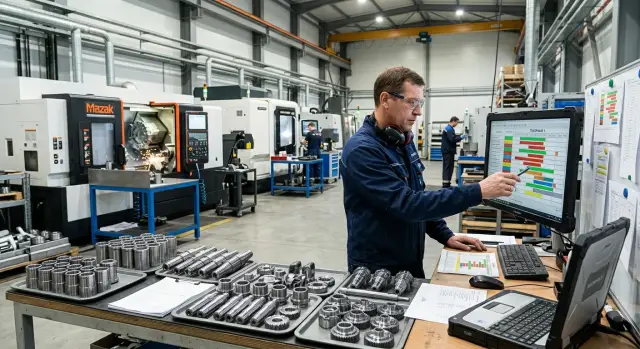
Why the shop loses time on frequent changeovers
The shop loses hours not on cutting metal, but on pauses between batches. The operator removes the jaws, fits different fixtures, changes tools, tweaks the program, makes a trial part and checks dimensions again. If there are many such transitions during a shift, the machine runs noticeably less than the plan indicates.
Losses accumulate quietly. One changeover often takes 20–40 minutes, sometimes longer if the part is complex or the required tool isn't nearby. Three or four such pauses in a day already eat several hours of pure running time.
Because of this, the schedule quickly loses touch with reality. On paper a shift looks even, but each new batch adds a stop and a series of small delays. The first operation shifts, then inspection, then shipping. By the end of the shift the area is no longer following the plan but trying to catch up.
Small urgent jobs cause the most trouble. They are often inserted between large batches because "there are only a few parts." But for those few parts the shop changes the setup again, runs the first test part and spends time checking. As a result, a short order takes more queue space than it seems.
On the turning area this is obvious. In the morning a batch of shafts runs, then they urgently request bushings with a different chuck, and afterward they return to shafts. Formally there are few parts, but the machine loses rhythm twice. The operator rushes, the setter is distracted, and the inspector receives the first good part later than expected.
Haste almost always hits quality. When the shift is already behind, people skip small checks: they might not update an offset, fail to check tool wear, or miss that the clamp holds the part worse than usual. That leads to extra measurements, stops and scrap.
There is another loss — idle people around the machine. While the changeover is happening, the operator isn’t producing parts, the foreman reshuffles the queue, the storeman looks for tools, and inspection waits for the first good part. One frequent changeover affects several people at once.
If such shifts become the norm, the problem is usually not the speed of workers. More often the shop releases orders too fragmented and mixes similar parts with dissimilar ones. Then even a good machine and an experienced crew spend time switching tasks instead of producing.
How to tell if parts can be run as one family
Similar part appearance is misleading. Two items on a drawing can look almost identical, but in practice one may require a different chuck, a different cutter and different cutting parameters. You should group only those orders that can be run consecutively without extra fuss at the machine.
First compare not the shape but the processing conditions: material and hardness, fixturing and clamping method, operation type and size ranges. If variations on these points are small, the parts can be considered one family. If the spread is large, outward similarity no longer helps.
Tooling is checked separately. A good family runs on the same set of cutters, drills and holders, or at least a very similar set. If one item only needs a general-purpose cutter and parting tool, and another requires grooving, boring and tapping tools, a noticeable changeover will appear between them.
Sizes also matter. For turning it’s practical to place parts with similar diameters and lengths together. Then jaws, tool overhang, cutting modes and inspection change little. For example, a batch of bushings with diameters 42, 45 and 48 mm and lengths up to 90 mm often runs as one group. A bushing 45 mm in diameter but 220 mm long may require different overhang, different clamping rigidity and a different feed rate.
A simple test helps: can the setter, after producing the first part, start the next one with almost no fixture change and only minimal offset adjustments? If yes — it’s one family. If you must change the clamping scheme, half the tooling, or significantly rebuild the program, split the parts.
On CNC lathes it usually makes sense to group parts that share the same fixturing, material and sequence of operations. Similar outline alone means little. The shop saves time based on how often the operator touches the chuck, tools and setup, not on how close the drawings look.
What data to collect before creating the schedule
If you schedule orders only by due date, the plan almost always collapses in practice. You need exact data for each part and each operation. Only then will the plan show which batches can realistically be placed together and where a setup will consume an extra hour.
Start by collecting each part’s routing. Not just the machine name, but the full path: where the part starts, where turning occurs, where inspection is needed and at what stage it moves on. If the same item sometimes follows a short routing and sometimes a full one, note that. Otherwise the plan may include a batch that can’t be finished in one shift.
Keep one card or one row per item in a table. It should include the routing, setup time for first and repeat installations, cycle time per piece, required fixtures, tools, program number, due date, lot size and the list of machines that can perform the order.
Record setup time separately from cycle time. This is a common mistake. For a family of parts the difference decides everything: two parts may have a 90‑second cycle but one needs 15 minutes of changeover and the other 70. Mixing those numbers makes the plan only look good on paper.
For fixtures and tooling don’t stop at "standard set." It’s better to list the specific chuck, jaws, holders, cutters, drills, gauges and program. On the turning area this is especially important: outwardly similar parts often diverge on tooling at the second operation.
Also note available machines. If a part can run on two models, that’s good, but you must understand the differences ahead of time. On one machine the batch may run without stops; on another you may need to change jaws, chase sizes and recheck the program. For the plan this is not a small detail but real time.
Add a simple flag: what about the order is fixed and what can be moved. For example, the due date may be fixed while the lot size can be split. These notes greatly simplify the shift plan and help group part families without unnecessary changeovers.
How to group orders step by step
Start by looking at what actually changes at the machine between batches, not the order number. If parts share material, similar diameter, the same chuck type, a matching set of cutters and a similar program, they can be run as one working family. Such grouping usually brings more benefit than trying to sequence orders only by due dates.
For the schedule, prefer simple families without excessive fragmentation. Don’t collect ten tiny attributes and create twenty almost identical groups. In practice a few clear indicators are enough for the setter to see: this batch can go next without a long changeover.
A typical workflow: first split orders by major attributes — part type, material, size range, clamping method. Inside each group keep only items that require minimal tooling and fixture changes. Then order them from easiest setup to heavier: start with parts that use the same chuck and cutter, then batches that need partial tool changes, and finally orders that require a new fixture.
Avoid inserting urgent jobs into the middle of that chain. They are usually better served by a separate window in the shift or a short block between families. Otherwise the shop loses not only time on the urgent job itself but the rhythm of the whole queue. One 40‑minute order can consume one and a half to two hours due to repeated setups and test parts.
Another common mistake is overloading one machine while a neighbor remains idle. For example, all batches may fit one CNC lathe on paper, but together they take almost the whole shift while a nearby machine stands unused. Then split the family: move what truly needs the first machine and shift other similar batches to the neighbor with comparable capabilities.
A good grouping looks simple. The setter sees an understandable sequence, the foreman knows where to put urgent work, and the planner notices overloads before the shift starts rather than after the first delay.
An example for the turning area
The difference appears within a week. Suppose there are four orders for bushings made of C45 steel. Diameters are close, the clamping base is almost the same, and the cutters change little: roughing, profiling, boring and parting. Previously the foreman scheduled them by arrival date and the machine changed jaws and reset tools several times.
If you gather these bushings into one family the picture changes. Put the batches that suit the same chuck and almost identical cutter set back-to-back. The operator prepares the setup once, checks tool overhang and then runs several batches without unnecessary pauses. The process is not perfect, but idle stops drop noticeably.
A practical plan: on Monday and Tuesday schedule three batches of bushings for 80, 120 and 150 pieces. All have similar outer diameters, lengths differ little and finishing runs with the same cutter. Don’t insert random parts between them just because someone wants to "quickly check" them. Such insertions most often break the rhythm.
One atypical part can ruin the group. For example, a short bushing with a different fixturing scheme, soft jaws and a separate grooving cutter should not mix with the main series. Place it in a separate slot — at the end of the shift or in a window between large batches. The shop then takes one full changeover instead of three or four small ones.
The difference is simple: before grouping that set produced six changeovers per week; after grouping it drops to two or three. If each avoided changeover saves at least 20–40 minutes, the machine spends more time cutting metal instead of standing with an open tooling cabinet.
This approach works especially well where the area handles many similar bushings, rings and sleeves. For shops with repeatable batches it’s one of the clearest ways to free time without buying new equipment.
How to place part families into the shift plan
Build the shift plan by similarity of work, not by the order arrival sequence. If two batches need the same chuck, a similar set of cutters and almost the same program, schedule them consecutively on the same machine. The schedule becomes smoother and setup time doesn’t eat half the shift.
First assign families to machines that already have appropriate setups. On the turning area this is obvious: keep one machine for small-diameter shafts, another for flanges or housings if their jaws, tooling and cutting modes are already tuned. Don’t chase perfect minute-by-minute balancing if achieving it forces people to change setups twice.
A simple order usually works: start the shift with clear batches, then run the main group of similar parts, put urgent single orders into a separate window, and leave short batches or parts with known first-part risk at the end of the shift.
Reserve some buffer time each shift. A small window is usually enough to handle a insert plate change, inspection of the first part or a tiny program tweak. If you schedule the shift tightly, any small issue will shift the entire plan and people will start moving orders manually again.
Long batches and urgent single orders are better kept apart unless there is a clear reason to mix them. If a machine runs one family all day on stable setup, don’t insert a single urgent part of another type in the middle. That insertion often costs more than it seems: the machine stops, the setter is distracted and the long batch loses rhythm.
Before the shift starts the foreman and the setter should quickly review the plan together. The foreman looks at due dates and volumes; the setter checks the feasibility of changeovers, tooling and first-part risks. This short conversation often saves more time than later is lost at the machine.
In short: a good shift plan rests on three things — similar parts run together, the schedule includes buffer time, and urgent exceptions are visible ahead of time. Then machines run calmer and the shift ends without chaotic reshuffles.
Where shops most often make mistakes
The most common mistake is simple: grouping parts by name or general appearance instead of by actual setup. Two similar shafts may require different jaws, cutters, drills and inspection tools. On paper it looks like one family, but at the machine it becomes two separate changeovers.
Because of that the schedule looks tidy until the first shift. Then the foreman sees tooling mismatches, the operator changes tools and the series falls apart.
Urgent orders also often break the plan. They are inserted into the middle of a long batch because "we need it faster," but the shop then loses time twice: removing the current setup and returning to it. If an order is truly urgent, it’s usually cheaper to give it a separate window at the shift start or send it to a neighboring machine with similar capabilities.
On long runs many forget tool wear. First parts run fine, then dimensions drift, roughness grows and the operator stops more frequently for checks. If the planner didn’t schedule time for insert changes or intermediate checks, the series only seems continuous.
On CNC machines this shows up quickly: small deviations turn into scrap or extra measurements. It’s better to note in the plan after how many parts inspection is needed and when a tool change is likely.
Another frequent error is loading one machine too heavily while leaving the neighbor almost idle. That happens when orders are habitually sent to a "trusted" machine, even though a nearby machine has the same chuck, a turret head and a suitable processing range. The result: one operator can’t keep up while the other waits for work.
Before starting a shift quickly check four things: do fixtures match, not just the part name; does an urgent order break an already tuned long run; is time allowed for tool wear and intermediate inspection; and can part of the batch be moved to a neighboring machine without a heavy new setup.
If the shop makes parts for many industries and the range is wide, grouping mistakes become especially costly. Extra 20–30 minutes on each changeover quickly turns into a lost shift. It’s better to argue about the plan before launch than to fix it at a running machine.
Check the schedule before the shift starts
Even a good plan breaks because of a single detail: the wrong chuck, a dull insert, an old program version or an urgent job slipped into the middle of the queue. So check the schedule as if the shift has already started.
First count changeovers. If there are too many in a 12‑hour shift, the plan is weak. For turning areas the normal approach is to keep the machine running on one family as long as possible and have the operator change only what’s unavoidable. If you see five or six full changeovers on one machine, it’s usually better to regroup orders in advance.
Then verify tooling and fixtures for each group: jaws, holders, drills, cutters, gauges, blanks and spare wear. Often the schedule looks logical but one item is physically occupied on another machine. That shifts the whole chain by an hour or sometimes half a shift.
Check the documents at the machine. The program, process sheet, setup card and inspection dimensions should be where the operator can grab them immediately. If the file exists only with the process engineer and the printout left from a previous batch, the shop loses time to calls, searching and doubts.
Walk through the schedule with one question: what happens if an unplanned order arrives at 11:00? Weak spots appear immediately. It might be a machine with a tight queue, one shared fixture across two families, or a position that needs an experienced operator.
A short pre-shift check is enough: how many real changeovers per machine, is all tooling and fixtures available, are program and process sheet at the machine, where will a jam occur with an urgent insertion, and which order can be safely moved to the next shift.
This review takes 10–15 minutes but often saves hours. For shops where parts run in families, it’s one of the cheapest defenses against shift plan failure.
What to do next
Don’t try to rebuild the whole shop at once. That approach usually fails on details: someone didn’t prepare the fixtures, material lead times didn’t match, and the foreman reverts to the old scheme. It’s much wiser to take one area and test the new logic for a single working week.
A narrow test suffices. Choose a group of parts with similar diameter, material and tooling, then schedule them consecutively. That’s enough to see whether idle stops decrease and if the setter’s job becomes easier.
To be fair, compare numbers, not impressions. Before the new scheme record current changeover time. After the test measure the same indicators again. Typical metrics are total setup time per shift, number of tool changes, machine idle time between orders and parts produced in the same shift.
If there’s a difference, keep the scheme for another week or two. If there’s little effect, don’t stubbornly stick to the first version. Often the issue isn’t the idea but that families were formed too broadly or too narrowly.
Review family definitions regularly. In shops with frequent range changes yesterday’s good family may stop working in a month: new materials, different tolerances, another chuck or cutter — and the old grouping starts to cost time instead of saving it.
A simple routine helps: weekly check which orders passed without extra stops and which caused long changeovers. At that stage it becomes clear which families to split and which to merge.
If the new plan requires reevaluating equipment, discuss it with those who understand both scheduling and real machining. EAST CNC supplies CNC lathes for metalworking, machining centers and automated lines, and helps with selection, commissioning and service. That conversation is especially useful when the new schedule bumps against the current area’s capabilities.
FAQ
What is a part family?
A group of orders that the machine can run consecutively with almost no new setup. They usually share material, clamping method, tooling set and similar sizes.
How can I quickly tell if parts can be grouped?
Look at what happens at the machine, not the drawing’s appearance. If the operator keeps the same chuck, nearly the same tools and only adjusts offsets, the orders can be run as one family.
What data are needed before making the schedule?
Collect for each item the routing, setup times, cycle time, fixtures, tooling, program, lot size, due date and the list of machines that can actually run the order. Without these data the plan will quickly diverge from reality.
Where should urgent orders be placed?
Give them a separate window at the start or end of the shift, or between two families. Inserting an urgent job into the middle of a long series wastes time both to start it and to return to the previous setup.
How many changeovers per shift is already too many?
If a single machine has five to six full changeovers in one shift, the plan is already weak. In that mode the machine spends a lot of time idle, and people switch tasks more than they produce parts.
What grouping mistake is most common?
Most often shops group parts by name or by similar outline. In practice they require different chucks, different cutters, different inspection tools or different clamping schemes, and the family falls apart at the machine.
How to assign part families to machines?
Place families where the necessary fixtures are already available and the setup is understood. If one machine is overloaded, move some similar batches to a neighboring machine—only if it doesn’t require another heavy setup.
Should I leave buffer time in the shift?
Yes. Without buffer time the shift plan almost always breaks. Leave a little time for the first part, a tool change, inspection and a small program tweak, otherwise any delay will shift the whole queue.
How to check the schedule before the shift starts?
Before the start, check the actual number of changeovers, availability of chucks, cutters, gauges, blanks and the current program at each machine. Then imagine an unscheduled order arriving and see where the queue would jam first.
How to begin implementing this scheme in the shop?
Start with one area and one week, not the whole shop at once. Pick similar parts, run them consecutively and compare before and after: setup time, idle time between orders and parts produced per shift.