
High-Silicon Aluminum: Why Tool Life Drops
High-silicon aluminum wears cutting edges faster. Learn how to choose the coating, set the cutting conditions, and plan insert changes without unnecessary losses.
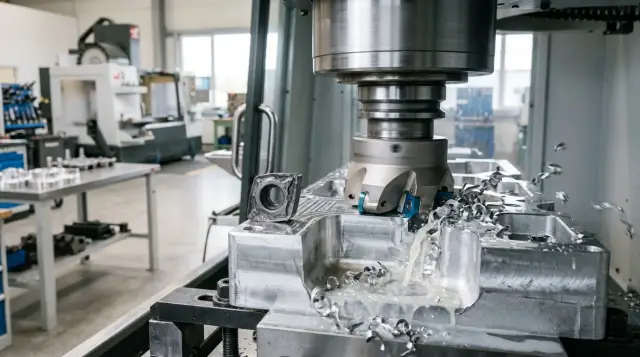
Why Tool Life Is Shorter Than Expected
With aluminum alloys, everything seems simple until there is a little silicon in the mix. But when there is a lot of it, the turning tool or end mill does not wear gradually. It wears in bursts. A few parts earlier, the size was still holding steady, and then the allowance suddenly stops coming off as it should.
That is how high-silicon aluminum behaves. The soft aluminum base cuts easily, while the hard silicon particles act like a fine abrasive. They damage the cutting edge quickly, and people often notice the problem not through a tool breakage, but through the part itself.
The first signs are usually easy to spot: the size starts drifting before the expected tool life is up, the surface loses its shine and turns dull, and a dragging burr appears on the edges.
The most frustrating part is that the process can look stable for a long time. The tool may pass through a smooth section, and then lose sharpness sharply in a short time. That is why edge changes are often delayed: the sound and load still do not show a clear problem, but accuracy is already slipping.
On the shop floor, people often blame the machine in this situation. They check runout, clamping rigidity, backlash, and coolant flow. The check is useful, but the cause is often elsewhere: the material, tool geometry, and cutting conditions do not match.
It also happens that two casting batches look the same, but the actual silicon content or material structure creates much harsher wear than expected. If you add too high a speed or the wrong coating, the edge stops cutting and starts rubbing. The size drifts faster, and the surface quality drops halfway through the shift.
That is why tool life on these alloys should not be judged only by part count. It is more important to watch the first signs: when the size starts drifting, on which part the surface dulls, and when the burr appears. If you wait for a clear breakage, the tool is almost always replaced too late.
What Wears the Edge
The main enemy here is not aluminum itself, but the hard silicon particles inside it. They work like an abrasive. During cutting, these particles do not come off smoothly. They literally grind the insert on every pass.
Wear develops in two zones at once. On the rake face, silicon scratches the chip flow path. On the flank face, it rubs against the already machined surface and leaves a wear band. At first, the edge simply loses sharpness. Then friction grows, temperature rises, and the tool starts to wear out much faster.
With soft aluminum, a simple setup often works: a very sharp edge, high cutting speed, and a plan for easy chip formation. For silumin, that is often a mistake. It is still aluminum by name, but for the tool it is much tougher. If you work with the same habits, the insert quickly gets grooves, dull wear, and small edge chipping.
On a CNC lathe, this is easy to see in a production run. The first parts come off smoothly, and the size holds. Then a narrow worn band appears on the edge, the part surface turns dull, and after a few more parts a small chip appears at the nose. This is not a sudden failure. In almost every case, abrasive wear comes first.
The usual picture is this: longitudinal scratches appear on the rake face, a steady wear strip forms on the flank, tiny chips show up near the nose radius, and cutting force rises while surface finish drops.
Even a small process disturbance speeds everything up sharply. A vibration, a feed drop, workpiece runout, or too light a cut is enough to turn cutting into rubbing. After that, silicon does not just wear the edge anymore. It hits the weakened area and finishes it off. That is how ordinary wear quickly turns into chipping.
So tool life on these alloys is usually lost not because of one major mistake, but because of a chain of small causes. The edge first dulls from abrasion, then overheats, and finally breaks at the weakest point.
How to Choose the Tool and Coating
First, you should understand which alloy you are really working with. A part made from an alloy with 7–9% Si and a casting with 16–18% Si behave very differently, even though both are aluminum. If the composition varies from batch to batch, tool life will vary too, and that is easy to mistake for a setup issue.
With high silicon content, the edge is usually worn down by abrasive wear rather than built-up edge. That is why the insert material should be chosen for this kind of load, not by habit. You need a hard, stable edge that keeps its shape for a long time. For heavy production and tough operations, PCD often works better. If that is not suitable because of budget or the operation itself, people usually look at fine-grain carbide with a very sharp, polished geometry.
There is no universal answer when it comes to coating. An uncoated tool often cuts more cleanly because the edge is sharper and chip flow is better. But on silumin, a thin coating can sometimes give longer life if it lowers friction and does not make the edge duller. In practice, people usually compare three options: an uncoated polished insert, an insert with a thin coating for aluminum, and, if the batch volume justifies it, a diamond tool.
You should look at more than just how many parts the tool has run. Size and surface quality matter just as much. An insert may last 20% longer but still leave chatter marks or drift in size by mid-shift. That is rarely a good trade.
For a trial run, four checks are usually enough: flank wear, edge chipping, size stability, and surface finish after the same number of parts. Compare them on one operation and under the same conditions. If one insert ran at a lower feed and the other at a higher one, you compared different conditions, not the coating.
The working method is simple: take 2–3 close options, run a short batch, record wear and surface quality, and then keep the tool that gives a steady result without surprises at the end of the run.
How to Set the Cutting Conditions
Silumin can be misleading. By name it is aluminum, and the natural instinct is to raise the speed, just like with soft alloys. But with high silicon content, the material cuts differently: hard inclusions wear the edge quickly. If you start with a speed that is too high, the tool will begin strongly and then, in a short time, start rubbing, heating up, and drifting out of size.
A good starting point is this: choose a speed near the lower or middle range for the insert, and do not cut the feed too much. A common mistake is lowering the feed "for a better finish." At that point the edge stops cutting confidently and starts sliding over the surface. Temperature rises, squealing appears, and tool life drops early.
In practice, it is better to raise the feed in a small step than to add spindle speed blindly. If you change the setup, change only one parameter at a time. Increase feed by 5–10%, then check the chip, the surface, and the size. Only after that should you decide whether to change the speed.
What to Check on the Machine
The rigidity of the setup affects tool life just as much as the cutting conditions. Too much tool overhang, weak clamping, or a worn chuck quickly creates vibration. You may barely hear it, but the edge will show chips. Sometimes removing just 10–15 mm of overhang is enough to make the insert last much longer.
If the work is being done on a CNC lathe, check the simple things first: workpiece runout, cleanliness of the seating surfaces, and the condition of the tool holder. When machining silumin, small details like these often matter more than an extra 20 m/min in speed.
What the Chip Tells You
On silumin, the chip quickly shows where the process has gone. Dust or very fine crumbs usually mean the feed is too low or the edge is already dulling. Torn chip and a dull surface point to unstable cutting, so it is worth checking rigidity and speed. If the part starts to "sing" and the surface gets a rippled look, remove excess overhang first and check clamping. If the chip suddenly changes in the middle of the batch, the process usually does not fix itself. It is often a sign of wear or a drift in the setup.
A normal process looks almost boring. The chip comes off predictably, the sound is even, the size does not drift, and the surface does not change from part to part. If that is not happening, one speed change usually will not save the process.
When to Change the Edge
When machining high-silicon aluminum, the edge rarely breaks without warning. Before a chip, there are almost always signs: wear grows, cutting gets heavier, and the part surface changes. The problem is that on the shop floor these signs are often noticed too late, after the insert has already ruined the size or left marks.
On a new batch, it is better to start checking early. The first inspection after 5–10 parts gives much more value than a check at the end of the shift. Even a similar alloy can behave differently because of variations in silicon, workpiece hardness, and casting quality.
The clearest guide is flank wear width. If it is growing faster than usual, do not assume the tool will "make it through." On silumin, that often ends with a chipped corner and a surface defect.
It is better to watch several signs at once: the edge is clearly more worn, micro-chips appear at the corner, spindle current or cutting force rises, the sound gets harsher, and the part surface loses its even shine. If the tool has started to cut heavily, it should not be pushed any further.
A planned change is almost always cheaper than a sudden chip. After a chip, the machine stops, the operator looks for the cause, and some parts go to sorting or scrap. Compared with those losses, the insert itself no longer seems expensive.
For a production run, a simple rule works well: first find the real limit in a trial run, then back off from it. If the first edge reliably ran 120 parts or 42 minutes, and on the 135th part it chipped, the planned change should be set earlier — for example, at 100–110 parts or 35–38 minutes. The tool life ends up below the catalog value, but the process stays steady.
Record tool life in two units: parts and minutes. Parts are useful for planning the batch, while minutes help compare different operations. A simple log or setup sheet quickly shows the real picture: which insert lasts longer, which condition increases wear, and after which point the risk of chipping starts.
The winner is not the one who squeezes the last percent out of the edge, but the one who changes it at a repeatable point and keeps the whole batch stable.
Example from a Production Batch
On a housing part made of silumin, the problem looked familiar to any serial production cell. By calculation, the insert should have lasted about 300 pieces, but in the real batch it was pulled after 180. At first, people blamed the casting variation, but the change log showed something else: the edge dulled too fast, then small chips appeared, and the size started drifting.
Then the situation got worse because of the setup itself. The operator increased cutting speed in order to stay on schedule. The first parts came out fine, but after 120 pieces the insert started to crumble instead of wearing gradually. The surface became rougher, the quality check caught a size drift, and scrap went up.
This is a typical trap with silumin. The material looks easy to cut, but the silicon inside works like an abrasive. If the coating is wrong and the conditions are too aggressive, the edge dies quickly.
After the review, the coating was changed to a version that handled abrasive wear better, and the speed was brought back below the forced level. On paper, that looked like a step backward, but cycle time did not suffer. The machine stopped less often for unplanned changes, the operator checked the size less frequently, and the batch ran more smoothly.
The insert life rose almost to the expected level. The biggest improvement came not only from the new insert, but also from a planned cutting edge change. The shop introduced changeovers based on the part counter, before wear could drift the size.
After that, the part stopped drifting toward the end of the batch. Scrap dropped, and tool consumption became predictable. For these alloys, that approach usually works better than trying to squeeze out maximum life at any cost.
Mistakes That Drain Tool Life Fast
Many problems start before the first cut. For silumin, people often choose a geometry that works well on soft aluminum: an extremely sharp edge, a large positive rake, and a setup built for easy cutting. On pure aluminum, that is fine. But with high silicon content, a too-delicate edge loses its shape quickly.
From the outside, everything may still look calm. The first parts come out clean, and the operator thinks there is plenty of margin in the process. Then the size starts to drift, burrs grow at the exit, and the surface turns dull. Usually that means the geometry was too soft for this alloy.
The second common mistake is raising speed almost immediately because the machine cuts easily. Without checking the edge after the first passes, that is a gamble. If the insert has already started to round over or has a tiny chip, more speed will not help. It will only kill the tool faster.
On a production batch, it is better to stop after the first 5–10 parts and inspect not only the surface, but the edge itself. On silumin, even a slight wear mark tells you more than a smooth chip.
Another costly habit is pushing the edge until it clearly chips. With this material, the tool rarely gives a long warning. Yesterday the insert still held size, and a few parts later the batch is already bad. Along with the insert, you can lose the part too: the surface tears, the diameter drifts, and the edge of the part gets crushed.
There is also a quiet mistake that often goes unnoticed: parts from different alloy batches are mixed into the same job, but the settings stay unchanged. The drawing says the material is the same, but in reality the casting structure, hard inclusions, and the state of the casting skin all change. Yesterday’s settings can already be too aggressive for the new batch.
If the batch has changed, a short check is enough. Look at the chip after the first few parts, inspect the edge under magnification, check the burr growth at the exit, and compare the size by the 5th to 10th part. That short pause often saves more tool life than trying to squeeze a few more cycles out of the insert.
A Quick Check Before Starting a Batch
Even a good tool loses life quickly if a new batch is started from memory instead of facts. On high-silicon alloys, this shows up especially fast: the edge still looks fine, but the surface already starts to drift, the cutting sound changes, and the chip formation gets worse.
Before starting, it helps to check not only the drawing, but also the history of earlier runs. If one edge previously lasted 160 parts, but in the new batch noise rose or a dull mark appeared on the surface after only 20 parts, the reason needs to be found right away. It is usually hidden in the alloy grade, the actual workpiece hardness, the allowance, or in how the machine came onto speed after changeover.
That check only takes a few minutes. First, confirm the alloy grade and pull up the notes on previous tool life: how many parts the edge lasted, what conditions were used, and what wear was considered normal. Then, after the first 10–20 parts, remove the insert and inspect the edge in the same spot every time. Look not only for chipping, but also for fine dull wear, built-up edge, and micro-cracks. After that, compare the current cutting sound, chip shape, and surface finish with the last stable batch. If the sound has become harsher and the chip is shorter or darker, that is already a signal. Set in advance when the operator should change the edge, and who will confirm the wear: the operator, the setter, or the supervisor.
It is better to change the edge a little early than to wait for a chip. A random breakage almost always costs more: the part is damaged, time is lost on measurement, and sometimes the tool holder is affected. A planned change gives steadier size and a calmer shop rhythm.
If there is any doubt at the start of the batch, do not stretch the check over half a shift. Make 10 parts, inspect the edge, adjust the setup, and check again. That short cycle usually saves more tool life than trying to run the tool to failure.
What to Do on the Shop Floor Next
If tool life is different every time, do not change everything at once. A short plan works better: record the starting data, test one questionable factor, and compare the result on a small batch.
For each operation, it helps to keep a simple card: alloy and workpiece condition, the operation itself with cutting depth and tool overhang, the insert with geometry and coating, the conditions and coolant flow, actual tool life, and the reason for the edge change. After a couple of shifts, this record already shows where the life is being lost: in one operation, at a specific turret position, or across the whole batch.
Then it is better to run a short test with two tool options, not five. Keep one as the current setup and choose the second so it differs clearly in coating or edge preparation. The batch must be the same, and nothing else should be changed. If you change speed, feed, and insert all at once, the conclusion will be useless.
When tool life varies from batch to batch, the cause is often not the insert itself. First check machine rigidity, backlash, runout, chuck condition, and coolant stability. On these alloys, even a small coolant issue or extra vibration on a long overhang can quickly turn normal wear into chipping.
A useful rule is simple: change one parameter at a time and do not look only at cutting minutes. Check size, burr, surface roughness, and chip shape. Sometimes reducing speed by 8–10% does not give the fastest cycle, but it removes sudden breakages and makes tool life predictable.
If the problem is no longer just the insert and the setup, but the rigidity of the equipment or the stability of the startup itself, it is better to review it together with machine specialists. EAST CNC supplies CNC lathes and machining centers, and also supports commissioning and service. In such cases, it helps to discuss the job starting from the part and the symptoms: what alloy is being used, where the chip appears, on which pass, and under which conditions.
For the next batch, it is better to start with an operation card and a fixed edge-change threshold. Then the shop works by numbers, not by guesswork.
FAQ
Why does a tool wear out suddenly on silumin instead of gradually?
Because silicon particles wear the cutting edge like fine abrasive. At first the tool still holds size, but sharpness is already fading. Then friction and heat quickly finish off the weakened area, and wear turns into a micro-chip or a clear chip in a short time.
What signs show that the cutting edge is already failing?
Look at the size, the surface shine, and the burr on the part edges. If the surface has turned dull, the size starts drifting earlier than usual, or the burr gets worse, the edge is already wearing out even if the machine still sounds fine.
Is high silicon content always the only cause of wear?
No, not always. Tool life is often broken by a chain of causes: high silicon content, too much speed, too little feed, vibration, runout, or the wrong coating. The material starts the problem, while the settings and machine rigidity make it worse.
Which insert is best for high-silicon aluminum?
For heavy production and a stable, demanding operation, PCD often works best. If that is not an option because of cost or the operation itself, choose a fine-grain carbide tool with a sharp, polished geometry. A too-thin or too-soft edge is usually a bad fit for this alloy.
Is it better to use an uncoated tool or a coated insert?
There is no universal answer. An uncoated polished insert often cuts more cleanly because the edge is sharper. A thin coating can sometimes give longer life if it does not blunt the tool and reduces friction. Test both on the same operation and under the same conditions.
What cutting conditions should you start with on silumin?
Start with a cutting speed near the lower or middle range for your insert. Do not choke the feed just to improve the surface finish, or the edge will stop cutting cleanly and start rubbing. Change one parameter at a time and watch the chip, size, and surface right away.
What should you check first on the machine if tool life drops suddenly?
First check tool overhang, part clamping, workpiece runout, seat cleanliness, and the tool holder condition. Even an extra 10–15 mm of overhang can create vibration and chipping. On this material, such small things often matter more than a speed increase.
When should you change the cutting edge to avoid defects?
Do not wait for a clear chip. As soon as flank wear starts growing faster than normal, micro-chips appear, noise rises, or the part surface loses its even shine, change the edge. A planned change is almost always cheaper than scrap and an unplanned stop.
How can you quickly check a new casting batch before full production?
On a new batch, make 10–20 parts and inspect the edge in the same spot each time. Compare cutting sound, chip shape, size, and surface with the last stable batch. If noise rises, the surface turns dull, or the chip changes sharply right away, adjust the process immediately.
Why track tool life in both parts and minutes?
That way you see the real tool life without fooling yourself. Parts are useful for batch planning, and minutes help compare different passes and operations. If your records show that wear rises and size drifts after a certain point, you set the changeover earlier and keep quality stable.