
Geometric Tolerance Map: Where the Shop Goes Wrong at Start-Up
A geometric tolerance map often fails right at start-up. We break down bases, position, runout, and reading mistakes that lead to scrap and extra inspection.
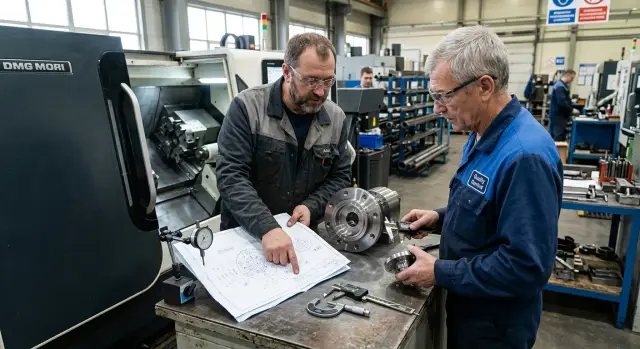
Why mistakes start with the first part
The first mistake appears not after measurement, but earlier - when the drawing is read as a list of dimensions. Diameter, length, and chamfer are visible right away. Geometric tolerance frames are often noticed later, even though they define what to set the part on and how to check the result afterward.
When the tolerance map sits next to the process plan, the eye almost always catches the millimeters. That is understandable: dimensions make it easier to picture machining. But the tolerance frame answers a different question - where the part's support point, axis, and direction are, which determine the whole setup.
At CNC machine start-up this shows up immediately. The setter takes the convenient surface because it is already clean, flat, and easy to clamp. The problem is that the convenient surface and the base from the drawing are not the same thing. If they do not match, the program may be written correctly, but the part will still shift on hole position, runout, or coaxiality.
Usually the chain is simple: the operator machines the part by linear dimensions and ignores the tolerance frames, the setter zeros off the surface that is easiest to work from, and the inspector places the part on a plate or in a prism using a different scheme. In the end, the first part gets scrap before the program is even adjusted.
Because of this, the team often looks for the cause in the wrong place. At first they suspect the tool, thermal drift, backlash, compensation, or the postprocessor. But the error sits in a simpler place: everyone is mentally working from different bases.
Geometric tolerances are dangerous for exactly this reason. They rarely create a big size error that you can see at a glance. More often you get an almost good part: the diameter is within tolerance, the length is too, but the holes are shifted relative to the base, the face does not hold perpendicularity, and the fit clamps in the wrong place.
Before the first chip, check three things: which base is shown on the drawing, which surface the setter is actually using to locate the part, and which scheme the inspector will use to measure the first part. When these three points match, start-up goes more smoothly. When they do not, scrap is often born before anyone opens the page with offsets.
Which symbols affect setup the most
What affects setup most is not the dimensions themselves, but what they are tied to. On the shop floor people often look at diameter, length, and hole pitch, but the first mistake happens earlier - in the choice of supports, clamps, and zero.
If the drawing has bases A, B, and C, they define the order in which the part contacts the fixture. Base A usually gives the main support, B removes one rotation, and C locks the last shift. When that order changes, the part can be clamped hard, but the measurements will still drift. The machine and the inspection start working in different coordinate systems.
The positional tolerance of a hole almost always affects setup more than the hole size itself. The diameter can land inside tolerance, yet the hole pattern still will not fit the assembly. You often see this on the first part: drilling looked clean, but the holes are shifted relative to the bases because the zero was taken from a convenient edge, not the base on the drawing.
Flatness and parallelism are also often mixed up, even though they are different requirements. Flatness applies to the surface itself without reference to another base. It needs a level support without over-clamping. Parallelism, on the other hand, compares one surface to a base. It is not enough just to lay the part down straight. You need to repeat the same base the designer used to set the tolerance.
Runout quickly exposes setup mistakes. If face runout or radial runout will not hold, the problem is worth looking for in the axis of rotation, the chuck, or the reclamp. Often the shop changes cutting parameters, even though the real cause is not the tool, but the fact that after flipping the part never returned to the same base.
Surface profile is another common trap. It cannot be reduced to a set of linear dimensions. If you held only the height, width, and a couple of radii on a complex surface, that still does not mean the profile is within tolerance. Inspection and setup here must also repeat the locating scheme from the drawing. Otherwise the measurement will look fine only on paper.
On the shop floor, the first things to look at are five symbols: bases A, B, and C, the position of holes and slots, flatness of the base surface, parallelism or perpendicularity to the base, and face and radial runout. If the shop reads these symbols before the start, first article inspection goes more smoothly. If they are read after scrap, the time is already going not to start-up, but to finding the cause.
How to read the chart before start-up
Start not with the numbers, but with the surfaces that work in the assembly. A part almost always has several places that affect fit: a support face, a locating diameter, a hole pattern. If you look only at the dimensions first, the part is often set up for easy machining, not for proper use later.
Next, find the bases and write down their order right away: A, B, C. The order changes everything. The first base gives the support, the second removes rotation, and the third locks the remaining shift. If you swap them, the part may measure nicely on the table, but in the product it will sit off line.
After that, separate the two layers of the drawing. Dimensions answer the question "how much," while geometric tolerances answer "from what and how to check." For example, a 12 mm hole diameter and the positional tolerance of that hole are not the same thing. The first tells you the size, the second tells you how to locate the part and how to inspect the first article.
It helps to make a short working note directly on the tolerance map: which surface is the working one, which base comes first, second, and third, which tolerance symbol sits next to it, how the part will stand on the machine, and what you will use to measure it after machining. That list takes a couple of minutes, but it often saves an hour during start-up.
A good example is a flange. If the drawing uses the face as base A, the outer diameter as base B, and one hole or slot as base C, the fixture should repeat that exact logic. You cannot just clamp the part by the outer diameter and assume that is enough. In that case you will check the hole pattern against the convenient setup, not against the drawing.
Before you start, it is also worth writing down the first article inspection plan: what you measure first, what you measure it with, and which base you tie the result to. One tolerance may need an indicator and a V-block, another may need a feeler gauge, a height gauge, or a CMM. This order is especially useful for parts with several bases: there are fewer arguments between the machinist and the inspector, and the first part shows the real picture faster.
How the base on the drawing changes the fixture and zero
The same part can behave differently already on the first setup. The reason is often simple: in the shop, people take the base where it is easy to clamp, not where the designer tied the geometry. After that, the zero on the machine follows one logic, while inspection follows another. The mistake appears not at the end of the batch, but at the very beginning.
If the base is on the face, the operator usually catches the length and projection from that face. If the base is on the diameter, the part axis becomes the main point. This is especially important for turning work. The face sets the Z position, while the diameter and its axis hold the radial position and coaxiality. When these roles are mixed up, the dimensions may still be within tolerance, but holes, grooves, or fits no longer sit where they should.
A convenient clamp proves nothing by itself. Soft jaws, a quick stop, or a simple V-block can speed up start-up, but they do not replace the design base. If the drawing uses the outer diameter as the base, the fixture must hold that exact axis, not just clamp the part securely. Otherwise you get a nice setup and the wrong geometry.
Reclamping breaks coaxiality more often than people think. While the part stays on the same axis, the machine keeps the link between surfaces. As soon as the operator removes the part and sets it on another support, that link disappears. On a flange, this shows up right away: the outer diameter is good, the face is good too, but the hole pattern or the internal bore shifts relative to the main axis.
Before start-up, it is enough to check a few simple things: which base the designer uses for dimensions and form tolerances, where the zero will be on the machine and where the axis will be, whether the jaws, spacers, and stops repeat the same logic, and whether that base will stay the same after reclamping.
Good tooling does not just hold the part. It repeats the logic of the bases on the drawing. That is why spacers are chosen not by the principle of "what was lying nearby," but by the height and support that preserve the needed face. Jaws are bored to the diameter that defines the axis. The stop is placed where it fixes the base surface, not some random edge. This saves not minutes, but a full restart.
How to choose a control method before the first chip
If you grab the first tool that comes to hand, the mistake appears before the start-up even begins. The part may be machined exactly to the program, but checked the wrong way. Then the first part seems good, and at acceptance the hole position, runout, or profile shows up, which a caliper simply cannot see.
Here the tolerance map matters more than habit. A 40.00 mm size can still be caught by a caliper. But it will not tell you whether the hole axis moved away from the base, whether there is radial runout on the fit, or whether the surface holds the specified profile.
What to check with what
The indicator is needed where you must see runout, coaxiality during rotation, and how a surface behaves relative to a base. If the part is mounted on a mandrel, the indicator quickly shows whether there is drift after setup and machining.
A mandrel is needed when the base is defined by a hole or an internal fit. It shows a shift that is often not visible when you check by the outer diameter. This is especially useful for flanges, bushings, and parts after reclamping.
A plate, V-block, and height gauge are suitable for faces, planes, and distances from the base surface. A CMM, machine probe, or fixture is handy when you need to check hole position or a complex profile. And a caliper is better left for simple linear dimensions. It is useful, but it does not replace geometric inspection.
Before start-up, it is worth linking each tolerance on the drawing to a specific instrument. If the symbol is there but there is no way to check it, it is too early to launch the batch.
Example with a flange and a hole pattern
On a flange, the designer often sets the face as base A, and the center hole as base B. It is from those two bases that the position of the bolt hole pattern is calculated.
In the shop, such a part is often set by the outer diameter. That is easier for clamping the blank and faster for setting zero. But in this case the outer diameter does not define the part's reference system. It may stay within size and still shift the hole pattern relative to the axis of base B.
This happens especially often when the outer diameter is machined in another setup or held with a wider tolerance. For the turner it looks like a natural base, because it is easy to catch with an indicator. For assembly it may mean almost nothing.
The first part still looks normal. Hole diameters pass, center-to-center dimensions do too. Then the flange goes to assembly, and the confusion starts: bolts go in tight, the mating part does not seat, and one position has to be chased.
The cause is usually not the program and not the drill. The error comes from the locating of the part. If the operator measures from the outer diameter, he is checking a convenient setup scheme, not what the drawing calls for.
To remove the problem, you do not change the cutting parameters, but the setup and inspection method. The face is taken as base A, the axis is set by hole B, the hole pattern is machined from those bases, and the first part is checked on a mandrel. That check quickly shows the shift you cannot see from the outside diameter.
This is one of the most common mistakes at CNC start-up. The dimensions look good, but the assembly still will not go together. If you read the bases before the first chip and check the first part on a mandrel, the problem usually disappears right away.
Where the shop goes wrong most often
Scrap at start-up often appears not because of the machine, but because of the order of work. If the tolerance map is opened only after the trial part, the shop almost always gets extra rework. The setter has already aligned the part in the way that is convenient for machining, not the way the drawing requires.
This is especially noticeable where geometric tolerances are tied to bases. The dimensions may land inside tolerance, but the hole axis, face, or fit already live in their own coordinate system. Then the first part seems "almost good," but the next operation starts raising questions.
People often confuse coaxiality, concentricity, and runout. For the shop, this is not a small point, but three different ways of looking at the same part. Coaxiality checks how two surfaces or features sit on a common axis. Runout is checked during rotation relative to a base, and the setup error shows up right away. Concentricity is often read too loosely, even though its control is different and much stricter in meaning.
Another typical mistake is to look only at a hard size. If a 20.00 mm hole passed the gauge, that still does not mean the part is good. When you are locating by bases, the datum letters on the drawing are often more important than the diameter itself. You can machine a flange exactly to size, but if the zero was taken from the wrong base, the hole pattern will drift, and assembly will show it quickly.
Inspection of the first part also likes to take shortcuts. One measurement is made, it looks "fine," and the part is sent on. But for start-up, one check is not enough. You need to confirm not only the size, but also the position relative to the bases, and for rotating surfaces, the runout too.
There is also a very simple cause of scrap: comments do not reach from one person to another. The setter sees that the part had to be clamped in an unusual way. QC notices a shift in the base. The programmer does not hear about either and keeps the same machining logic. In the end, the shop steps on the same mistake twice.
The working habit here is simple: before cutting, the three of them check the bases, the setup method, and the control points on the first part. One sheet with notes for the setter, inspector, and programmer is often more useful than another trial part.
Quick check before the batch
Before a batch, you do not need another general look-over, but a short check that the setup matches the drawing. This usually takes 10-15 minutes, and that is exactly where the errors are caught that would otherwise repeat across the whole lot.
First, open the setup sheet and the drawing side by side. The bases from the drawing must appear in the same order in the sheet: A, then B, then C. If on the drawing base A gives the support, but in the fixture the part actually rests on its side against B, then you are already measuring a different scheme from the one the tolerance was set for.
The order of the bases cannot be understood as "roughly." If the fixture clamps the part differently from what A-B-C requires, the zero shifts, the control logic changes, and the size drifts on holes, faces, or runout. On the first part you can still catch that. On the twentieth, it becomes batch scrap.
What to check before the batch starts
- The bases A, B, and C in the setup sheet match the drawing.
- The stops and clamps in the fixture do not change the locating order.
- Each tolerance has its own instrument, not just whatever was at hand.
- The first part will go into a separate report, not the general shift log.
- The operator, inspector, and setter know who stops the batch if the value moves toward the tolerance limit.
It is better to agree on the instruments in advance. Flatness is often checked with an indicator on a plate, hole position with a CMM, a machine probe, or a fixture, and runout with an indicator on a mandrel or between centers. If the tolerance is on the drawing but there is no way to check it, it is better to delay the start.
The first part report is also better kept separately. It usually includes the setup number, tool offsets, the actual tolerance values, and the signature of the person who allowed the start. That sheet later saves time when a size drifts after an hour and you need to know what changed.
Another step is often forgotten: name in advance the person who has the authority to stop production. If the operator sees drift in hole position, he should not wait until the pallet is finished. The rule is simple: if you see a stable move toward the tolerance limit, stop, check the base, the fixture, and the offsets.
What to do after start-up
After the first parts come out, do not look only at the dimensions. Compare each deviation with the specific symbol on the drawing: flatness, perpendicularity, runout, hole position. That makes it faster to see where the mistake is - in the tool, in the base, or in the inspection method itself.
There is a common trap here: the size is in tolerance, but the geometry has already drifted. For example, a hole pattern may hold the diameter, but not the position. In that case, there is no point in immediately touching the tool offset. First check the locating, zero, and setup order.
After the first part and a few following parts have been inspected, it is useful to write down repeated deviations separately. If face runout increases, look for the problem in the clamping or support. If perpendicularity drifts, check how the part sits on the base surface and how rigid the fixture is.
Corrections should be written into the setup sheet right away, not kept in the memory of the master or setter. After a shift, exactly the small detail that saved the tolerance is forgotten: clamping force, probe sequence, measuring point, tool overhang, or zero correction.
A short note usually includes four things: which symbol on the drawing caused the deviation, on which operation it appeared, what correction was made, and what the next part showed. That log quickly separates a one-off mistake from a system issue.
If the tolerance keeps running into the rigidity of the machine, chuck, or fixture, do not wait until the batch is over. It is better to discuss it right away with the technologist, inspection, and the people responsible for the equipment. Sometimes a change in the sequence of operations helps. Sometimes a different clamping method is needed.
At this stage, a talk with the equipment supplier is also useful. EAST CNC, the official representative of Taizhou Eastern CNC Technology Co., Ltd. in Kazakhstan, supplies CNC lathes for metalworking and supports the start-up process from selection to commissioning and service. When a part is sensitive to locating and repeatability, it is better to have that conversation before a large batch, not after scrap.
A good start-up result looks simple: there is one stable first part, a clear record of every correction, and a clear list of weak points in the process. With that in hand, the next batch goes much more smoothly.
FAQ
What should you check on the drawing before machine start-up?
First, find the A, B, and C bases and understand which surface actually works in the assembly. Then compare three things right away: what surface the setter uses to locate the part, where the zero is on the machine, and which scheme the inspector will use to measure the first part.
Why does the first part get scrapped even though the dimensions look fine?
That happens when the team holds the size but loses the base. The diameter and length may pass, while hole position, coaxiality, or runout drift if the operator, setter, and inspection all rely on different surfaces.
Which symbols on the tolerance map most affect setup?
The strongest impact on setup comes from bases A, B, and C, the positional tolerance of holes and slots, flatness, parallelism, perpendicularity, and runout. These symbols show where to support the part, how to hold it, and how to check the result later.
How does the base on the drawing change the machine zero?
A base on the face usually sets the Z position, while a base by diameter sets the part axis. If the shop mixes up these roles, the machine holds the convenient setup instead of the geometry the drawing calls for.
What is the best way to check hole position and runout?
For runout, use an indicator on a mandrel or between centers. Hole position is better checked on a CMM, with the machine probe, or through a fixture, while a caliper should stay for simple linear dimensions.
When is reclamping especially risky?
Reclamping breaks the link between surfaces when the part must keep the same axis or the same locating scheme. After flipping, check whether you returned to the same base, otherwise coaxiality and runout can drift even with normal sizes.
How do you avoid mistakes with a hole pattern on a flange?
On a flange, the face is usually taken as base A, the center hole as base B, and the hole pattern is then defined from those. If you locate the part by the outer diameter, you are checking a convenient setup, not the drawing logic, so the first part is best checked on a mandrel.
How do you tell whether the problem is the base or the tool?
When the size holds but the geometry drifts, do not change the tool offset right away. First check the base, zero, stops, jaws, and inspection method, because that is where the cause usually sits.
What needs to be checked before starting a batch?
Before the batch, place the drawing and the setup sheet side by side and compare the order of the bases, the stops, and the clamps. Agree right away on how each tolerance will be measured, who signs off the first part, and who stops production if the size or geometry moves toward the limit.
When should you contact service or the machine supplier?
If you have already aligned the locating and inspection method, but the tolerance still runs into the stiffness of the machine, chuck, or fixture, do not wait. At that point it is better to involve the technologist, service, and equipment supplier right away so you do not chase serial scrap on the run.