
Cycle time on a turning center: where the minutes go
Cycle time on a turning center often rises not because of cutting, but because of approaches, retracts, tool changes and extra commands.
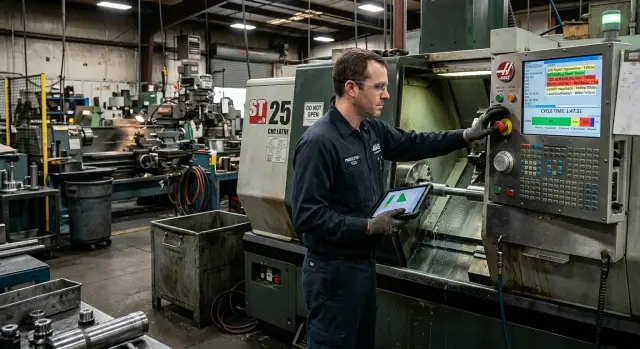
Where the cycle grows without benefit
On a turning center, time isn’t spent only on cutting. Very often the machine loses seconds on empty moves between operations: the tool retracts too far, waits to reposition, then approaches the part again. While that happens, nothing is produced, but the cycle is longer.
It helps to split the cycle into two parts from the start: cutting time and everything around it. While the tool removes material, time works for the result. When the carriage moves to a safe point, the spindle waits for a command or the turret makes an unnecessary rotation, that’s pure loss.
Usually these losses sit in four places:
- long approach and overly cautious retracts
- unnecessary pause during a tool change
- auxiliary commands that are placed incorrectly or repeated
- waiting between operations left in the program "just in case"
On one part this looks minor. An extra 4–6 seconds is easy to miss if the cut itself takes a minute. But on a batch everything becomes clear fast: 6 seconds on 400 parts turns into roughly 40 minutes per shift. That’s no longer trivial — it’s time that could have produced dozens more parts.
Because of this many look for reserves in the wrong place. They increase feed, change cutting mode or argue about inserts, even when the cut itself is already tuned well. If the machining runs stably and the tool life is acceptable, gains there are often small. Meanwhile approaches, retracts, tool changes and auxiliary commands frequently give a bigger effect.
Good cycle time comes not only from fast cutting. It comes from short, clear moves and a clean program without unnecessary stops. So you should watch not only the chip, but every idle move, each tool call and every command after which the machine simply waits.
This is visible even on a simple series part. Two identical machines can run at the same feed, but one finishes a shift earlier simply because its idle moves are shorter and its command sequence is cleaner.
Approaches and retracts that steal seconds
Most often the cycle grows on the empty move. The tool hasn’t started cutting but already travels extra millimeters to the part and then goes back just as far. On one part the difference is almost invisible; on a batch it’s measured in tens of minutes.
The most common cause is an overly long approach. The programmer leaves a big buffer "just in case": instead of a short safe approach they place a point far from the blank. If this repeats before every pass, the machine spends time before the work even begins.
A safe move and an unnecessary detour are different things. A safe move is needed so the tool won't hit the chuck, jaws, allowance or an adjacent contour. An unnecessary detour appears when the tool first moves too far along one axis, then returns along another, even though a shorter route would keep the same safety margin.
The simplest check is to look at four points: where the tool finishes the previous pass, where it starts the next, which route it takes between them and whether that path can be shortened without collision risk.
Retracts also often bloat the cycle. After a short pass the tool frequently returns almost to the far safe point, while the next move would have been safe after a small retract. This is especially noticeable on roughing passes, grooves and cutoffs where the pass is short but the retract is longer than the cut.
Another common loss is repeated retracts after nearby operations. For example, a tool removes a chamfer, retracts far away, comes back for a cutoff, retracts again, then approaches for a finishing pass. If the part geometry is simple, some of those moves can be combined into a tighter sequence.
Even a small safety buffer adds up fast. If an extra approach and retract add 0.8 seconds per tool, with six tools that’s almost 5 seconds per part. On a run of 800 pieces that’s over an hour lost.
What to look for in the program
First find all approaches where the tool starts too far from the actual cutting zone. Then check retracts after short passes and movements between neighboring operations. If the tool always "jumps" further than needed, the cycle can almost always be compressed.
The rule is simple: leave a buffer where there’s real risk, and remove it where it was added by habit. Often that alone noticeably shortens the cycle without changing cutting parameters or stressing the tool.
Tool change without unnecessary pause
Viewed frame by frame, a tool change seems minor. In practice this is where seconds accumulate — time when the machine doesn’t cut but moves its elements.
A single change rarely consists only of turret rotation. It usually includes retracting the tool to a safe point, stopping or orienting the spindle, unclamping and clamping the turret, the rotation itself and returning to the approach point. Each step is short. But if a part requires 10–12 changes, even an extra 0.8 seconds per change shows in the total.
A common mistake is arranging operations for programmer convenience rather than for the machine. For example, rough the OD first, then go drill, then return to OD with a different tool. In that sequence the machine retracts, indexes the turret and approaches the same zone again. It’s much better to group operations that the same tool can do consecutively, provided tolerances and surface quality allow it.
Sometimes one insert comfortably covers two adjacent passes. A common case is a turning insert that, after facing, immediately chamfers and then finishes the OD. If the insert geometry allows, a separate index for a chamfer tool isn’t needed. You save not only turret rotation time but also two extra approach and retract trajectories.
Also check commands that delay the change pointlessly. Often this is a repeated spindle orientation, an extra stop before indexing, or a clamp pause left from an earlier program version. These survive several CAM edits and then live in the series for months.
It’s useful to measure not only total tool-change time but its parts. If the turret physically turns in 0.9 seconds, but the pause between cuts is 3 seconds, it’s not a mechanical problem. Look at command logic and operation order.
If you remove four unnecessary changes and save 2 seconds per part, a 500-piece run gives almost 17 minutes of machine time.
Program commands that slow the cycle
Part of the time is lost not on cutting but on program lines that no longer benefit the part. After a trial run such commands often remain in the code and then eat seconds on every blank.
A typical scenario: the setter was cautious, added an extra stop, a repeated coolant on, or a blow-off, and the program went into series unchanged. On one part it’s almost invisible. On 500 pieces an extra 3–5 seconds easily become hours.
What most often drags the cycle
Start not with complex sections, but with repeats. They usually slip by because the machine executes them without error.
Common culprits are repeated coolant on/off commands, redundant chuck commands when clamping doesn’t change, blow-off in every cycle though it’s only needed before inspection or removal, pauses after the first pass and return to an excessively distant safe point without reason.
Separate mandatory commands from those added out of habit. If a line doesn’t affect safety, clamping, tool position or surface quality, check it separately. On many machines habitual M-codes quietly cause the largest cumulative time loss.
On the shop floor this is simple to see. The operator opens the cycle log, looks at non-cutting segments and compares them with the code. If there’s a noticeable pause between the end of a pass and the start of the next motion, the cause is often an auxiliary command, not machine mechanics.
Where inspection starts to harm series production
Measurement and inspection are often added during setup, and that’s normal. The problem begins when the same checks are left for the whole series even though the process is stable.
If the part reliably holds size, you don’t need to measure it after every pass. Often it’s enough to check the first part, a few parts at the start of the run, and then move to a reasonable inspection interval. The same applies to stopping the spindle for a probe, clearing the cutting zone and dwell times.
Startup control and serial operation control are not the same. When you separate them, cycle time drops quickly without risk to quality.
How to break the cycle into steps
To find where time goes, don’t look at the program as a whole. Break it into short actions in the order the machine performs them: approach, cut, retract, tool change, unclamp, clamp, spindle wait, auxiliary commands. When this chain is in front of you, extra seconds don’t hide.
It’s easiest to make a simple table. In the first column list the transition, in the second what the machine does, in the third how many seconds it took. Don’t mix cutting time with non-cutting time. If a pass takes 12 seconds and approach and retract add 4, record them separately. Otherwise losses dissolve into the total.
Work sequence:
- run one part in normal mode and log time for each transition
- count cutting time separately
- list rapid moves, turret rotations, clamps and pauses in separate rows
- mark places where the tool is in the air longer than necessary
- remove one obvious extra segment and repeat the measurement
Change only one element at a time. If you shorten approach, reposition a tool and remove a command all at once, you’ll get a new cycle but won’t know which change produced the gain. For the shop that’s a bad conclusion because the result is hard to reproduce.
A good rule: first look for sections where the machine isn’t cutting metal. It’s easier to take seconds there without risking part quality. Often the problem isn’t cutting mode but an extra retract after a pass or an overly distant safe point before the next operation.
Suppose you shorten an idle retract by 1.8 seconds. On one part that seems small. But on a run of 800 parts that’s 24 minutes of pure machine time. If there are two or three such spots, the picture changes quickly.
This analysis is useful both on new machines and on those long in series. Often the biggest effect comes not from a complex program change but from removing a single redundant segment between two passes.
Example on a simple part
Take a simple shaft from bar stock: blank 42 mm, final diameter 38 mm on a length of 80 mm. The program has three operations: face cutoff, roughing in two short passes and a finishing pass.
On paper the cycle looks short. In practice time often goes to the path between these steps rather than cutting.
The original route: before each pass the tool goes from the distant safe point X120 Z20 and after the pass returns there. After facing the program makes a full retract even though the roughing starts nearly nearby. Before the finish pass the machine changes tool, turns coolant off, stops the spindle, then goes back to the same distant point and only then approaches the part.
Timing looks different from what you’d expect. The extra approach and retract after facing give about 1.6 s, between the two rough passes another 3.2 s are lost, before and after the finishing pass 2.4 s go by, and auxiliary commands around the tool change add 1.1 s. In total that’s almost 8.3 s of non-cutting time.
Now change the route. After facing the tool retracts not to X120 Z20 but to a nearby point X48 Z2. Between the rough passes it makes a short retract sufficient for safety and returns to work immediately. Before the tool change the program leaves one normal retract to X70 Z5, without a repeated long return and without unnecessary coolant off/on.
In that variant the same transitions take about 2.5 s. The difference is 5.8 s per part. If cutting itself takes 27 s, the original cycle is roughly 35.3 s, while the more direct variant is 29.5 s.
On one part this looks modest. But on a 500-piece run the savings are 2,900 seconds — about 48 minutes. On 1,200 parts it’s almost 2 hours.
This is how cycle time usually grows: not from heavy cutting, but from short empty moves that the program repeats many times. An overly distant safe point is often simply a habit.
Mistakes that make the cycle grow again
Even after successful optimization time often creeps up again. The cause is usually not cutting but small habits in the program and setup. They take 1–3 seconds on each transition and on a series become hours.
The first mistake is using the same large safety offset for all operations. For roughing such a buffer may be needed, but for a short finish touch it’s not. The tool takes extra air time every cycle and the cycle grows for no reason.
The second mistake is changing a tool for a single short touch. A small chamfer or face cutoff is sometimes moved to a separate turret position though the same tool could do it in the same setup. Each extra change adds not only turret rotation time but a new approach, position check and return.
The third mistake is leaving delays "just in case." If clamping, spindle stop or coolant supply work reliably, extra G04s only slow the cycle. Keep only pauses with a clear reason.
Another common problem appears when an old program is copied for a new part without proper checking. Blank diameter, length, tool-change points, approaches and retracts may no longer fit. The program works in principle, but idle moves become longer than necessary.
Quick checks: answer these questions:
- is the safe offset identical for all operations?
- is there a tool that works only a couple of seconds?
- are there delays left without a clear task?
- were approaches reviewed after part changes?
- how much time is spent on idle moves?
In practice many habitually look only at feed, depth and RPM. But real cycle losses often live in approaches, retracts, tool changes and auxiliary commands. That’s where the easiest reserves usually are.
Quick check before starting a series
Before a run it’s useful to look not only at cutting modes. Minutes often go where the machine doesn’t cut at all. That’s the fastest reserve: easier and safer to find than immediately raising feed or RPM.
Take one full cycle and split it into two sums. The first is pure cutting. The second is everything else: approach, retract, tool change, turret rotation, chuck open/close, coolant on, pauses and operator confirmations. Even a rough tally shows a lot. If cutting takes 92 seconds and idle moves 34, look for reserves in the program and trajectories, not the insert.
For a quick check note five things:
- how many seconds were spent cutting
- how many seconds on idle moves
- how many times the turret indexed per cycle
- where the program waits for pauses, M00, M01, G04 or operator confirmation
- what can be checked at the machine in 10 minutes
The last item often gives the fastest win. In 10 minutes you can see whether the tool goes too far to a safe point, whether the turret is called repeatedly without reason, whether coolant is turned on too early or whether there’s an unnecessary dwell after clamping. On the screen such things are easy to miss but they cost a lot in a series.
A simple example: a part takes 110 seconds. Of those, 12 seconds are only extra retracts and repeated turret rotations. On a 200-piece run that’s about 40 minutes lost with almost no impact on quality. And if the program still contains an M01 from setup, the cycle will stop for operator confirmation on every piece until someone clears it.
Also watch the order of tools. If the turret jumps between neighboring and distant positions without reason, it’s not the tool change itself but how operations are ordered. Sometimes swapping two operations immediately shortens the cycle.
Before running the series write these numbers on one sheet and compare them with the cycle after the first edit. You’ll immediately see what produced the effect: cutting, trajectory or auxiliary commands.
What to do next
After this analysis don’t rewrite the whole program at once. It’s faster to start with the three longest pauses. Usually they consume the most time.
Think of the cycle as a set of short actions, not one big number in minutes. If approach adds 0.8 s, a tool change 1.5 s, and one auxiliary command causes a 0.4 s pause, in a series that quickly becomes hours.
Work routine:
- pick the three longest or most frequent pauses
- change one item at a time
- measure the cycle after each change
- save the program version and briefly note what you changed
- keep only the edits that gave a clear result
Without measurement it’s easy to fall into a trap: it seems faster, but there’s no real difference. Or the opposite: one edit speeds approach but adds an extra stop elsewhere.
Keep a simple table: before, after, difference in seconds, and impact on size, surface finish and tool life. Even basic records quickly show where cycle time really decreased and where it’s only a perceived improvement.
Then honestly separate two situations. In the first, adjustments are enough: fix safe positions, remove redundant commands, shorten idle moves and review tool changes. In the second, the machine itself limits the result: slow turret indexing, long spindle spin-up, restricted rapid moves or poor repeatability at higher feed.
If losses remain after cleaning the program, look wider. Then not only CAM edits but a full review of the part routing, setup and machine condition helps. You can contact EAST CNC: the company supplies CNC turning centers, assists with selection, commissioning and service. Sometimes that’s enough to remove systemic losses unseen in a quick program review.
The most sensible next step is usually not the loudest. Find three long pauses, remove one, measure the result and only then move to the next.
FAQ
How do I know that time is being lost on idle moves?
Measure one full cycle step by step and split it into two sums: cutting time and everything else. If the machine spends noticeably less time cutting than moving, waiting or changing tools, the reserve is in idle moves, not in cutting parameters.
Where is the best place to start reducing cycle time?
Start with the three longest pauses without cutting. Most often you can remove an extra retract, an overly distant safe position or a repeated auxiliary command — these fixes usually don’t change cutting mode.
How close can a safe approach point be to the part?
Set the safe position as close as the actual part geometry and tooling allow. If the tool won’t hit the chuck, jaws or allowance, a large buffer only stretches the cycle.
Should I always shorten approaches and retracts?
No. A short retract saves time only where nothing interferes. If there’s a nearby chuck, a long blank overhang or an adjacent contour, keep the buffer and don’t chase seconds at any cost.
How can I tell if a tool change takes too long?
Compare the pure turret-index time with the total pause between passes. If the turret physically indexes in under a second but the pause is two or three, look for extra spindle stops, unnecessary commands or an inefficient operation order.
Which program commands most often slow the cycle?
Repeated coolant on/off commands, unnecessary spindle stops, leftover G04 delays and other lines added during setup commonly drag the cycle down. Check whether each line actually affects clamping, safety or surface quality.
Should G04 and other delays remain in the serial program?
If the process holds size reliably, such delays are usually removed or left only in one place. In serial production there’s no point in waiting "just in case" when the machine already clamps, stops the spindle or supplies coolant in time.
When can several operations be combined on one tool?
Yes, when geometry and tolerances allow. One tool can often do facing, chamfering and a finishing OD pass, saving not only turret indexes but also two approach/retract trajectories.
How to quickly check the cycle before starting a series?
Take one part and in ten minutes check four things at the machine: does the tool go too far to a safe point, does the turret jump without reason, is there an unnecessary pause, and is the same tool called repeatedly. This quick check at the machine often yields more than long debates about feedrates.
At what point do program tweaks stop giving noticeable improvements?
When you’ve already removed extra trajectories and commands but the machine still indexes the turret slowly, revs the spindle slowly or can’t hold a denser mode, program tweaks won’t help much. Then inspect the machine, setup and service — a supplier or service team (for example EAST CNC) can help find systemic losses.