
C axis and Y axis on a turning center: when they pay off
C and Y axes on a turning center: which operations they remove from milling, how to calculate time, re-setup and payback for your part mix.
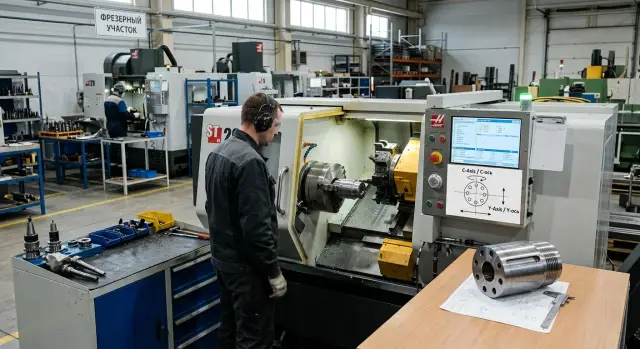
Why parts often go to milling after turning
Many parts don’t finish with just external diameters, faces and center bores. After turning there are often features a lathe can’t complete: cross holes, flats, keyways, face cutouts, drilling and threading offset from the axis.
Because of this the part route becomes longer. The blank is turned, then removed from the machine, taken to another area, re-fixtured and only after that the remaining features are finished.
A transfer usually appears when the part has:
- bolt-circle holes;
- flats or key flats on a shaft;
- a slot, groove or face pocket;
- drilling and threading offset from the axis.
Such operations may take only minutes. But the main time cost is everything around cutting: waiting for an available machine, transporting the batch, a new setup, checking the datum, updating the program and repeat inspection. If milling itself is 4 minutes, the entire handover between machines can easily stretch to half an hour.
The second setup almost always affects accuracy. The operator re-clamps the part, re-finds the datum and no longer works in the same coordinate system used on the lathe. Small but unpleasant deviations appear: a hole shifts angularly, a flat moves relative to the diameter, runout increases. One part may tolerate it; on a batch the problem becomes evident quickly.
This is especially visible in series production: flanges, bushings, shafts and blanks that combine turning and simple milling features. The turning shop finishes its part quickly, and then the whole batch queues at a single milling machine. As a result the bottleneck becomes not the lathe but the mill that must perform two or three short operations.
So the question is often not that the lathe is slow. The issue is the part route. If the same part repeatedly needs drilling, finishing a slot or making flats after turning, the question of adding a C axis and a Y axis to the turning center arises naturally. These options are chosen not for a neat spec sheet but to eliminate an extra transfer between machines.
What the C axis provides
The C axis fixes the spindle at the required angle and lets the machine rotate the part not only for turning but for simple drilling and milling tasks. Put simply, the part stops being only a rotating blank. The machine can hold it at an exact position and machine the needed area with a driven tool.
That’s why conversations about C and Y axes usually start with the C axis. In many shops the C axis alone removes a noticeable share of work from the milling area.
The most common case is bolt-circle holes and simple circular milling. For example, when you need four through-holes at 90° intervals, radial holes on an outer diameter, or identical features around the circumference. Without a C axis the part often goes to another machine. With a C axis the same turning center does it in one setup.
It also suits simple flats, key flats and slots if the geometry doesn’t require moving the tool in Y. In practice that means features machined at the centerline or at a precise angle around the part axis. If you need to remove a flat for a wrench, cut a centered keyway or machine the face at several angular positions, the C axis often covers the task.
A simple rule: if the feature can be produced by rotating the part to the correct angle, the C axis usually helps. If the feature lies off the axis and the tool must be shifted sideways, the C axis alone is not enough. When a part has many identical operations around the circumference, the benefit appears quickly.
The C axis is especially valuable when post-turning milling exists only because of a few simple operations. That’s typical for flanges, bushings, fittings, adapters and shafts with holes or flats.
One timing nuance: the turning cycle itself does not always become faster. Sometimes the machine spends a bit more time because of indexing the spindle and running the driven tool. But total part manufacturing time almost always decreases: the operator doesn’t remove and transport the part, re-fixture it and re-find the datum.
If your parts include many repeating simple operations, the C axis usually gives the clearest effect: fewer setups, less waiting between areas and a lower scrap risk due to re-fixturing. If the part has no offset pockets or complex side geometry, you can often do without the Y axis at this stage.
When the Y axis is needed
The Y axis offsets the tool relative to the rotation center. That sounds simple, but it changes what the turning center can do. With only a C axis the machine can rotate the part to the right angle, but the tool mostly works along the centerline. The Y axis removes that limitation.
Practically that means the machine can work on features off the axis. It’s not just cross-holes. The Y axis is needed when a hole, slot, pocket or face is offset and must be held precisely relative to turned diameters.
A good example is a shaft or bushing with a side flat and a mounting hole that doesn’t go through the center. Without Y the part often goes to the milling area, is re-fixtured and re-checked. With Y a turning center with driven tools does it in one setup and the scatter is usually smaller.
You usually earn the Y axis if your parts include:
- side holes offset from center;
- slots and cutouts that cannot be placed on the centerline;
- flats for fasteners or clamps;
- small pockets on the face or cylinder if they are offset;
- parts where it’s important to link turning and milling features precisely.
But the Y axis doesn’t solve every case. If a part needs extensive milling, deep pockets, long side surfaces or complex 3D geometry, it will still go to a milling machine or machining center. The same applies when most material is removed by a side mill rather than a turning tool.
The benefit usually comes not from a single complex operation but from eliminating repeated transfers. Each transfer is setup time, datum risk and separate inspection. If you regularly have parts with two or three offset elements, the Y axis pays off faster than you might expect.
Which operations can be returned to one setup
With both C and Y axes, some milling operations move into the turning cycle. The part stays in one setup and doesn’t go to another machine for finishing. For series production this often brings more advantage than it seems at first.
Most often, bolt-circle holes move off the milling area. Flanges, covers and bushings with fastener holes can be done in one setup if the machine accurately positions the spindle and uses driven tools. The same applies to axial and radial holes for coolant, lubrication, screws and pins.
The Y axis adds what a single C axis lacks. It lets you move off the center and make simple milling features not only around the circumference but also offset from it. Thanks to that a turning center can machine flats for a wrench, shallow face pockets, small slots, centered key features and simple pockets if heavy metal removal isn’t required.
In practice this is most noticeable when parts previously needed two or three short operations after turning. Previously the operator turned the batch, then parts waited at the mill for a couple of holes and faces. With C and Y axes the part often leaves the turning center finished, without intermediate storage.
But there is a limit. If a part has large pockets, long slots, large faces or strict requirements for side milling removal, the turning center is not always the best choice. It removes many accompanying operations but doesn’t replace a full milling machine in all tasks.
A simple guideline: if short, repeatable operations remain after turning on the same datum, they often return to one cycle. For parts like flanges, fittings, rotating housings and stepped shafts this is particularly noticeable.
How to calculate payback for your part mix
Options pay off not from a catalog but from your parts. If C and Y axes remove a second visit to another machine, count not only cutting time. Most cost is lost on transfer, re-fixturing and extra inspection.
The easiest approach is to take 20–30 typical drawings from the past year. Don’t pick only the most complex or the easiest parts. You need a normal mix: series items, medium batches and a few parts that regularly create extra work between turning and milling.
For each part note what goes to the second machine. Usually these are bolt-circle holes, slots, flats, cross-drills and simple off-axis work. If an operation is already done on a turning center with driven tools, don’t count it twice.
For each item record five things:
- how many pieces you produce per month or quarter;
- which operations follow turning;
- how many minutes are lost on transfer between areas;
- how many minutes the new setup and fixturing take;
- how much time inspection after the second setup adds.
Then split parts into two groups: repeatable parts and one-offs. Y axis payback usually relies on repeatable items, not on rare jobs that appear once.
Next calculate monthly savings. The formula is simple: transfer minutes + fixturing minutes + inspection minutes + per-piece cycle time difference, multiplied by the number of pieces. If a part waits half a day for milling, include that lost time — it’s often forgotten.
Small example. A part runs 200 pieces per month. Going to the second machine costs 6 minutes for transfer and queue, 4 minutes for setup, 2 minutes for inspection. That’s 12 spare minutes per part. Removing those losses saves 2400 minutes per month — 40 hours.
Compare annual savings to the option cost. If the difference pays back within a reasonable period, the calculation is fair. If the benefit depends on two rare jobs, overpaying for the option usually makes no sense.
A simple shop example
Take a common part: a shaft with a flange. The flange needs six bolt-circle holes and a small flat for a clamp or wrench. This part often appears in drives, pumps, adapters and similar assemblies.
Without a C axis the route is predictable. The part is turned, removed and taken to milling. There the operator re-fixtures, finds runout, sets the angle and then drills the holes and cuts the flat. On paper this looks acceptable; on the shop floor it eats time.
Even for a simple part the second transfer easily adds 10–20 minutes. For a small batch cutting time is less than re-clamping and referencing.
With a C axis the picture changes. After turning the spindle fixes the correct angle, a driven tool drills the bolt-circle holes and a mill cuts the flat. The part stays in one setup and the operator doesn’t spend time on a second fixturing. The risk of angular or positional errors from re-fixturing also falls.
Add one more feature: an offset slot. Here a single C axis isn’t enough. It works well for rotating the part, but if the tool must move sideways an Y axis is required. Without Y the part returns to the milling area.
With Y this turning center also makes the offset slot. One route replaces two. For a short series this primarily affects lead time: the part can be finished in one shift without queuing at another machine.
For a repeatable series the gain is counted in hours. If you produce 200 parts monthly and save at least 12 minutes per part, that’s 40 hours. For area load and delivery time this is noticeable.
Common mistakes
The most frequent mistake is simple: people look at machine price, but you must count part price. A turning center with driven tools can cost more, but that alone doesn’t decide. The point is when the part route shortens, needs fewer transfers and yields less scrap from re-fixturing.
Many compare only two lines in a commercial offer: machine without options versus machine with C and Y axes. In reality costs are not only the purchase. They are lost on batch transfers, waiting for milling, re-setup and extra checks.
A typical situation: milling takes 4–6 minutes, but the batch waits half a shift. On paper milling looks cheap. In practice lead time inflates, the operator touches the part again and error risk grows. If such transfers happen daily, a more expensive machine can produce a cheaper part.
Another mistake is calculating based on the most spectacular part instead of the whole mix. One complex item can mislead you into buying a Y axis that appears twice a year. For rare jobs it’s usually better to keep a separate operation than pay for an option that mostly idles.
There are hidden costs too. The option alone doesn’t solve the task. You need tools, holders, setup, a proven cycle and an operator who knows how to use them. So before deciding answer four questions: how many parts per month truly need such operations, how much time is lost to waiting and transfer, what does re-fixturing plus inspection cost, and who will tune the process.
If you don’t have those figures, decisions are often intuitive. By intuition the Y axis is bought more often than it later earns back.
A quick checklist before deciding
Start not from the catalog but from your parts over the last 3–6 months. If your shop has many repeated transfers to milling, the answer is usually clear quickly.
For a quick check look at five things:
- how many parts go to a second setup after turning;
- which operations repeat in almost every order;
- how often the part loses its datum during transfer between machines;
- whether your mix contains offset holes, side pockets and non-center slots;
- which parts load the area the most.
If parts mainly need bolt-circle holes, face work and simple angular operations, the C axis often suffices. It covers many tasks without separate milling and shortens the route noticeably.
If you regularly see offset holes, side pockets, rectangular pockets or slots that can’t be done by a single spindle rotation, the Y axis is usually unavoidable. Otherwise part work will still go to another area.
Here’s a simple sign: if an operator always puts the same part first on the lathe, then on the mill, and later returns it for inspection because the datum shifted, it’s not a coincidence but a stable pattern. That pattern is what you must count.
What to do next
Start with your parts, not the machine. When people discuss C and Y axes the conversation easily drifts into specs and options. In practice the mix decides: which parts are frequent, where they lose time between turning and milling, and which operations repeat every day.
Make a short list of positions that most often cause extra transfers. Usually 10–20 parts are enough if they represent your main load. For each item list: what remains after turning, what the C axis would cover, where the Y axis is required and how much time is spent on waiting, transfer and repeat inspection.
Then compare two scenarios: a turning center with driven tools without Y, and the same machine with Y. The difference usually becomes clear fast. Either the Y axis removes a noticeable share of repeat operations, or it will sit idle and you’ll overpay for configuration.
If you choose a machine based on real drawings rather than general promises, the decision becomes much more precise. That’s the point of talking to a supplier in the language of parts, minutes and batches. At EAST CNC this approach is especially appropriate: the company supplies CNC turning centers, helps with selection, commissioning and service, so it’s better to discuss configuration based on your process route rather than a catalog.
If most parts need only bolt-circle holes, keyways and simple positional machining, the C axis is often enough. If orders regularly include offset features and parts still go to separate milling, the Y axis usually pays back faster. The main rule is to calculate this on your own part mix, not someone else’s examples.
FAQ
What does the C axis give on a turning center?
The C axis lets the spindle stop at an exact angle so the driven tool can work in the same setup. It handles bolt-circle holes, radial holes, simple flats and face operations when the tool doesn’t need side offset.
When is one C axis not enough?
When a feature is offset from the rotation axis, the C axis alone is insufficient. If you need a side hole, an offset keyway, a pocket or a face that requires moving the tool sideways, the machine needs a Y axis to shift the tool laterally.
Which operations most often move off a separate milling machine?
Commonly returned operations include bolt-circle holes, radial drilling, simple flats, centered keyways and small face cutouts. These are especially useful when only two or three short operations remained after turning.
Do C axis and Y axis make the part faster?
Not always. Cutting time can even be slightly longer because of spindle indexing and driven-tool work. Overall part lead time usually shortens, however, because the operator doesn’t remove the part, transport it, re-fixture it and re-check it.
How to know if the Y axis will pay off for my part mix?
Look at your repeatable parts, not the catalog. Take typical parts from several months and record minutes lost to transfer, re-clamping, fixturing and inspection. If the Y axis regularly eliminates these losses, it usually pays off faster than it seems.
For which parts is the C axis especially useful?
It’s most useful on flanges, bushings, shafts, fittings and adapters where bolt-circle holes or simple face features follow turning. If you produce many such parts in series, the C axis significantly reduces load on the milling area.
When is a separate milling machine still needed?
When a part needs heavy milling — deep pockets, long slots, large faces or complex 3D geometry — a separate machining center is still the right choice. Turning centers with C and Y axes cover short accompanying operations, but they don’t replace full milling capability in every case.
Why does a second setup often hurt accuracy?
Because the operator reclamps the part and re-establishes the datum. That can tilt a hole, shift a flat relative to a diameter, or increase runout. Single parts may tolerate it, but on a batch these deviations quickly become a problem.
Can I start with the C axis and do without the Y axis?
Sometimes yes, sometimes no. If you mainly need bolt-circle holes, face operations and simple centered features, the C axis is often enough. But if you regularly have offset holes, side pockets or slots that can’t be made by a single spindle rotation, the Y axis will be required for many parts.
How to start choosing a turning center configuration?
Start with 10–20 parts that load your area most. For each part note what remains after turning, what the C axis would cover, where the Y axis is necessary and how much time is spent on transfer and rework. That analysis shows which configuration gives real savings.